

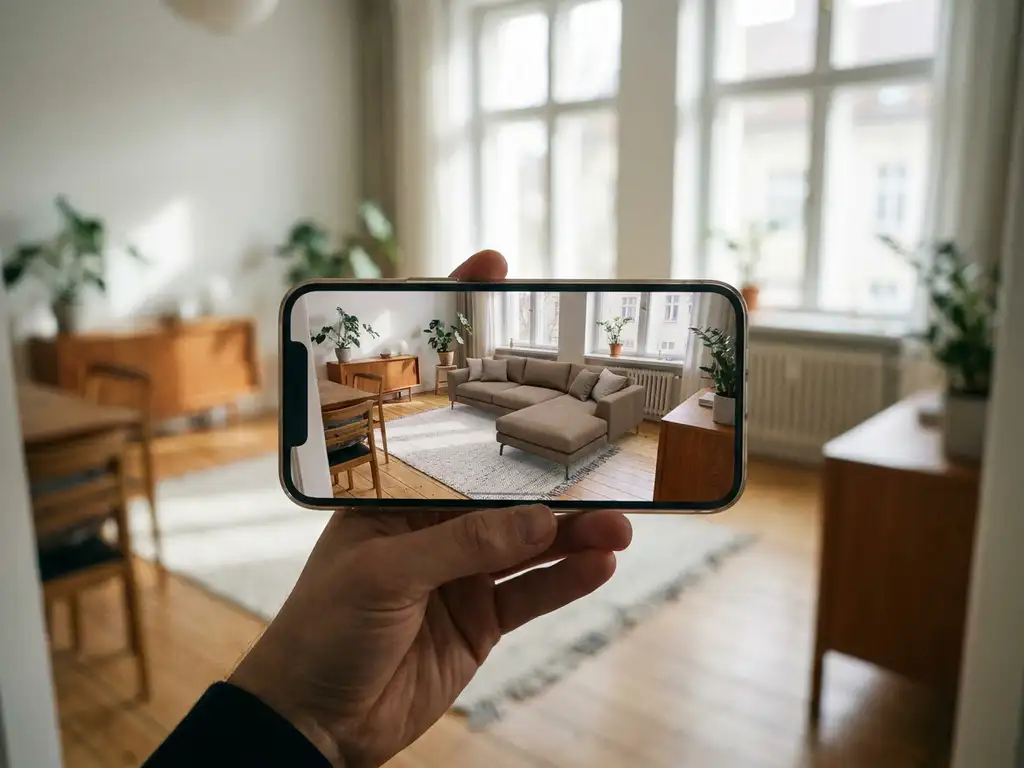
Yes, you can take a photo of a room and use it as the starting point for a full interior design in an app. Modern room design apps and room visualizer apps let you upload a photo or scan your space, then place real furniture, experiment with layouts, and even explore different interior styles, from Scandinavian minimalism to warm contemporary, all before you spend a single euro. The experience ranges from simple photo overlays to fully interactive 3D environments where you configure the exact product you want to buy.
For shoppers, this technology removes the guesswork from furnishing a home and makes it possible to try out styles and combinations that would be impossible to test in a showroom. For furniture retailers and brands, a well-integrated room design tool has become one of the most powerful drivers of confident purchasing decisions and lower return rates. Below, we answer the most common questions about how these tools work and what to look for in a platform.
How to design a room from a photo: a step-by-step guide
Getting started with a room design app is simpler than most people expect. Whether you want to visualize furniture in your space before buying or explore a completely new interior style, the process follows a clear sequence from photo to finished layout.
- Take a photo of your room from a doorway or corner at eye level, making sure the floor and at least two walls are visible. This gives the app the spatial reference points it needs to anchor furniture accurately.
- Open a room design app or visit a retailer’s web-based room planner. No download is required on modern platforms. Many retailer-integrated tools run entirely in your browser, so you can upload a photo of your room and get started within seconds.
- Upload your photo or switch to live AR mode. If you prefer to work from a static image, upload it directly. If your device supports it, you can also let the interior design app use your camera live so furniture appears anchored in real space as you move around the room.
- Browse the product catalogue and select the item you want to visualize. On retailer-integrated platforms, every product in the catalogue is a real, purchasable item rather than a generic placeholder.
- Configure the product to match exactly what you would order, choosing fabric, color, size, and finish. This step is what separates a serious room visualizer app from a basic style tool: what you see is what you get.
- Reposition and rotate the piece until you are happy with the placement, then save or share the result. Many platforms let you build out a full room scene before handing off to a sales team or proceeding to checkout.
Tips for taking a room photo that works well in a design app
The quality of your starting photo has a direct effect on how well a room design app can detect surfaces and anchor furniture. A few simple habits before you shoot can make the difference between a convincing result and a frustrating one.
- Shoot from a doorway or corner. This position gives the app the widest view of the floor area, providing more surface data to work with when detecting the floor plane.
- Use natural daylight where possible. Even indoor artificial lighting can create shadows that confuse surface-detection algorithms. Bright, even light produces the cleanest results.
- Keep your phone horizontal and at roughly chest height. This captures an accurate perspective and reduces the distortion that comes from shooting too high or too low.
- Clear obvious clutter from the floor before shooting. Objects on the floor can obscure the floor plane, making it harder for the app to detect the surface correctly.
- Avoid shooting directly into a window. Strong backlighting reduces the contrast the app needs to identify walls and surfaces, which can lead to inaccurate furniture placement.
- Use a wide-angle lens if your device has one. A wider frame captures more of the room in a single shot, giving the app more context to work with.
Devices equipped with LiDAR sensors, such as recent iPhone Pro models, can add an extra layer of spatial accuracy on top of these steps, producing more precise depth readings even in challenging lighting conditions.
What can room design apps actually do with a photo?
A room design app can use your photo as a visual backdrop to place, resize, and rearrange virtual furniture within your actual space. More advanced platforms go further, letting you swap out flooring, change wall colors, add curtains or wallpaper, and configure individual furniture pieces in real time — all layered on top of your original room image.
The simplest apps work by detecting the floor plane and perspective in your photo, then anchoring 3D furniture models to those reference points. The result is a rough but useful preview of how a sofa or dining table might fit in your room.
More sophisticated room planning software combines photo-based visualization with a full product configurator. That means you are not just placing a generic sofa in the image — you are placing the exact sofa you intend to buy, in the fabric, color, and size you have chosen, with the correct price attached. This level of detail is what separates a basic design app from a genuine sales tool.
Types of room design apps: what to expect from each
Not all room design apps work the same way, and choosing the right type depends on what you need. Here is a breakdown of the four main categories available to consumers and shoppers today.
- AR furniture placement apps: These use your phone’s camera live to overlay 3D furniture models in real space. They are best for quickly checking the scale and proportion of a specific product before buying, and they work without any floor plan setup. The term “furniture AR app” covers most of what you find in major app stores today.
- Photo upload and style apps: These let you upload a static photo and apply different decor styles or swap out furniture visually. They are useful for exploring aesthetics and getting a feel for a room’s direction, but they are typically not connected to real, purchasable products. Think of them as a digital mood board rather than a buying tool. This type of interior design app with photo upload is popular for inspiration but rarely supports a confident purchase decision on its own.
- 3D room planner tools: These let you build a floor plan from scratch and furnish it with items from a product catalogue. They are more precise than photo apps because they work from actual room dimensions, but they require more setup time. A room planner app of this type is well suited to full-room renovation planning where accuracy matters.
- Retailer-integrated configurators: Embedded directly in a brand’s or retailer’s website, these tools let you configure the exact product you intend to buy, in your chosen fabric, color, and size, and place it in your room. They combine the benefits of all three previous categories in one experience, and every item you place is a real product connected to live pricing and stock data.
Retailer-integrated tools deliver the most purchase-ready experience because every item you place is a real product you can add to your cart immediately, with no gap between inspiration and action.
How does augmented reality furniture placement work?
Augmented reality (AR) furniture placement uses a device’s camera and motion sensors to map the physical dimensions of a room in real time. The app identifies flat surfaces such as floors and walls, then anchors a 3D furniture model to those surfaces so it appears to occupy real space as you move your phone or tablet around.
The key steps in the AR furniture placement process are:
- Surface detection: The app scans the room through the camera and identifies horizontal and vertical planes.
- Scale calibration: Using depth sensors or visual cues, the app estimates distances so furniture appears at the correct size relative to the room.
- Model rendering: A photorealistic 3D model of the product is placed on the detected surface and rendered in real time as you move the camera.
- Interaction: You can reposition, rotate, and — on some platforms — configure the product (changing color, fabric, or dimensions) while keeping it anchored in your space.
AR placement is particularly valuable for large furniture purchases where scale and proportion matter most. Seeing a corner sofa or a wardrobe in your actual room, at actual size, gives a level of confidence that no product photo can match.
What room design apps do well, and where they have limits
Room design apps excel at giving shoppers a realistic sense of scale, proportion, and style before a purchase decision. They are most powerful when the 3D models behind them represent real, configurable products rather than generic placeholders, because the closer the digital version is to the actual item, the more confident the buyer can be.
That said, there are genuine constraints worth understanding. AR accuracy depends on the sensors in the user’s device. Older smartphones produce less precise depth readings than newer models equipped with LiDAR, which can affect how accurately furniture appears anchored to a surface. Lighting conditions also play a role: very dark rooms or highly reflective surfaces, such as polished concrete or large mirrors, can reduce the quality of surface detection and lead to placement errors.
The realism of the result is only as good as the 3D models behind it. Apps that use low-resolution or geometrically inaccurate models can create a misleading impression of how a product actually looks in a space, which undermines buyer confidence rather than building it. This is why the quality and accuracy of the underlying 3D asset library is one of the most important factors when evaluating any room design platform. A platform built on high-quality, brand-accurate 3D content consistently delivers results that consumers and retailers can trust.
Room scanner vs. room photo app: which gives better results?
A room scanner builds a precise 3D model of your space by measuring dimensions and mapping surfaces using your device’s sensors. A room photo app uses a static image as a backdrop for placing furniture. Scanners produce more accurate spatial data; photo apps are faster and require no special hardware beyond a standard smartphone camera.
Room scanners are best suited for situations where accuracy matters — such as planning built-in furniture, checking whether a large piece will fit through a doorway, or creating a floor plan for an entire room renovation. The trade-off is that scanning takes more time and the results depend on lighting conditions and device capability.
Photo-based apps are more accessible and work well for a quick visual check or for exploring different styles. Many modern platforms combine both approaches, letting users start with a photo and then refine the layout using measured room data if they need more precision.
For furniture retail specifically, the photo-based approach tends to win on ease of use, which directly affects how many customers actually engage with the tool. A room design experience that takes 30 seconds to start will always outperform one that requires a five-minute scanning process.
Room design app vs. hiring an interior designer: which makes sense?
A professional interior designer brings genuine expertise in spatial planning, color theory, and product sourcing. For complex whole-home projects, that knowledge is hard to replicate. However, professional design services come with significant fees that put full-room design advice out of reach for many shoppers who simply want to make a confident furniture purchase.
A room visualizer app gives consumers the ability to experiment with layouts, styles, and specific products on their own schedule, at no extra cost, and with one important advantage: every item they place is a real, purchasable product rather than a mood-board suggestion. There is no gap between the inspiration and the order. Shoppers can design their room online, try dozens of combinations, and arrive at a decision they feel genuinely confident about, without booking a consultation or waiting for a callback.
For furniture retailers, providing a self-service interior design app effectively gives every online visitor access to a guided design experience at scale. No physical store can replicate that with human staff alone. A well-implemented room design tool works around the clock, handles any number of simultaneous users, and presents your products consistently every time, making it one of the highest-leverage investments available in modern furniture retail.
Which furniture products can you configure and visualize in a room design app?
Most room design apps support sofas, chairs, tables, beds, and storage furniture. More advanced 3D room planning tools extend this to include configurable products with complex options — such as modular sofas with interchangeable sections, custom wardrobes with adjustable interiors, dining tables in variable sizes, and upholstered pieces in dozens of fabric and color combinations.
The range of configurable products depends entirely on the underlying software. Basic apps work with fixed 3D models that look the same regardless of what you choose. Platforms built around a product configurator engine can handle products with:
- Multiple size and dimension variants
- Fabric, leather, or material selections across hundreds of options
- Modular components that can be combined in different arrangements
- Complex business rules that prevent incompatible combinations
- Real-time pricing that updates as the configuration changes
This level of configurability is what makes room design tools genuinely useful for furniture brands with large, customizable product ranges. A customer who can build their exact sofa and then place it in their living room is far more likely to complete a purchase than one who is looking at a generic placeholder image.
Room design apps by space: living room, bedroom, dining room, and more
The way shoppers use a room design app varies considerably depending on which room they are furnishing. Understanding how the technology applies to each space helps both consumers and retailers get the most from it.
Living room: The living room is where room design apps see the most use, and for good reason. Modular sofas, coffee tables, and rugs are among the most-tested products, and the configuration variables are significant. Corner units, chaise extensions, fabric choices, and leg finishes all affect how a sofa looks and feels in a space. A living room design app that handles these combinations in real time gives shoppers the confidence to commit to a large purchase without second-guessing their choices.
Bedroom: In the bedroom, beds, wardrobes, and storage furniture dominate. A bedroom furniture visualizer is particularly valuable for configurable wardrobes, where interior shelving arrangements and door panel choices are difficult to imagine from a product page alone. Visualizing bed frame dimensions in the actual room also prevents the common mistake of choosing a size that overwhelms the space.
Dining room: Table size is the critical variable in the dining room, and getting it wrong is a costly mistake. A room planner app that lets a shopper see how a six-seat dining table fills their actual room, with chairs positioned around it, removes the uncertainty that causes hesitation at the point of purchase. Chair combinations and upholstery choices are also well suited to visual configuration in this context.
Home office: The home office has become a high-priority space for many households. Desks, shelving units, and ergonomic chairs each have dimension and configuration variables that benefit from visualization before buying, particularly in rooms that double as guest rooms or creative spaces where every centimeter counts.
A platform that handles all of these room types from a single, unified product catalogue delivers the most consistent experience for both shoppers and the retailers serving them, with no need to manage separate tools or disconnected datasets for each space.
How furniture retailers use room design tools to increase sales and reduce returns
Furniture retailers and brands use room design tools to reduce purchase hesitation, increase average order value, and minimize returns. By letting customers visualize products in their own space before buying, these tools address the single biggest barrier in furniture e-commerce: uncertainty about whether a piece will look right and fit properly.
In practice, brands integrate room planning tools into their websites and in-store displays in several ways. Online, the tool sits alongside the product detail page, letting shoppers drop an item into a room scene the moment their interest is piqued. In-store, sales staff use tablet-based room planners to help customers build out a full room layout during a showroom visit, which naturally leads to larger basket sizes.
Showing products in a realistic room environment has a measurable effect on buying intent. When customers can see a complete, styled room rather than a product on a white background, they are more likely to add complementary items to their order — from a coffee table to a rug to a set of cushions.
Brands also use room planning tools to maintain consistent visual presentation across their entire dealer and retail network. Instead of relying on each retailer to photograph and display products correctly, the brand provides a single digital tool that presents every product in the right context, in the right configuration, every time.
How to choose the right room planner and furniture configurator platform
The most important factors when choosing a room design and product configurator platform are visual quality, configurability depth, integration capability, and scalability across your full product range. A platform that looks impressive but cannot handle your most complex products — or that cannot connect to your existing systems — will create more problems than it solves.
Key questions to ask when evaluating platforms include:
- Can it handle your most complex products, including all variants, business rules, and pricing logic?
- Does it integrate with your PIM, ERP, CMS, and webshop without heavy custom development?
- Is the 3D output photorealistic enough to replace or reduce traditional product photography?
- Can it be white-labeled and deployed consistently across your retail or dealer network?
- Does the vendor have proven references in the furniture and home furnishings industry?
- Is it web-based, requiring no app download from the end customer?
Industry specialization matters more than it might seem. A platform built for general e-commerce will struggle with the specific complexity of furniture, where a single sofa model can have millions of valid combinations. Platforms developed specifically for the home furnishings sector understand these constraints and have built their architecture around them.
Free room design apps vs. professional platforms: what is the difference?
Free and low-cost room design apps are widely available and work well for casual style exploration. They typically offer a limited furniture catalogue, generic 3D models that do not reflect specific purchasable products, and no connection to a retailer’s pricing or stock data. A free room planner app is a reasonable starting point for inspiration, but it rarely supports a confident buying decision on its own because the products it shows are not the products you can actually order.
Professional room design and configurator platforms are built for furniture brands and retailers rather than individual consumers. They are embedded in a brand’s own website or in-store environment and present the brand’s actual product catalogue with real configuration options, live pricing, and a direct path to purchase. Consumers benefit from these tools through the retailers they shop with, not by downloading a separate app. The furniture visualizer a shopper uses on a brand’s website is powered by a professional platform working behind the scenes.
This is the key distinction for furniture brands evaluating their options: a generic consumer app cannot represent your products accurately or connect to your sales systems. That gap is exactly why purpose-built platforms consistently deliver better commercial outcomes, including higher conversion rates, larger basket sizes, and fewer returns. The best room design app for a furniture brand is not an app at all; it is a professional platform integrated directly into the buying journey.
How iONE360 helps with room design and furniture configuration
iONE360 is a 3D room planning and product configurator platform built specifically for furniture brands and retailers. Unlike general-purpose visualization tools, iONE360 is purpose-built for the complexity of furniture and home furnishings — combining a powerful room planner with a full product configurator so customers configure the exact product they want to buy, see the correct price, and order directly from within the experience.
Built on 45 years of furniture industry expertise through the Dutch Colijn Group, we have spent decades developing technology that handles the real complexity of furniture product ranges, from single-SKU sofas to modular systems with millions of valid combinations. That depth of industry knowledge is embedded in every part of the platform.
Here is what makes iONE360 the right choice for furniture and home furnishings brands:
- Two flexible room planning paths: A bespoke, white-labeled room planner built for your platform, or HomeDecoHub, our ready-to-use room planning marketplace.
- Full product configurability in the room planner: Configure sofas, wardrobes, dining sets, and more with all fabric, color, size, and component options available in real time.
- Seamless system integration: Connects with your PIM, ERP, CMS, and webshop so product data, pricing, and availability are always accurate.
- AR visualization included: Customers can place configured products in their own space using augmented reality, directly from the browser with no app download required.
- Shareable configuration summaries: Customers and sales teams can save and share a complete room configuration, including product selections, fabrics, dimensions, and pricing, making it easy to continue the conversation after a showroom visit or online session.
- Consistent brand presentation across your dealer network: Every retailer and dealer in your network presents your products in the same high-quality 3D environment, in the correct configurations, without relying on individual stores to manage their own photography or display setups.
- Automatic packshot generation: High-quality product images are generated automatically for every configuration, eliminating the need for costly traditional photoshoots at scale.
- Built on 45 years of furniture industry expertise: Developed by the Dutch Colijn Group, iONE360 understands the complexity of furniture product ranges and is built to handle it.
If you are ready to give your customers the confidence to buy and your sales team the tools to close more deals, we would love to show you what iONE360 can do. Get in touch with our team to start the conversation.
Frequently Asked Questions
How accurate is AR furniture placement when it comes to real-world sizing?
AR furniture placement is generally accurate enough for confident purchasing decisions, but precision depends on your device’s sensors and lighting conditions. Newer smartphones with LiDAR scanners (such as recent iPhone Pro models) deliver significantly better depth accuracy than older devices relying purely on visual cues. As a rule of thumb, always cross-check the app’s size reading against your room’s actual measurements with a tape measure before finalizing a large purchase.
Do customers need to download an app to use AR room planning tools?
Not necessarily — and this distinction matters a lot for conversion rates. Many modern room planning platforms, including iONE360, are fully web-based, meaning customers can launch the AR or room planning experience directly from a browser without installing anything. App-based tools add friction to the journey, and any extra step between interest and engagement risks losing the customer entirely.
What are the most common mistakes furniture brands make when implementing a room design tool?
The most frequent mistake is treating the room planner as a standalone feature rather than integrating it deeply with product data, pricing, and the checkout flow. A room design tool that shows generic or outdated product models, displays incorrect prices, or disconnects from the purchasing journey creates confusion rather than confidence. Brands also underestimate the importance of 3D asset quality — low-resolution or inaccurate models undermine trust in the entire experience.
How long does it take to get a room design tool up and running on a furniture brand's website?
Implementation timelines vary depending on the platform and the complexity of your product range, but a realistic expectation is anywhere from a few weeks to a few months. The main variables are how many products need to be converted into 3D models, how complex your configuration rules are, and how deeply the tool needs to integrate with your existing PIM, ERP, or e-commerce platform. Choosing a vendor with ready-made integrations and furniture-specific expertise significantly shortens this timeline.
Can room design tools handle products with a very large number of configuration options without slowing down?
Yes, but only if the platform was built to handle that level of complexity from the ground up. General-purpose configurators often struggle with furniture products that have hundreds of fabric choices, modular components, and pricing rules that interact with each other. Platforms purpose-built for the furniture industry architect their engines specifically around these constraints, ensuring real-time rendering and accurate pricing even when a single product has thousands of valid combinations.
How do room planning tools affect return rates for online furniture purchases?
Visualizing a product in your own space before buying directly addresses the two most common reasons for furniture returns: the piece looked different in person than expected, and it didn’t fit the space as anticipated. By giving customers an accurate sense of scale, color, and proportion before they commit, room planning tools have been shown to meaningfully reduce return rates — a significant operational and cost benefit for retailers beyond just the uplift in conversion.
Is a room design tool useful for in-store sales, or is it mainly an online feature?
Room design tools are highly effective in-store, often even more so than online. Sales associates equipped with a tablet-based room planner can walk a customer through building out an entire room during a showroom visit, visualizing how different pieces work together and configuring each product to the customer’s exact preferences. This consultative approach naturally increases basket size, as customers can see a complete, styled room rather than making isolated product decisions.
Related Articles
- How does a product configurator handle complex product variants?
- How does a product configurator connect to inventory management?
- What is the difference between a product configurator and a product builder?
- What technical requirements are needed for room visualizer software?
- Can a 3D product configurator integrate with ERP systems?