

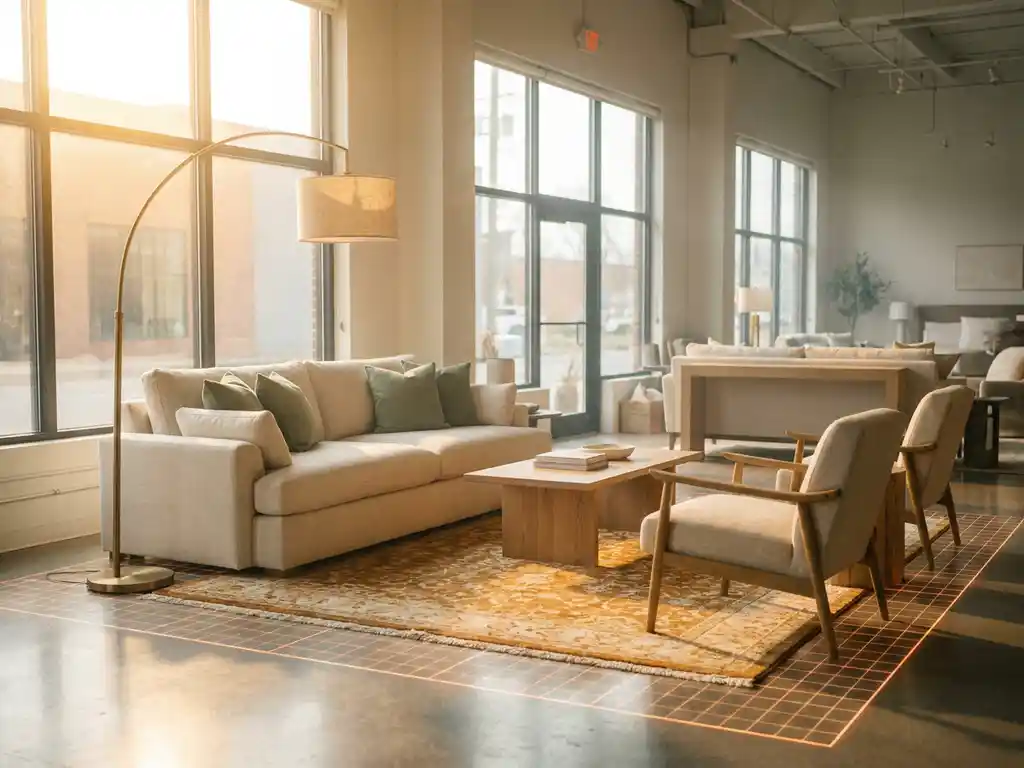
A room planner helps retailers sell entire room sets by removing the guesswork from multi-piece purchases. When customers can visualize how a sofa, coffee table, rug, and shelving unit look together in a realistically scaled space, the leap from buying one item to buying a complete room becomes far less daunting. The questions below unpack exactly how this works and what retailers need to get it right.
What makes customers hesitate to buy an entire room set?
Customers hesitate to buy an entire room set because they cannot visualize how multiple pieces will look and fit together in their actual space. Without that visual certainty, the financial risk feels too high. Buying a single chair is one decision; committing to a coordinated room requires trusting that every item will work together in terms of scale, color, and style.
Several specific fears drive this hesitation:
- Scale uncertainty: Will that sectional overwhelm the room, or will it leave awkward empty corners?
- Style mismatch: Does the dining table actually complement the sideboard, or does it clash in real life?
- Configuration doubt: If a sofa comes in multiple fabric options, does the chosen color still work next to the rug?
- Budget anxiety: Committing to a full room set is a significant purchase, and uncertainty multiplies the perceived risk.
Traditional product pages, even with high-quality photography, show items in isolation. That isolation is the core problem. Customers are left doing mental math about spatial relationships, and most people are not confident enough in that mental exercise to commit to a large basket. Room planning software solves this by replacing imagination with a concrete, interactive visual.
How does a room planner increase average order value?
A room planner increases average order value by encouraging customers to add complementary products to complete the scene they are building. Once a customer places a sofa in a virtual room, the empty space around it naturally prompts them to add a coffee table, a floor lamp, and a rug. Each addition feels logical rather than upsold.
This dynamic works for several reasons. First, the room planner shifts the customer’s mental frame from “I need a sofa” to “I am designing a living room.” That broader frame opens the door to a much larger basket. Second, seeing items together in a realistic 3D environment makes the combined purchase feel cohesive and justified rather than impulsive. Third, customers who feel confident in their choices are less likely to second-guess and remove items before checkout.
Industry experience consistently shows that showing products in a furnished environment context significantly increases buying intent. When a retailer’s full catalogue is accessible within the room planner, the tool effectively becomes a self-guided sales assistant that works around the clock, across every channel.
What types of products work best in a room planner?
Products that work best in a room planner are those that are purchased as part of a coordinated space rather than in complete isolation. This includes sofas, dining sets, bedroom furniture, shelving systems, rugs, lighting, curtains, and decorative accessories. Essentially, any product that a customer would mentally place in a room before buying is a strong candidate.
Configurable products benefit especially strongly. A sofa available in thirty fabric options, three sizes, and two arm styles creates thousands of possible variations. A room planner that integrates a product configurator allows customers to adjust those options in real time and immediately see how the configured piece looks within the full room context. This removes a major source of purchase hesitation specific to customizable furniture.
Flooring, wallpaper, and window treatments are also highly effective in a room planner because they define the backdrop against which all other furniture is evaluated. Retailers who include these background elements give customers a much richer and more realistic design experience, which in turn builds greater purchase confidence across every product in the room.
How does a room planner reduce product returns for furniture retailers?
A room planner reduces product returns by ensuring customers make informed, confident decisions before they buy. The majority of furniture returns happen because the item does not fit the space as expected, clashes with existing pieces, or simply looks different in the home than it did on a product page. A 3D room planning tool addresses all three of these root causes directly.
When customers can place a scaled 3D model of a product in a virtual room that reflects their own dimensions, they can verify fit before ordering. When they can see multiple pieces together, they can confirm style compatibility. When they can configure colors and materials in context, they avoid the common disappointment of a fabric looking different in isolation than it does next to a wall color or flooring.
Fewer surprises at delivery means fewer return requests. For furniture retailers, where returns are logistically complex and costly, this reduction has a meaningful impact on both operational costs and customer satisfaction. A customer who received exactly what they envisioned is also far more likely to return for their next purchase.
Should a room planner work in-store, online, or both?
A room planner should work in both in-store and online environments, and the most effective implementations treat them as a single connected experience. Customers today move fluidly between digital and physical touchpoints. They browse online, visit a showroom, and often finalize decisions back at home. A room planner that works consistently across all of these moments removes friction at every stage.
In a physical store, a room planner extends the showroom beyond its four walls. Floor space is always limited, and no retailer can display every configuration of every product. A digital room planner on an in-store screen or tablet allows sales staff to show customers options that are not physically present, configure products on the spot, and save the room design for the customer to revisit at home.
Online, the room planner operates as a self-service sales tool that replicates the guided experience of working with a knowledgeable sales associate. Customers who can design their own room at their own pace, without pressure, are more likely to spend time exploring the catalogue and more likely to convert with a larger basket.
The key is consistency. The same product data, pricing, and configuration rules should power the room planner whether it is accessed on a retailer’s website, a dealer’s tablet, or a showroom display. This ensures a coherent brand experience regardless of where the customer encounters it.
What should retailers look for in a room planning tool?
Retailers should look for a room planning tool that combines visual realism, product configurability, and seamless integration with their existing systems. A tool that looks impressive but cannot connect to live pricing or product data creates more problems than it solves. The right solution should feel like a natural extension of the retailer’s sales and technology ecosystem.
Specifically, look for these capabilities:
- 3D visualization quality: Photorealistic rendering builds customer trust. Low-quality visuals undermine the entire purpose of the tool.
- Integrated product configuration: Customers should be able to configure products directly within the room planner, not jump to a separate tool.
- Full catalogue coverage: The room planner should support your entire product range, including all variants, not just a curated selection.
- System integration: Compatibility with your PIM, ERP, CMS, and webshop is essential for keeping product data accurate and up to date.
- Omnichannel deployment: The tool must work equally well online and in-store, on desktop and mobile, without requiring a download or app installation.
- Scalability: As your catalogue grows, the platform should scale without requiring manual effort per product variant.
Ease of use for the customer is equally important. A room planner that requires technical skill to operate will be abandoned. The best tools guide customers through the design process intuitively, keeping them engaged and moving toward a purchase decision.
How iONE360 helps retailers sell complete room sets
We built our room planning software specifically for the furniture and home furnishings industry, drawing on more than 45 years of sector expertise. Our platform gives retailers a powerful, web-based 3D room planning environment that works seamlessly across online stores, dealer networks, and physical showrooms.
Here is what sets our approach apart:
- Integrated configuration: Customers configure sofas, dining sets, and other customizable products directly within the room planner, seeing live pricing and lead times as they design.
- Photorealistic 3D visuals: Every product, in every variant, is rendered with the quality needed to build genuine purchase confidence.
- Two flexible paths: Choose a bespoke, white-labeled room planner built for your platform, or onboard HomeDecoHub, our ready-to-use room planning marketplace powered by the same proven technology.
- Full system integration: Our platform connects with your existing PIM, ERP, CMS, and webshop so product data stays accurate across every channel.
- Omnichannel by design: One platform that works in-store, online, and everywhere in between, with no downloads required.
The result is a sales tool that increases average order value, reduces returns, and gives customers the confidence to commit to a complete room rather than a single piece. If you are ready to see what this looks like for your catalogue, get in touch with us and we will show you exactly what is possible.
Frequently Asked Questions
How long does it typically take to get a room planner up and running for my store?
Implementation timelines vary depending on the approach you choose. A white-labeled, bespoke room planner built around your existing systems can take several weeks to a few months, depending on catalogue size and integration complexity. A ready-to-use solution like HomeDecoHub can get you live significantly faster, since the core platform is already built and onboarding primarily involves uploading your product data. The most important factor is how well your product information — dimensions, materials, variants — is already structured, as clean data dramatically accelerates the process.
What product data and assets do I need to prepare before launching a room planner?
At a minimum, you will need accurate product dimensions, high-quality 3D models or the assets needed to create them, material and finish variants, and up-to-date pricing. If your products are configurable, you will also need clearly defined configuration rules — for example, which fabric options are available on which sofa frames. Retailers who already maintain a well-structured PIM (Product Information Management) system will find the onboarding process considerably smoother, as the room planner can pull live data directly rather than relying on manual uploads.
Can a room planner handle very large catalogues with hundreds of configurable products?
Yes, but not all platforms handle scale equally well. Look specifically for a solution built on a scalable architecture that generates product variants dynamically rather than requiring a separate 3D asset for every possible combination. A sofa with 30 fabric options, 3 sizes, and 2 arm styles produces 180 variants — manually creating individual models for each is neither practical nor sustainable. The right platform will apply material and configuration changes programmatically to a base model, meaning your catalogue can grow without a proportional increase in asset production effort.
Will customers actually use a room planner, or is it a feature that gets ignored?
Engagement depends heavily on how the room planner is surfaced and how intuitive it is to use. Tools that require a download, demand technical skill, or are buried deep in a product page see poor adoption. Room planners that are web-based, load quickly, and guide customers through the design process with minimal friction consistently drive strong engagement — particularly among customers considering higher-value, multi-piece purchases where the stakes of getting it wrong feel significant. Placing the room planner prominently on product pages and category pages, rather than treating it as a standalone feature, is the single most effective way to drive usage.
How do I measure whether the room planner is actually improving sales performance?
The most meaningful metrics to track are average order value for sessions that include room planner interaction versus those that do not, conversion rate among room planner users, return rates for products purchased through the tool, and time spent on site. Most room planning platforms provide session-level data that can be connected to your existing analytics stack. A clear before-and-after comparison following launch will give you a reliable baseline, and segmenting by product category will show you where the tool has the greatest commercial impact.
Can in-store sales staff use the room planner without technical training?
They should be able to, and ease of use for staff is just as important as ease of use for customers. The best room planning tools are designed to be picked up quickly, with an interface that mirrors the intuitive drag-and-drop experience customers use themselves. A brief onboarding session is typically all that is needed. In practice, sales staff who use the tool regularly often become its strongest advocates, because it allows them to show configurations and room combinations that simply cannot be demonstrated on a physical showroom floor.
What is the difference between a room planner and a standard product configurator, and do I need both?
A product configurator focuses on customizing a single item — choosing fabric, size, leg finish, and so on — while a room planner places that configured item within a full spatial context alongside other products. The two tools are most powerful when they work together as a single integrated experience, which is why the integration of configuration directly within the room planner is a key capability to look for. If a customer has to configure a sofa in one tool and then separately try to visualize it in a room in another, that friction breaks the design flow and reduces the likelihood of a confident, high-value purchase.