

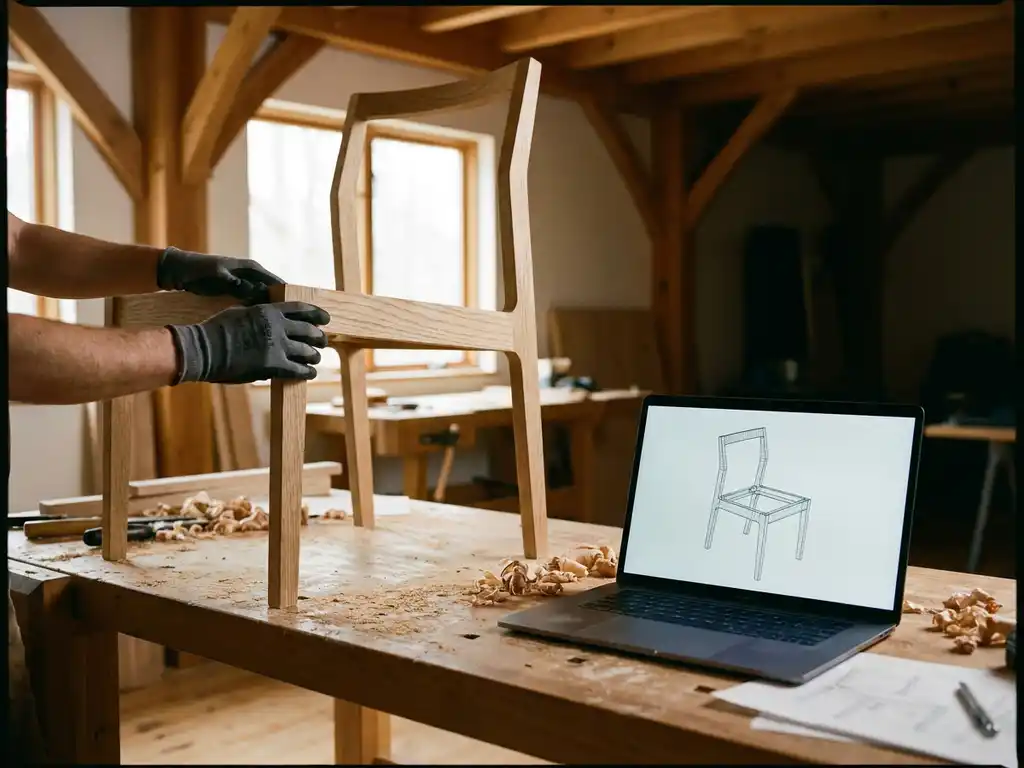
To create 3D models for furniture, you typically use professional 3D modeling software such as Blender, 3ds Max, or Cinema 4D to build geometry, apply materials, and prepare assets for rendering or real-time use. The process involves modeling the shape, adding realistic textures and finishes, and exporting the file in a format compatible with your intended use case, whether that is a product page, a configurator, or an AR experience.
For furniture brands specifically, the goal is rarely just a single static model. You need assets that can represent every configuration, fabric, finish, and size variant your product comes in. That is where the technical requirements go well beyond basic 3D modeling. This article walks through the most common questions furniture professionals ask when getting started with 3D model creation.
What software is used to create 3D furniture models?
The most widely used software for creating 3D furniture models includes Blender, Autodesk 3ds Max, Cinema 4D, and Modo. Each tool has its strengths: Blender is free and highly capable, 3ds Max is an industry standard for product visualization, and Cinema 4D is popular for its intuitive workflow. The right choice depends on your team’s skills, budget, and intended output.
Here is a quick overview of the most common tools and what they are best suited for:
- Blender — Free, open-source, and increasingly powerful. A solid choice for studios looking to minimize software costs without sacrificing quality.
- Autodesk 3ds Max — A longtime industry standard for architectural visualization and product rendering. Widely used by furniture manufacturers and their content agencies.
- Cinema 4D — Favored for its clean interface and strong motion graphics capabilities. Works well for marketing content alongside product visualization.
- Modo — Known for its excellent polygon modeling tools, making it a strong choice for detailed furniture geometry.
- SketchUp — More accessible and commonly used for interior design and space planning concepts, though less suited for photorealistic output.
For furniture brands preparing assets for interactive configurators or AR, the 3D models also need to be optimized for real-time rendering. This means keeping polygon counts manageable and ensuring materials are set up correctly for game engines or WebGL-based platforms.
What file formats are used for furniture 3D models?
The most common file formats for furniture 3D models are OBJ, FBX, GLTF/GLB, and 3DS. The right format depends on how the model will be used. OBJ and FBX are standard for exchanging assets between software applications, while GLTF/GLB has become the preferred format for web-based and AR applications because of its compact size and support for PBR materials.
When preparing models for a product configurator or room planning tool, GLTF/GLB is increasingly the go-to standard. It supports physically based rendering (PBR), animation, and compressed textures, making it efficient for browser-based experiences without requiring downloads or plugins.
For internal production pipelines, FBX remains popular because it preserves rigging, materials, and scene hierarchy when moving assets between tools like 3ds Max, Blender, and game engines. OBJ is simpler and more universal but lacks support for animations and complex material setups.
How long does it take to create a 3D furniture model?
Creating a single 3D furniture model typically takes between 4 and 20 hours, depending on the complexity of the piece, the level of detail required, and the experience of the modeler. A simple side table might take half a day, while a fully configurable sofa with multiple fabric options, modular components, and accurate stitching details could take several days or more.
For furniture brands with large catalogues, this time investment adds up quickly. A collection of 50 products, each with multiple variants, can represent hundreds of hours of modeling work. This is one of the key reasons brands evaluate whether to build 3D assets in-house or work with a specialist partner.
Beyond raw modeling time, there are additional steps that extend the timeline:
- Reference gathering — Collecting technical drawings, physical samples, and photography to ensure accuracy.
- Modeling — Building the geometry in 3D software based on exact dimensions.
- Texturing and materials — Applying realistic fabric, wood, metal, or other surface finishes.
- Quality review — Checking proportions, material accuracy, and visual consistency against the physical product.
- Optimization — Reducing polygon count and compressing textures for real-time or web use.
- Export and integration — Formatting the file correctly for its intended platform or configurator.
Can 3D furniture models be used for AR and product configurators?
Yes, 3D furniture models can absolutely be used for augmented reality (AR) and product configurators, but the models need to be specifically prepared for these use cases. AR and real-time configurators require optimized, lightweight models with PBR-compatible materials, whereas models built purely for static rendering are often too heavy and not structured correctly for interactive use.
For AR, models are typically exported in USDZ format (for Apple devices) or GLTF/GLB for Android and web-based AR. The visual quality needs to hold up at close range while keeping file sizes small enough to load quickly on mobile devices. This requires a careful balance between detail and performance.
For product configurators, the models need to support variant swapping, meaning different fabric colors, leg finishes, or module combinations can be switched dynamically without reloading the entire scene. This requires a structured asset setup from the very beginning of the modeling process, not something that can easily be retrofitted to a model originally built for static rendering.
What’s the difference between 3D rendering and a 3D configurator?
A 3D rendering is a static image generated from a 3D model, while a 3D configurator is an interactive tool that lets users change product options in real time and see the result instantly. Renderings are output files — beautiful, photorealistic images used in catalogues or on product pages. A configurator is a live experience that responds to user input.
Traditional product photography and 3D rendering share the same limitation: they produce a fixed visual. If a sofa comes in 12 fabric options and 3 leg finishes, you either photograph or render all 36 combinations, which is expensive and time-consuming to scale. A configurator solves this by dynamically assembling the visual based on the customer’s selections, making it possible to show millions of possible variations without producing each one individually.
For furniture brands, the practical implication is significant. A well-built configurator connected to a room planning tool allows customers to not only customize individual products but also see how those configured pieces work together in a complete room layout. This level of interactivity directly supports purchasing confidence and reduces the need for physical showroom visits.
Should furniture brands build 3D models in-house or outsource them?
Most furniture brands are better served by outsourcing 3D model creation, at least initially. Building an in-house team requires significant investment in software licenses, training, and ongoing salaries. Unless your product catalogue is extremely large and changes frequently enough to justify a dedicated team, outsourcing to a specialist studio or working with a platform partner is typically more cost-effective and faster to scale.
That said, the decision depends on a few key factors:
- Catalogue size and update frequency — Brands with hundreds of SKUs that change seasonally may find in-house capacity worthwhile over time.
- Required output formats — If models need to be optimized for a specific configurator platform, working with that platform’s recommended partners reduces errors and rework.
- Internal technical capability — Some brands already have design or marketing teams with 3D skills that can be extended with the right tools and training.
- Speed to market — Outsourcing to experienced studios is almost always faster for getting an initial catalogue live.
A hybrid approach often works well in practice: outsource the initial asset creation to a specialist partner, then build limited in-house capability for ongoing updates and new product additions.
How iONE360 helps furniture brands get more from their 3D models
Once your 3D models are ready, the real question is what you do with them. We built iONE360 specifically to help furniture brands and manufacturers turn high-quality 3D assets into a complete visual commerce experience, without needing a separate tool for every use case.
Here is what that looks like in practice:
- Interactive product configuration — Let customers configure fabrics, finishes, dimensions, and modules in real time, directly on your product page.
- Automatic packshot generation — Produce photorealistic product images for every variant automatically, eliminating the need for individual renders or photoshoots.
- AR visualization — Let customers place configured furniture in their own space using their smartphone, no app download required.
- Room planning — Give customers a full 3D room planning tool where they can arrange, configure, and combine multiple products, see live pricing, and order directly.
- Seamless integration — Connect with your existing PIM, ERP, CMS, or webshop through our API-first architecture.
All of this runs on a single, web-based platform built on over 45 years of furniture industry expertise. Whether you are a manufacturer looking to modernize your dealer network’s selling tools or a retailer wanting to reduce returns and increase conversion, iONE360 gives you the infrastructure to make your 3D models work harder across every channel.
Ready to see how it works for your catalogue? Get in touch with our team and we will walk you through what is possible for your specific product range.
Frequently Asked Questions
How accurate do 3D furniture models need to be compared to the physical product?
For commercial use, 3D furniture models should be dimensionally accurate to within a few millimeters of the physical product’s technical specifications. This matters not only for visual credibility but also for functional use cases like room planning tools, where customers rely on the model’s footprint to make real purchasing decisions. The best way to ensure accuracy is to start from official technical drawings or CAD files provided by the manufacturer, supplemented by physical samples for material and finish reference.
What information or assets do I need to provide to a 3D modeling studio to get started?
To get the most accurate results quickly, you should provide technical drawings or CAD files with exact dimensions, high-resolution photography of the product from multiple angles, physical material samples or detailed finish specifications, and a clear brief on the intended use case (e.g., static rendering, AR, or a configurator). The more complete your reference package, the fewer revision rounds you will need. Missing information — particularly around materials and finishes — is the most common cause of delays and rework in furniture 3D production.
What polygon count should a furniture 3D model have for use in a web configurator or AR?
For web-based configurators and AR experiences, furniture models should generally stay between 10,000 and 100,000 polygons depending on the complexity of the piece, with simpler items like side tables sitting at the lower end and detailed upholstered sofas at the higher end. File size is equally important — a GLTF/GLB model ideally should stay under 5–10 MB to ensure fast loading on mobile devices. These targets can vary depending on the platform you are using, so it is worth confirming optimization requirements with your configurator provider before production begins.
Can existing product photography be used to create 3D models, or are technical drawings required?
Photography can be used as a reference, but it is rarely sufficient on its own for producing accurate 3D models. Photos lack precise dimensional data and often obscure important structural details, which forces modelers to estimate — increasing the risk of proportional errors. Technical drawings or CAD files are strongly preferred. If neither is available, some studios offer photogrammetry services that use multiple photographs to reconstruct geometry, though this approach works better for organic shapes than for precision-manufactured furniture.
How do I manage 3D model updates when a product's fabric or finish options change seasonally?
The most efficient approach is to structure your 3D assets so that materials and textures are modular and stored separately from the base geometry. This way, when a new fabric colorway or finish is introduced, only the texture asset needs to be updated rather than the entire model. Platforms like iONE360 support this kind of asset architecture natively, allowing new variants to be added without rebuilding models from scratch. Establishing this structure from the start of your 3D production pipeline will save significant time and cost as your catalogue evolves.
What is the difference between PBR materials and standard textures, and why does it matter for furniture?
PBR (Physically Based Rendering) materials simulate how light interacts with surfaces in a physically accurate way, using maps for properties like roughness, metalness, and normal detail rather than just a flat color image. For furniture, this is critical because materials like velvet, leather, brushed metal, and matte lacquer each have very distinct light responses that only PBR can replicate convincingly. Using PBR materials also ensures your models look consistent across different lighting environments — whether in a browser configurator, an AR view, or an automatically generated packshot.
Is it possible to repurpose existing 3D models we already have for use in a configurator or AR?
It is possible, but it depends heavily on how those models were originally built. Models created for static high-resolution rendering are often too polygon-heavy and structured in a way that does not support real-time variant swapping or AR performance requirements. A technical audit by a specialist studio or your configurator platform partner can determine whether existing assets can be optimized and restructured, or whether it is more cost-effective to rebuild them to the correct specification. In many cases, a partial rebuild — retaining the base geometry but reworking materials and LODs — offers the best balance of speed and quality.