

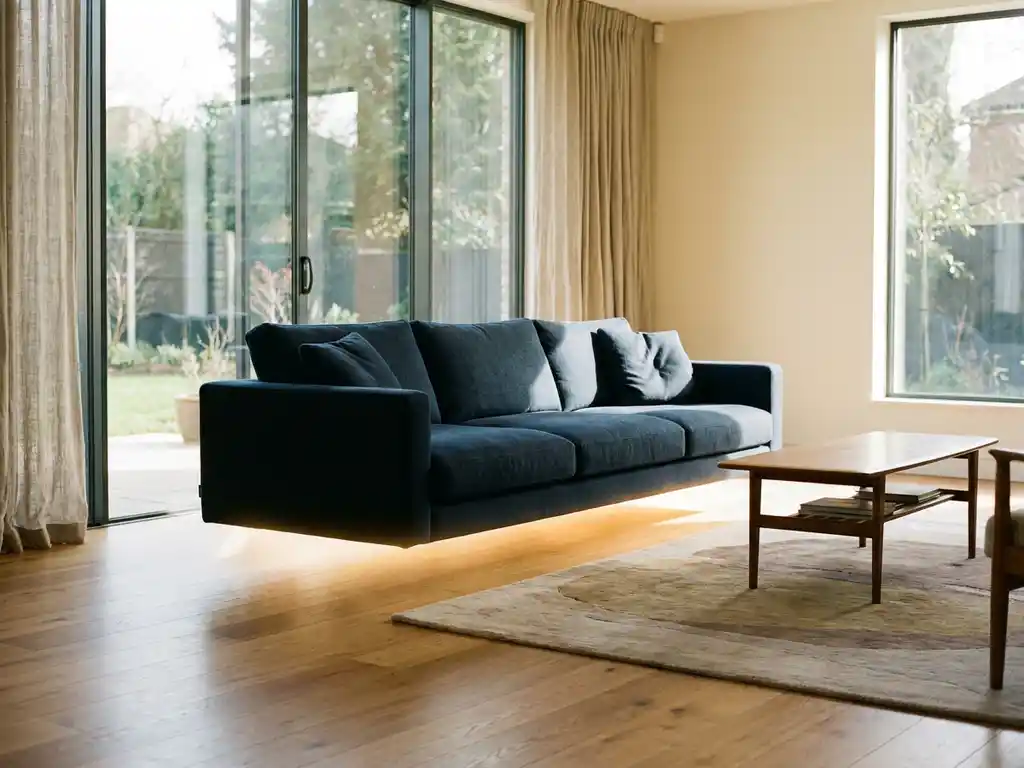
Yes, you can configure furniture in a room visualizer. Modern room planning software allows you to customize furniture pieces directly within the 3D environment, adjusting dimensions, materials, colors, and finishes while seeing how these changes affect both the individual piece and the overall room design in real time.
What is furniture configuration in a room visualizer?
Furniture configuration in a room visualizer is the ability to customize individual furniture pieces within a 3D room environment. Users can modify attributes like dimensions, materials, colors, and finishes while seeing real-time updates of how these changes affect the furniture’s appearance and fit within the space.
This functionality goes beyond simple furniture placement. Instead of being limited to pre-made models, you can adjust a sofa’s fabric, change a table’s wood finish, modify cabinet dimensions, or select different hardware options. The room visualizer immediately reflects these changes, showing accurate proportions, realistic materials, and proper lighting interactions.
Advanced room planning software with integrated product configurators can handle complex customizations, including multiple fabric zones, various wood species, different leg styles, and even structural modifications. The system maintains design rules and constraints, ensuring that your customizations remain realistic and manufacturable while providing instant visual feedback.
How does 3D furniture configuration work in room planners?
3D furniture configuration in room planners works through integrated product configurator technology that renders customizable furniture models in real time. Users select a base furniture item, then modify its attributes through interactive controls while the 3D engine instantly updates the visual representation within the room context.
The process typically follows these steps:
- Select a configurable furniture piece from the catalog
- Access configuration options through an intuitive interface
- Modify attributes like size, material, color, or hardware
- See instant 3D updates showing the customized piece in the room
- Fine-tune the configuration based on visual feedback
- Save or purchase the configured item directly from the planner
The underlying technology uses parametric 3D models that can adapt to different configurations while maintaining realistic proportions and material properties. Advanced systems also incorporate business rules, ensuring that selected combinations are valid and pricing updates reflect the chosen options accurately.
What furniture can you customize in room visualization software?
Room visualization software typically allows customization of upholstered furniture, case goods, tables, lighting, and modular storage systems. The specific options depend on the software’s capabilities and the manufacturer’s product catalog, but most systems support modifications to dimensions, materials, colors, finishes, and hardware.
Common configurable furniture categories include:
- Seating: Sofas, chairs, and sectionals with fabric, leather, size, and cushion options
- Tables: Dining, coffee, and side tables with wood species, finishes, and size variations
- Storage: Cabinets, wardrobes, and shelving with door styles, handles, and internal configurations
- Bedroom furniture: Beds, nightstands, and dressers with headboard styles and finish options
- Office furniture: Desks, chairs, and storage with ergonomic and aesthetic customizations
The depth of customization varies significantly between different room planning platforms. Professional-grade systems can handle complex products with hundreds of possible combinations, while simpler tools may only offer basic color and size adjustments. Some advanced platforms even allow you to configure multiple furniture pieces simultaneously, ensuring coordinated finishes and styles across an entire room.
What’s the difference between basic room planners and configurable furniture visualizers?
Basic room planners only allow placement of pre-made furniture models with fixed attributes, while configurable furniture visualizers enable real-time customization of individual pieces within the 3D environment. The key difference lies in flexibility: basic planners show what exists, while configurable visualizers show what could exist based on your specific preferences.
Basic room planners function like digital catalogs where you drag and drop existing furniture models into a space. You can arrange, rotate, and scale items, but you cannot modify their materials, colors, or detailed specifications. This approach works well for general space planning but limits your ability to explore customization options.
Configurable furniture visualizers integrate product configurator technology, allowing you to modify furniture attributes while maintaining the spatial context. You can change a dining table’s wood species, adjust a sofa’s dimensions, or select different cabinet hardware, all while seeing how these changes affect the overall room design. This capability bridges the gap between imagination and reality, providing a more accurate preview of your final space.
How accurate are furniture configurations in room visualizers?
Furniture configurations in quality room visualizers are highly accurate when built on proper 3D modeling and manufacturing data. Professional systems maintain precise dimensions, realistic material representations, and accurate proportional relationships, typically achieving accuracy levels suitable for purchasing decisions and space planning.
Accuracy depends on several factors:
- 3D model quality: Models based on actual manufacturing specifications provide the most accurate representations
- Material libraries: High-quality texture and material data ensure realistic appearance
- Lighting systems: Advanced rendering engines show how materials and colors appear under different lighting conditions
- Scale precision: Proper dimensional relationships between furniture and room elements
Professional room planning software often includes validation systems that prevent impossible configurations and maintain manufacturing constraints. This ensures that what you see in the visualizer can actually be produced and delivered. However, accuracy can vary between different platforms, with enterprise-level solutions typically offering higher precision than consumer-grade tools.
How does iONE360 help with furniture configuration in room planning?
We offer advanced room planning software that seamlessly integrates furniture configuration capabilities, allowing customers to customize products directly within the 3D room environment. Our platform combines over 45 years of furniture industry expertise with cutting-edge visualization technology to deliver accurate, scalable solutions.
Key benefits of our integrated approach:
- Real-time configuration: Modify furniture attributes instantly while maintaining accurate proportions and realistic rendering
- Complex product handling: Support for millions of product variations with integrated business rules and pricing
- Seamless integration: Connect with existing PIM, ERP, and e-commerce systems for streamlined operations
- Scalable deployment: White-label solutions that work across multiple channels and retail locations
- Proven results: Increase conversion rates, reduce returns, and boost customer confidence through enhanced visualization
Ready to transform your furniture visualization experience? Explore our showcases to see the platform in action, or contact us to discuss how our room planning and configuration solutions can enhance your business operations.
Frequently Asked Questions
Can I save and share my customized furniture configurations with others?
Yes, most advanced room visualizers allow you to save your customized configurations and share them via links or exported images. This feature is particularly useful for collaborating with family members, interior designers, or sales representatives. Some platforms also offer project management capabilities where you can save multiple room designs with different furniture configurations for comparison.
What happens if I configure furniture that exceeds my room's dimensions?
Quality room planning software includes collision detection and spatial validation systems that alert you when furniture configurations don’t fit properly. The system will typically highlight conflicts with walls, other furniture, or clearance requirements, and may suggest alternative sizes or configurations that work better in your space.
How do I know if my customized furniture configuration is actually available for purchase?
Professional room visualizers connected to manufacturer databases show real-time availability and pricing for configured options. The system applies business rules to ensure only valid, manufacturable combinations are displayed, and typically provides lead times and pricing updates as you make changes. Invalid combinations are either prevented or clearly marked as unavailable.
Can I configure multiple furniture pieces to match each other in the same room?
Advanced room planning platforms offer coordination features that help you select matching finishes, materials, and styles across multiple furniture pieces. Some systems include ‘style sync’ functionality that automatically applies compatible options to selected items, ensuring a cohesive look throughout your room design.
What should I do if the room visualizer doesn't load my configurations properly?
First, ensure you’re using a compatible browser and have a stable internet connection, as 3D rendering requires adequate processing power and bandwidth. Clear your browser cache, disable ad blockers that might interfere with 3D content, and try refreshing the page. If problems persist, contact the platform’s technical support team, as they can troubleshoot specific configuration issues.
How accurate are the colors and materials shown in the 3D room visualizer compared to real furniture?
Color accuracy depends on your display settings and the quality of the visualizer’s material library. Professional platforms calibrate their color representations to match real-world materials as closely as possible, but monitor settings, lighting conditions, and screen quality can affect perception. Many systems offer color matching tools or physical sample ordering to verify materials before purchase.
Can I import my own room measurements into the furniture configuration tool?
Most advanced room planning software allows you to input custom room dimensions manually or import floor plans in common formats like PDF, CAD files, or image uploads. Some platforms also offer mobile apps that use your phone’s camera to measure spaces automatically, ensuring your furniture configurations are tested in accurately sized virtual environments.