

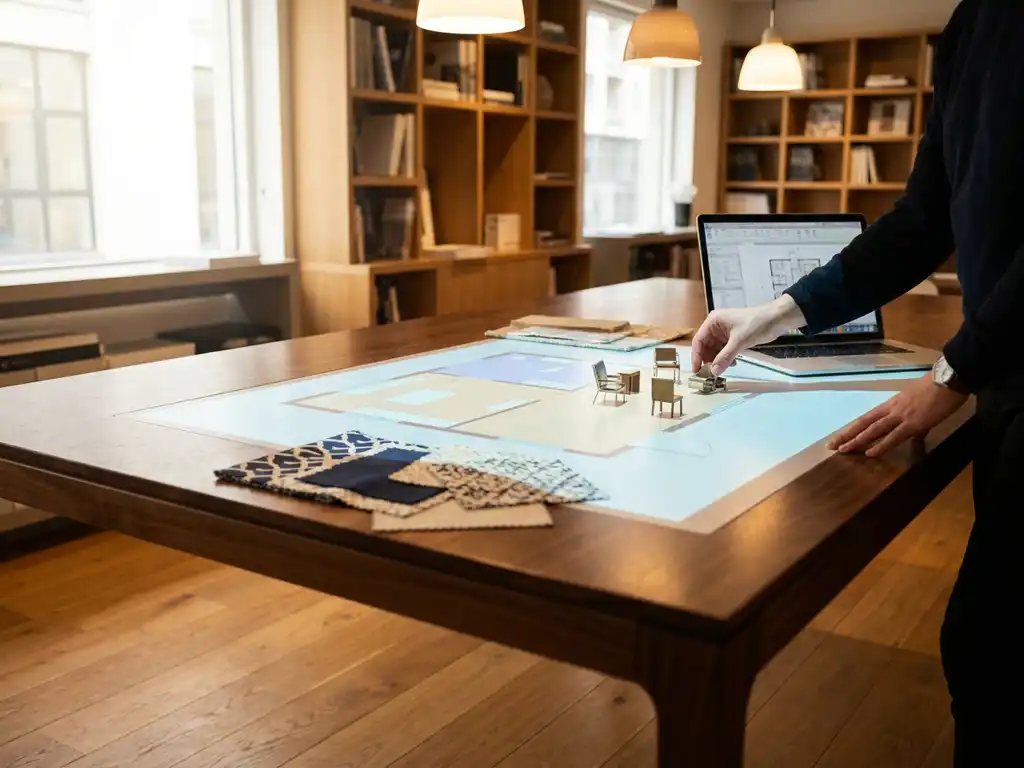
A 3D room planner supports omnichannel furniture sales by giving customers a shared visual experience across every touchpoint, whether they are browsing online, visiting a showroom, or speaking with a sales consultant. Instead of imagining how furniture will look in their home, customers can plan and visualise their space in real time, with confidence. The sections below unpack exactly how that works and what it means for your business.
What can customers actually do with a 3D room planner?
With room planning software, customers can create a floor plan of their space, place furniture items within it, experiment with different layouts, and view the result from any angle in photorealistic 3D. More advanced tools also let them configure individual products, adjust materials and colours, add flooring, curtains, and wallpaper, and see live pricing before placing an order.
The practical range of actions available in a modern room planner goes well beyond basic drag-and-drop arrangement. Customers can:
- Draw or import their room dimensions to create an accurate floor plan
- Place and reposition multiple furniture pieces to test different layout combinations
- Configure products on the spot by selecting fabrics, finishes, and sizes
- Zoom and rotate the camera to view the room from any perspective
- See real-time price updates as they customise products
- Add decorative elements like wall colours, flooring, and window treatments for a complete interior picture
- Proceed directly to checkout with the exact configuration they have built
This level of interactivity transforms furniture shopping from a leap of faith into an informed, engaging decision. Customers who can visualise their purchase in context are far more likely to commit, and far less likely to return the product afterwards.
How does a 3D room planner connect online and in-store channels?
A 3D room planner creates a consistent visual experience that travels with the customer across channels. A shopper can start planning their living room on your website at home, save their design, and then walk into a store where a sales consultant can open the same plan, refine it together, and close the sale without starting from scratch.
This continuity is what makes room planning software genuinely omnichannel rather than simply digital. Consider how the connection plays out in practice:
- Online discovery: A customer finds your brand, explores products, and begins arranging a room layout on your webshop.
- Saved session: Their design is stored and accessible on any device, so nothing is lost between sessions or channels.
- In-store continuation: A sales associate retrieves the plan, suggests complementary pieces, and configures the final order together with the customer.
- Dealer and retail partner use: The same tool runs in partner showrooms under your brand, ensuring visual consistency regardless of where the customer encounters your products.
- Post-visit follow-up: The customer can revisit and adjust their design at home before confirming, reducing hesitation and shortening the sales cycle.
For furniture brands selling through dealer networks, this consistency is particularly valuable. Every retail partner presents your products in the same high-quality visual environment, which protects brand integrity and reduces the variation in how your range is shown across different locations.
What’s the difference between a room planner and a product configurator?
A product configurator focuses on a single item, it lets a customer customise one product by selecting options like size, fabric, colour, and finish. A room planner operates at the scene level, allowing customers to arrange and visualise multiple products together within a defined space. The two tools solve different problems but work best when combined.
Think of it this way: a product configurator answers the question “how do I want this sofa to look?” while a room planner answers “how will this sofa look in my living room alongside my existing furniture?” The configurator drives product-level decision making; the room planner drives room-level buying confidence.
When the two are integrated, as they are in advanced room planning software, customers get the best of both. They can configure individual products in full detail and immediately see how those configured versions sit within their planned room. This combination is particularly powerful for furniture retailers selling coordinated collections, where the interaction between pieces matters as much as any single item.
How does a 3D room planner reduce product returns in furniture retail?
Product returns in furniture retail are most often caused by poor fit, the piece does not match the room dimensions, clashes with existing furniture, or looks different in person than it did online. A 3D room planner directly addresses all three causes by letting customers verify scale, proportion, and visual harmony before purchasing.
When a customer has placed a sofa in an accurately dimensioned floor plan, seen how it interacts with the rug, coffee table, and wall colour they have already chosen, and rotated the view to check it from every angle, the risk of a surprise delivery drops significantly. They are not imagining the result, they have already seen it.
The reduction in returns has a compounding benefit for furniture businesses. Fewer returns mean lower logistics costs, less product damage, reduced warehouse handling, and a better customer experience overall. A customer who receives exactly what they expected is far more likely to return and purchase again.
Which teams inside a furniture business benefit from room planning tools?
Room planning software benefits multiple teams across a furniture business, not just the e-commerce team. Sales, marketing, retail operations, and customer service all gain practical advantages from having a shared visual planning tool available across channels.
Here is how different roles typically benefit:
- E-commerce managers gain richer product pages, higher average order values, and better conversion rates as customers add complementary items to their room plan
- Sales consultants (both in-store and remote) can guide customers through a structured, visual sales process rather than relying on physical samples or static images
- Marketing teams can use room scenes generated by the planner as high-quality visual content for campaigns, social media, and retailer materials without commissioning separate photoshoots
- Retail operations managers can deploy the same tool across all store locations, ensuring a consistent customer experience without additional investment per site
- Customer service teams benefit from fewer post-purchase complaints and returns, since customers arrive at their decision with much greater clarity
For manufacturers selling through dealer networks, the room planner also functions as a brand consistency tool. Dealers using your platform present your products in your visual environment, which protects the brand experience at every point of sale.
When should a furniture brand invest in a 3D room planner?
A furniture brand should invest in 3D room planning software when it sells products that customers need to coordinate, when its online visuals no longer reflect the full range of configurations available, or when it is ready to move beyond single-product presentation towards a full room-selling approach. These triggers often coincide with a new collection launch, an e-commerce replatform, or a push for omnichannel consistency.
In 2026, the bar for online furniture retail has risen considerably. Customers expect to see products in context, not just isolated on a white background. If your current setup cannot show how a sofa looks in a room alongside your own tables, rugs, and lighting, you are likely losing sales to competitors who can.
The investment case becomes particularly clear when you account for what room planning software replaces: costly photoshoots for every product variant, physical sample libraries in every showroom, and the sales hours lost to customers who cannot make a confident decision without seeing the full picture. A scalable room planning tool addresses all of these costs while simultaneously improving the customer experience.
How iONE360 helps with room planning for furniture brands
We built iONE360 specifically for the furniture and home furnishings industry, drawing on over 45 years of software expertise from the Dutch Colijn Group. Our room planning software is designed to do exactly what this article describes, connect channels, reduce returns, and give every customer the confidence to buy.
Here is what sets our approach apart:
- Integrated product configuration: Customers can configure individual furniture items directly within the room planner, with live pricing and lead times visible on the spot
- Two flexible paths: Choose a bespoke, white-labeled room planner built for your platform, or onboard HomeDecoHub, our ready-to-use room planning marketplace powered by the same proven software
- Omnichannel by design: The same tool works across your webshop, in-store screens, and dealer locations, ensuring consistent brand presentation everywhere
- Seamless integration: Our platform connects with your existing PIM, ERP, CMS, and webshop systems, so your product data stays accurate and up to date without manual duplication
- Scalable visual content: Room scenes generated in the planner can be used directly as marketing visuals, reducing your dependency on expensive photoshoots
Showing products in the right environment increases buying intent significantly, and we have built our entire platform around making that experience as seamless as possible for both your customers and your team. Ready to see how it works for your business? Get in touch with us and we will walk you through it.
Frequently Asked Questions
How long does it typically take to implement a 3D room planner on a furniture website?
Implementation timelines vary depending on the approach you choose. A white-labeled, bespoke solution integrated with your existing PIM, ERP, and webshop systems can take anywhere from a few weeks to a couple of months, depending on the complexity of your product catalogue and technical infrastructure. A ready-to-use marketplace solution like HomeDecoHub can get you up and running significantly faster, making it a practical starting point if you want to validate the impact before committing to a fully custom build.
What product data do I need to have in place before launching a 3D room planner?
At a minimum, you will need accurate product dimensions, 3D models or assets for your furniture items, and up-to-date pricing and configuration options (such as fabrics, finishes, and sizes). The cleaner and more structured your existing product data is, the smoother the onboarding process will be. If your catalogue is managed through a PIM or ERP system, a room planning platform that integrates directly with those systems will save significant time and prevent data duplication errors down the line.
Can a 3D room planner work for furniture brands that sell through third-party dealers rather than directly to consumers?
Yes, and this is actually one of the strongest use cases for room planning software. When you provide dealers with a white-labeled version of your room planner, every partner showroom presents your products in the same high-quality visual environment, regardless of their individual setup or budget. This protects your brand consistency across the entire dealer network and ensures customers get a coherent experience whether they encounter your products on your own website or through a retail partner.
What happens if a customer's room dimensions or furniture needs change after they have saved a design?
A well-built room planner allows customers to return to their saved design at any time and make adjustments, whether that means resizing the room, swapping out a product, or changing a configuration option. This flexibility is actually a key selling advantage: rather than losing a hesitant customer, you give them the space to revisit and refine their decision at their own pace, which typically shortens the overall sales cycle rather than extending it.
How do I measure whether a 3D room planner is actually improving my sales performance?
The most direct metrics to track are conversion rate among users who engage with the room planner versus those who do not, average order value (since room planning encourages customers to add complementary pieces), and return rates for products purchased through the planner. You can also monitor session depth and time spent in the planner as indicators of engagement quality. Most furniture brands find that even a modest reduction in return rates alone generates a measurable return on the investment.
Is a 3D room planner only useful for large, complex furniture purchases, or does it add value for smaller items too?
While the ROI is most obvious for high-value, considered purchases like sofas, dining sets, and bedroom furniture, room planning tools also add value for accessories, lighting, and soft furnishings by helping customers see how smaller items complete a space. In fact, this is one of the primary drivers of higher average order values: a customer who came in to buy a sofa may add a rug, cushions, and a coffee table once they can see how the full room comes together visually.
What is the biggest mistake furniture brands make when introducing a 3D room planner?
The most common mistake is treating the room planner as a standalone digital feature rather than integrating it across the full customer journey. A room planner that only lives on one page of your webshop, is unavailable in-store, or is not connected to your live product and pricing data will underdeliver significantly. The full value of room planning software is realised when it functions as the shared visual layer across every channel, online, in-store, and through dealer partners, with consistent, up-to-date product information throughout.
Related Articles
- How AI product configurators are transforming furniture sales in 2027-2030
- When should a business invest in an AI-powered configurator?
- Why do customers abandon customization tools before completing a purchase?
- What platforms does Zakeke integrate with?
- How does room planning software improve customer experience?