

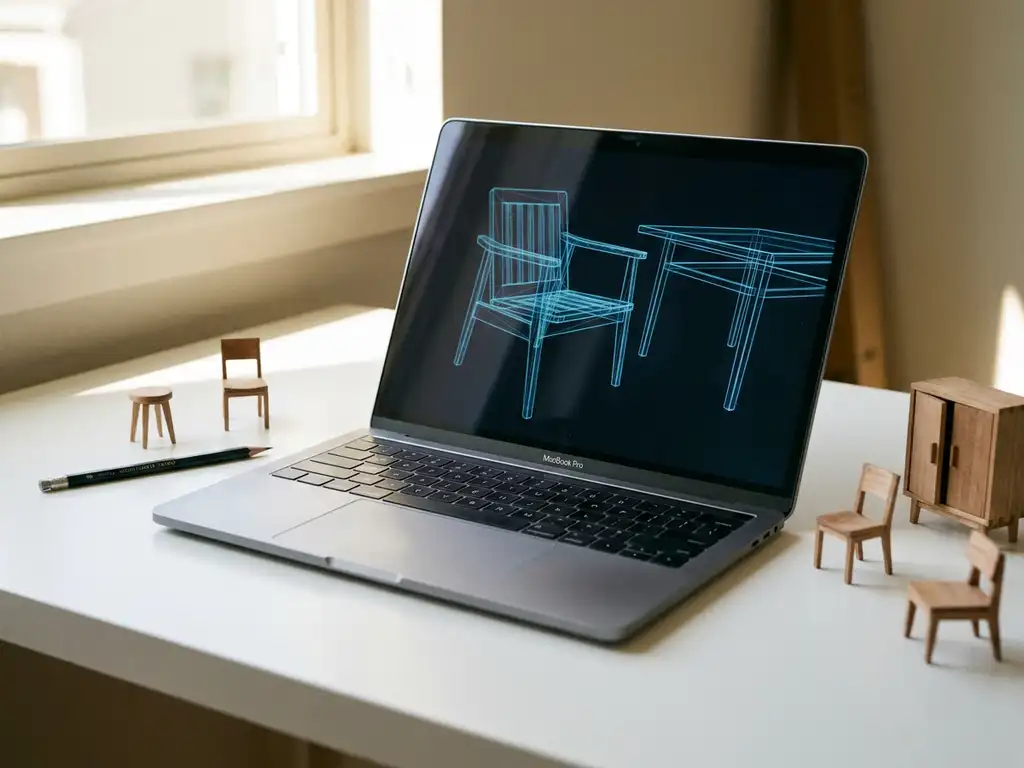
The most widely used free furniture CAD programs include SketchUp Free, Blender, FreeCAD, and Sweet Home 3D. These tools let designers and makers draft furniture pieces, experiment with dimensions, and produce basic 3D models without spending anything upfront. Many designers also work with furniture CAD blocks — pre-drawn 2D or 3D objects like top-view chair outlines or standard table shapes — to speed up drafting without modelling every piece from scratch. For hobbyists and small workshops, these tools can be genuinely useful. For furniture manufacturers operating at scale, however, free CAD tools quickly reveal their limits.
The gap between drawing a piece of furniture and selling it online across thousands of configurations is enormous, and that is where CAD software ends and purpose-built commerce tools begin. This article walks through the most common free options, explains where they fall short, and outlines what professional furniture businesses actually need in 2026.
Whether you are a designer looking for free furniture CAD programs or CAD block libraries to speed up your drafting, or a furniture manufacturer weighing up whether your current tools can support growth, this guide covers both perspectives. Designers, students, and hobbyists will find practical guidance on the most capable free tools available. Manufacturers and product managers will find the later sections on scale, variants, and visual commerce most directly relevant to their situation.
Are free furniture CAD programs actually good enough to use?
Free furniture CAD programs are good enough for specific, limited use cases. If you are a craftsperson designing a single bespoke piece, a student learning 3D modelling, or a small workshop producing one-off items, tools like SketchUp Free or Sweet Home 3D can handle the job well. For commercial furniture manufacturers managing large catalogues and complex product variants, they are not sufficient on their own.
The honest answer depends entirely on what you need the software to do. Free CAD tools are built for design and drafting. They help you visualise a product and communicate measurements. What they do not do is connect to your webshop, generate photorealistic packshots automatically, handle pricing logic, or let a customer configure fabric, size, and finish in real time on your product page.
For professional use, free CAD programs are often a starting point rather than a complete solution. Most furniture businesses that grow beyond a handful of SKUs find themselves combining multiple tools, which creates its own inefficiencies.
What are the most popular free furniture CAD programs and CAD blocks?
The most popular free CAD programs for furniture design are SketchUp Free, Blender, FreeCAD, and Sweet Home 3D. Each serves a slightly different purpose and suits a different type of user.
- SketchUp Free: Browser-based and beginner-friendly. Excellent for spatial reasoning and basic furniture modelling. The free version has limited export options and no advanced rendering.
- Blender: Powerful open-source 3D creation suite used by designers and animators worldwide. Steep learning curve, but capable of producing high-quality renders once mastered.
- FreeCAD: Parametric modeller suited to technical, engineering-style furniture design. Better for precision joinery and structural planning than for visual presentation.
- Sweet Home 3D: Focused on interior layout rather than individual furniture design. Useful for room planning at a basic level, but limited in configurability and visual quality.
| Tool | Best for | Learning curve | 3D export formats | Suitable for commercial use |
|---|---|---|---|---|
| SketchUp Free | Beginners and basic modelling | Low | Limited (free version) | Limited |
| Blender | High-quality renders and complex geometry | High | OBJ, FBX, GLTF | Limited |
| FreeCAD | Technical and precision joinery | Medium | OBJ, STEP, STL | Limited |
| Sweet Home 3D | Room layout planning | Low | Limited | No |
What about AutoCAD and 2D furniture drafting?
AutoCAD is the industry-standard 2D CAD tool used by architects, interior designers, and furniture manufacturers for floor plans and technical drawings. It is not free: only a limited web app and a restricted version called AutoCAD LT are available at no cost, while the full product requires a paid subscription.
In AutoCAD-based workflows, furniture CAD blocks — top-view or elevation drawings of furniture pieces — are the dominant format for space planning and technical documentation. While these 2D representations are essential for internal drafting and client presentations, they are static assets that cannot be made interactive or used directly in a customer-facing configurator. For furniture manufacturers looking to move those 2D drawings into an interactive sales experience, the workflow typically starts with rebuilding or importing the geometry into a 3D-capable platform.
Each of these tools has an active community, decent documentation, and a real user base. The trade-off is that none of them were built with furniture commerce in mind. They are design tools, not sales tools.
What are furniture CAD blocks and where do you find them?
Furniture CAD blocks are pre-drawn, reusable 2D or 3D objects — think top-view outlines of a sofa or a dining table — that designers drop into a CAD drawing instead of building each piece from scratch. Rather than modelling a standard dining chair every time it appears in a floor plan, a designer inserts a pre-made block and moves on. This approach is standard practice across the furniture and interior design industry, where the same basic furniture shapes appear repeatedly across different projects and client presentations.
Free furniture CAD block libraries are widely available online. Some of the most commonly used sources include:
- 3D Warehouse (SketchUp): A large community-maintained library of SketchUp models covering furniture, fixtures, and architectural elements.
- BlenderKit (Blender): An asset library integrated directly into Blender, offering 3D furniture models, materials, and scenes.
- FreeCAD community library (FreeCAD): A growing collection of parametric parts and furniture objects contributed by the FreeCAD user community.
- AutoCAD-compatible block libraries: Numerous websites offer downloadable DWG-format furniture CAD blocks for use in AutoCAD and compatible tools.
The practical benefit is significant: using furniture CAD blocks saves drafting time on repetitive elements like seating arrangements, standard table sizes, or bedroom layouts. A designer working on a showroom floor plan can populate an entire space in minutes rather than hours by drawing on a well-organised block library.
That said, furniture CAD blocks remain static design assets. They speed up the drafting process considerably, but they do not solve the commercial challenge of presenting configurable products to customers at scale. A top-view block of a sofa tells a drafter where the sofa sits in a room; it does not let a customer choose the fabric, adjust the dimensions, or see the result in photorealistic 3D before placing an order.
What is the difference between CAD software and a 3D furniture configurator?
CAD (Computer-Aided Design) software is a design tool used to create and refine product models. A 3D furniture configurator is a commerce tool that lets end customers interact with a product, select options, and place an order. They serve completely different purposes, even though both involve 3D representations of furniture.
The distinction matters more than it might seem at first. A CAD model is typically used internally, by a designer or engineer, to define how a product is built. A 3D configurator takes that model and makes it interactive for a buyer, allowing them to choose upholstery, dimensions, leg finishes, and other variables while seeing the result in real time.
What CAD software does well
CAD tools excel at precision modelling, technical drawing, and structural planning. They are the right environment for defining how a product is manufactured. Designers use them to create the source geometry that eventually feeds into other systems.
What a 3D furniture configurator does differently
A 3D furniture configurator is built around the customer journey, not the design process. It handles business rules, pricing logic, and variant management. It connects to your product catalogue, integrates with your webshop or PIM (Product Information Management) system, and produces outputs that drive purchasing decisions. A good configurator also supports room planning tools that let customers place configured products into a visualised space before buying. The two tools are complementary, not interchangeable.
How does a furniture product go from a CAD file to an online configurator?
Understanding the step-by-step workflow from furniture CAD design to a live interactive configurator helps manufacturers see that their existing design investment is not wasted — it becomes the foundation of the commercial experience.
- Design the product geometry in a free CAD tool. Whether you use SketchUp Free, Blender, or FreeCAD, this is where the product’s shape, proportions, and structural details are defined.
- Export the model in a compatible format. Most visual commerce platforms accept standard formats such as OBJ, FBX, or GLTF. Choosing the right export format at this stage avoids rework later.
- Optimise the 3D model for real-time rendering. This involves reducing polygon count, assigning materials correctly, and ensuring the model performs smoothly in an interactive environment. Platforms specialising in the furniture industry, such as iONE360, typically handle model optimisation as part of onboarding, reducing the technical burden on the manufacturer’s team considerably.
- Import the optimised model into a visual commerce platform. Business rules, pricing logic, and material variants are configured at this stage, turning a static geometry file into a fully interactive product experience within iONE360.
- Publish the interactive configurator to your webshop or dealer portal. The product is now live, allowing customers to configure options, see photorealistic results, and place orders with confidence.
The key takeaway is that the work done in your CAD tool is never lost. It becomes the starting point for everything that follows — and with the right platform, the journey from design file to live configurator is far more straightforward than most manufacturers expect.
When does free CAD software stop being enough?
Free CAD software stops being enough when a furniture business needs to present products to customers, manage product variants at scale, or integrate visuals with sales systems. The moment furniture needs to be sold rather than just designed, free CAD tools reach their ceiling.
There are five specific triggers that signal the shift from CAD tools to a dedicated visual commerce platform:
- You have more than a handful of product variants. Managing dozens of fabric options, sizes, and finishes manually in a CAD tool becomes unworkable very quickly.
- You need product photography at scale. Traditional photoshoots are expensive and slow. CAD tools do not automatically generate packshot-quality images for every configuration.
- Your customers need to configure products online. No free CAD program integrates with a webshop or allows customer-facing interaction.
- You sell through multiple channels or retail partners. Consistency across a dealer network requires a centralised, connected system, not a collection of static CAD files.
- You want to reduce returns. Returns often stem from customers being uncertain about how a product will look in their space. A CAD file does nothing to address that uncertainty.
Producing a render for every fabric-and-finish combination manually in Blender can mean hundreds of hours of work for a mid-sized catalogue. Traditional photoshoots for the same range can cost tens of thousands and still leave most variants unphotographed. Distributing static CAD files across a dealer network introduces inconsistency risks that are difficult to control and expensive to correct after the fact.
These are not edge cases. They are the everyday reality of most furniture manufacturers operating in 2026.
What should furniture manufacturers look for beyond CAD tools?
Furniture manufacturers that have outgrown free CAD tools should look for a visual commerce platform that combines 3D product configuration, automated image generation, room planning, and system integration in one connected solution. The goal is not just to design products but to present and sell them at scale without manual effort per variant.
The most important capabilities to evaluate include:
- A 3D product configurator that handles complex business rules and pricing logic across all variants
- Automatic generation of photorealistic packshots without manual rendering per configuration
- 3D room planning software that lets customers visualise furniture in a complete room setting
- Augmented reality (AR) support so customers can place products in their actual space
- Seamless integration with PIM, ERP, CMS, and webshop systems
- Consistent brand presentation across all sales channels and retail partners
- A platform proven in the furniture and home furnishings industry specifically
The right platform does not replace CAD software. It sits downstream of it, taking your product models and turning them into interactive, commercially useful experiences that drive conversions, reduce returns, and increase order values.
How iONE360 helps furniture businesses go beyond CAD
iONE360 is a visual commerce platform built specifically for the furniture, home, and decoration industry. It addresses every limitation that free CAD tools leave behind: where a CAD program ends at the design file, iONE360 begins the customer experience. As a specialist in cost-effective, pragmatically scalable visual configuration for the furniture and interior market, iONE360 is purpose-built for manufacturers and retailers managing large catalogues and complex product variants.
Here is what iONE360 brings to furniture manufacturers and retailers:
Configure and visualise every product variant
Interactive 3D product configurator: Customers configure upholstery, dimensions, finishes, and more in real time, with pricing updated automatically.
Automated packshot generation: High-quality product images are generated for every possible configuration without a single photoshoot.
Help customers buy with confidence
Advanced 3D room planning software: Our room planner lets customers combine and configure multiple furniture pieces in a full room setting, add flooring, curtains, and wallpaper, and see everything in photorealistic 3D. Research consistently shows that showing products in context increases buying intent significantly.
Augmented reality: Customers can place configured products in their actual living space using their phone or tablet.
Connect iONE360 to your existing systems
Full system integration: iONE360 connects with your existing PIM, ERP, CMS, and webshop so data flows without manual duplication.
Omnichannel consistency: One platform serves your webshop, your retail partners, and your in-store sales team with the same visual quality and product accuracy.
The result is a shorter path from browsing to buying, higher average order values, and fewer returns. If you are ready to move beyond design tools and into a platform that actively drives sales, get in touch with us to see what iONE360 can do for your product catalogue.
Frequently Asked Questions
Can I import models from free CAD programs like SketchUp or Blender into a 3D configurator?
Yes, in most cases you can. Professional visual commerce platforms like iONE360 are designed to accept 3D models exported from standard CAD and modelling tools. The typical workflow is to design your product geometry in a tool like SketchUp or Blender, export it in a compatible format (such as OBJ, FBX, or GLTF), and then have it optimised and imported into the configurator platform. This means your existing design work does not go to waste — it simply becomes the foundation for a commercially interactive experience.
How long does it take to set up a 3D product configurator for an existing furniture catalogue?
The timeline depends on the size of your catalogue, the complexity of your product variants, and the quality of your existing 3D assets. For a focused product range, onboarding with a purpose-built platform can take a matter of weeks rather than months. If your 3D models need to be created or optimised from scratch, that adds time. Working with a platform that specialises in the furniture industry — and already understands material libraries, upholstery logic, and finish variants — significantly speeds up the process compared to a generic solution.
What if my furniture products have hundreds of fabric and finish combinations — can a configurator handle that?
That is precisely the scenario a 3D configurator is built for. Unlike manual CAD workflows where every variant would need to be modelled or rendered individually, a configurator applies business rules and material logic dynamically, so thousands of combinations can be presented without creating thousands of separate files. Automated packshot generation takes this further by producing a product image for every valid configuration on demand, eliminating the need for individual photoshoots per variant.
Will moving to a 3D configurator actually reduce product returns?
Evidence from the furniture and home furnishings industry consistently points to yes. A significant share of returns happen because customers are uncertain about how a product will look in their space, or because the delivered item does not match their expectations set by flat product photography. Interactive 3D configuration, room planning tools, and augmented reality give customers a much more accurate preview of the final product in their actual environment, which reduces purchase regret and the returns that follow from it.
Do I need to replace my existing CAD software when adopting a visual commerce platform?
No — and this is an important distinction. CAD software and a visual commerce platform like iONE360 are complementary tools that operate at different stages of the product lifecycle. Your design team continues using CAD tools to engineer and refine products. The visual commerce platform sits downstream, taking those finished models and turning them into interactive customer-facing experiences. You are adding a sales layer on top of your existing design workflow, not replacing it.
How does a 3D furniture configurator integrate with our existing webshop or ERP system?
Purpose-built furniture commerce platforms are designed with integration as a core requirement, not an afterthought. They typically offer connectors or APIs for common PIM, ERP, CMS, and e-commerce platforms, allowing product data, pricing, and configuration rules to flow automatically without manual duplication. When evaluating a platform, it is worth asking specifically about your existing tech stack — a platform with proven furniture industry experience will likely have handled your systems before and can give you a realistic picture of integration complexity.
Is a 3D room planner only useful for end consumers, or does it benefit sales teams too?
Room planning tools deliver value across the entire sales chain, not just to online shoppers. In-store sales teams can use a room planner to help customers visualise complete room settings during a showroom visit, which increases confidence and average basket size. Retail partners and dealers can use the same tool to present your full catalogue consistently without needing physical stock on display. The omnichannel nature of a well-built room planner means it serves every touchpoint where a buying decision is being made.
Can I use furniture CAD blocks as a starting point for a 3D product configurator?
Furniture CAD blocks are very useful for space planning and internal drafting, but they are generally not directly usable as configurator-ready 3D assets. Most blocks — whether 2D top-view drawings from AutoCAD or basic 3D objects from SketchUp or FreeCAD — lack the detail, material information, and structural optimisation needed for real-time interactive rendering. They typically need to be rebuilt or significantly optimised into fully detailed 3D models before being imported into a visual commerce platform. Platforms with furniture industry expertise, such as iONE360, guide manufacturers through this model preparation process as part of onboarding, making the transition as straightforward as possible.