

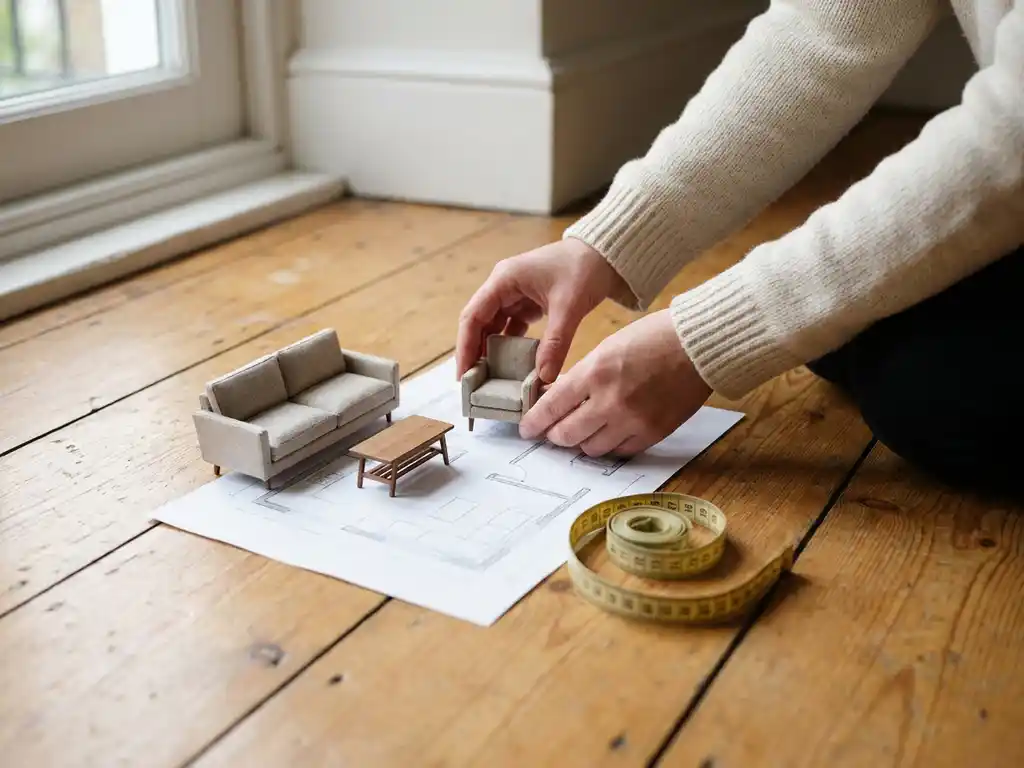
Most free room planners are genuinely free to use, at least at a basic level. Consumer tools like IKEA’s planner or web-based apps such as Roomstyler offer no-cost access to core features like floor plan creation and basic furniture placement. However, free tools come with real limitations in product range, visual quality, and business functionality that matter significantly when you are selling furniture professionally.
For homeowners casually experimenting with layouts, a free tool may be enough. For furniture brands and retailers, the gap between free and professional room planning software is substantial and directly affects sales performance. This article unpacks the key differences and helps you decide which approach fits your situation.
What do free room planners actually include?
Free room planners typically include the core essentials: a floor plan editor, a basic furniture library, drag-and-drop placement, and some form of 3D view. Most allow users to set room dimensions, place walls, and arrange a selection of generic furniture items within a browser-based interface. Some also offer basic rendering so users can preview their design in a simple 3D environment.
Here is what you generally get with a free room planning tool:
- A floor plan editor with adjustable room dimensions
- A pre-built library of generic furniture models
- Drag-and-drop layout functionality
- Basic 3D camera navigation (zoom and rotate)
- Simple sharing or screenshot export
These features are useful for personal home planning and casual experimentation. They give consumers a visual starting point and help them think through a space before visiting a store. However, the furniture models are generic and rarely reflect the actual products a specific brand sells, which limits their value in a real sales context.
What are the limitations of free room planning tools?
Free room planning tools are limited in visual realism, product accuracy, configurability, and business integration. The furniture libraries are generic, meaning customers cannot see your actual products. There is no product configuration, no live pricing, and no connection to your catalogue, ERP, or webshop. For furniture brands, these gaps make free tools unsuitable as a sales channel.
The most significant limitations include:
- Generic product libraries: Free tools use placeholder furniture, not your specific models, fabrics, or finishes. Customers cannot explore your actual range.
- No product configuration: Users cannot change upholstery, dimensions, or finishes in real time. What they see is what they get, and it rarely reflects reality.
- Low visual quality: Rendering in free tools is basic. The photorealistic quality needed to build purchasing confidence is simply not there.
- No system integration: Free tools do not connect to your PIM, ERP, or webshop. There is no way to capture leads, show live pricing, or convert a design into an order.
- Limited scalability: Adding or updating products is either impossible or requires significant manual effort, making catalogue management impractical.
- No branding control: Free tools carry their own branding, not yours. This undermines brand consistency across your sales channels.
For a homeowner browsing ideas, these limitations are acceptable. For a furniture brand trying to drive online conversions or support retail partners, they represent a fundamental barrier to business results.
What is the difference between a free room planner and a professional one?
The core difference between a free room planner and a professional room planning tool is purpose. Free tools are built for consumer exploration. Professional room planning software is built to drive sales, support brand consistency, and integrate with business systems. The gap shows up in visual quality, product accuracy, configurability, and the ability to turn a room design into a real transaction.
A professional room planner built for the furniture industry goes far beyond floor plan creation. Users can place your exact products in a room, configure them on the spot (choosing fabric, finish, size, and more), see accurate pricing and lead times, and proceed directly to checkout. The 3D environment is photorealistic, the product models reflect your actual catalogue, and the entire experience carries your brand identity.
Professional tools also operate at a business level. They integrate with your existing tech stack, support your dealer and retail network, and provide consistent product presentation across every channel. A free tool cannot do any of this. The difference is not just about features; it is about whether the tool can actually function as part of your sales process.
Who should use a professional room planner instead of a free tool?
Furniture manufacturers, furniture brands, and retailers selling configurable or customisable products should use a professional room planner. If your products come in multiple variants, if you sell through dealer networks, or if you want your room planner to actively contribute to conversions and order value, a professional solution is the right choice. Free tools are appropriate only for personal, non-commercial use.
More specifically, a professional room planning tool is the right fit if you:
- Sell customisable furniture where customers need to configure options before buying
- Want to present your actual product catalogue rather than generic furniture shapes
- Need consistent brand presentation across your webshop, physical stores, and retail partners
- Want to reduce costly product photography by generating visuals directly from 3D models
- Rely on a dealer or franchise network and need a tool that scales across locations
- Are focused on reducing returns by helping customers make more informed decisions
E-commerce managers, CCOs, and marketing leads at furniture brands typically reach this decision when launching a new collection, scaling their digital channel, or recognising that their current visual tools are creating friction in the buying journey.
How does a room planner increase furniture sales?
A room planner increases furniture sales by reducing purchasing uncertainty. When customers can see exactly how a product looks in a room, configured to their preferences and placed alongside other pieces they are considering, they buy with more confidence. This directly raises conversion rates, increases average order value, and reduces the returns that come from unmet expectations.
Showing products in context is one of the most effective ways to raise buying intent. Customers who can visualise a sofa in their own room layout, in the fabric they have chosen, next to the coffee table they are also considering, are far more likely to commit to a purchase than those working from a flat product image alone. Room planning tools also encourage multi-product purchases, as customers naturally add complementary items while designing their space.
Beyond the individual transaction, a room planner strengthens brand trust. A polished, photorealistic planning experience signals quality and professionalism. It reduces the need for showroom visits, supports remote selling, and gives retail partners a consistent tool that represents your brand accurately at every touchpoint.
How iONE360 helps with room planning for furniture brands
We built our room planning software specifically for the furniture and home furnishings industry, combining over 45 years of sector expertise with advanced 3D visualisation technology. Our platform gives furniture brands and retailers a professional, scalable solution that turns room planning into a genuine sales driver.
Here is what sets our approach apart:
- Your products, fully configured: Customers place and configure your actual catalogue items in real time, choosing fabrics, finishes, and dimensions on the spot.
- Photorealistic 3D visualisation: The room planner renders your products with the visual quality needed to build purchasing confidence and reduce returns.
- Integrated ordering: Prices, lead times, and direct-to-cart functionality are built in, so a room design can convert into an order without friction.
- Two flexible deployment paths: Choose a bespoke, white-labelled room planner built for your platform, or onboard HomeDecoHub, our ready-to-use room planning marketplace powered by the same proven software.
- Seamless system integration: Our platform connects with your PIM, ERP, CMS, and webshop, keeping your product data consistent and up to date across every channel.
- Scalable across your network: Whether you operate one webshop or a network of retail partners, our room planning software scales to serve every touchpoint consistently.
If you are ready to move beyond generic tools and give your customers a room planning experience that actually drives sales, get in touch with our team and we will show you what iONE360 can do for your brand.
Frequently Asked Questions
How long does it typically take to implement a professional room planner on a furniture brand's website?
Implementation timelines vary depending on the complexity of your product catalogue and the level of system integration required, but most professional room planning deployments take anywhere from a few weeks to a few months. The bulk of the setup time involves digitising your product catalogue into accurate 3D models and configuring the tool to reflect your available fabrics, finishes, and dimensions. Working with a provider like iONE360, which already has deep furniture industry expertise, can significantly accelerate this process compared to building a custom solution from scratch.
What does it cost to switch from a free room planner to a professional solution?
The cost of a professional room planning solution depends on factors such as the size of your catalogue, the number of sales channels you need to support, and whether you opt for a fully bespoke white-label build or a ready-to-use marketplace platform. While the upfront investment is higher than a free tool, it should be evaluated against measurable business returns — higher conversion rates, increased average order values, and fewer costly returns. Most furniture brands find that the ROI becomes clear relatively quickly once the tool is actively contributing to their online sales funnel.
Can a professional room planner work for both our webshop and our retail partner network at the same time?
Yes, and this is one of the most important advantages of a professional solution over a free tool. A scalable room planner can be deployed consistently across your own e-commerce platform, in-store touchscreens, and your dealer or franchise network, ensuring every customer sees the same accurate product presentation and brand experience regardless of where they shop. This kind of multi-channel consistency is simply not achievable with generic free tools, which carry their own branding and have no connection to your product data.
What if my product catalogue changes frequently — will the room planner stay up to date?
A professional room planning platform that integrates with your PIM or ERP system will automatically reflect catalogue updates, new collections, discontinued lines, and pricing changes across every channel where the tool is deployed. This is one of the key operational advantages over free tools, where adding or updating products typically requires manual effort or is not possible at all. Keeping your room planner in sync with your live catalogue ensures customers are never designing rooms around products that are out of stock or no longer available.
How do I know if my products are a good fit for 3D room planning visualisation?
Almost any furniture or home furnishing product can be effectively represented in a 3D room planning environment, but the value is especially high for items that are configurable, large in scale, or heavily influenced by how they look in context — sofas, dining sets, bedroom furniture, shelving systems, and rugs are prime examples. If your products come in multiple fabric, finish, or size options, a room planner that lets customers configure these in real time addresses one of the biggest sources of purchasing hesitation. Even simpler, non-configurable products benefit from being shown in a realistic room scene rather than against a plain studio background.
Can a room planner actually help reduce product returns, and how?
Yes — reducing returns is one of the most commercially significant and often underappreciated benefits of a professional room planner. The majority of furniture returns are driven by unmet expectations: the colour looked different on screen, the sofa was larger than anticipated, or the piece simply did not suit the room. A photorealistic room planner that shows your exact product, in the customer’s chosen configuration, placed to scale within a realistic room layout, directly addresses all three of these issues before the purchase is made. Fewer surprises at delivery translates into fewer returns, lower logistics costs, and stronger customer satisfaction.
What is the difference between a white-label room planner and a room planning marketplace, and which is right for my brand?
A white-label room planner is a fully bespoke solution built around your brand identity, integrated directly into your webshop or platform, and exclusive to your product catalogue — giving you complete control over the experience. A room planning marketplace, such as iONE360’s HomeDecoHub, is a ready-to-use shared platform where multiple brands list their products, allowing you to get up and running faster and benefit from an existing user base. The right choice depends on your priorities: if brand exclusivity and deep system integration are critical, a bespoke white-label build is the stronger fit; if speed to market and lower initial investment matter more, a marketplace platform offers a practical starting point.