

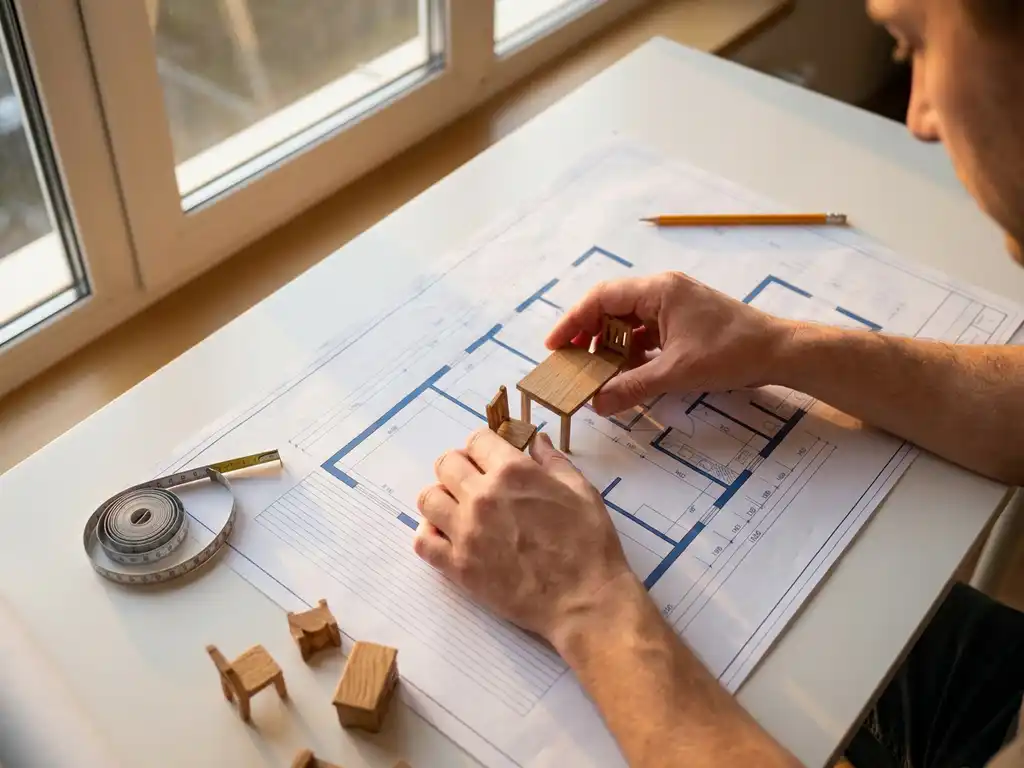
We tested the most popular free room planners — evaluating ease of use, furniture library size, 3D visualization accuracy, and how well each tool bridges the gap between design and real purchasing decisions. Here’s what we found.
How we evaluated these tools: Each tool was assessed by designing a standard living room layout, testing furniture placement accuracy, and evaluating the learning curve for a first-time user. We also examined free-tier restrictions to give you a clear picture of what you can actually do without paying.
The best free room planners include IKEA Home Planner, SketchUp Free, Planner 5D, Sweet Home 3D, Floorplanner, Roomstyler, HomeByMe, and RoomSketcher — each offering different strengths for space planning and furniture arrangement. Browser-based free room design tools like Planner 5D provide instant access and collaboration features, while downloadable software like Sweet Home 3D offers more advanced functionality for detailed floor plans and 3D visualization.
What is a room planner and why should you use one?
A room planner is a digital tool that helps you design and visualize interior spaces by creating floor plans and arranging furniture virtually. A free online room planner lets you experiment with different layouts, test furniture combinations, and see how pieces fit together before making purchases or rearranging your actual space — all without spending a cent on software.
Room planners solve several common decorating challenges. They prevent costly furniture mistakes by showing you exactly how pieces will look and fit in your space. You can test multiple layout options quickly without the physical effort of moving heavy furniture around. Most importantly, a furniture layout planner helps you visualize proportions and spatial relationships that are difficult to imagine from product photos alone.
Using a room planner also saves money and reduces returns. When you can see how a sofa looks next to your existing coffee table or whether a dining set fits comfortably in your space, you make more confident purchasing decisions. Many people find that planning their space first leads to more cohesive, intentional room designs rather than random furniture purchases that don’t work well together.
Best Free Room Planners: Features Compared
IKEA Home Planner, Planner 5D, SketchUp Free, Sweet Home 3D, Floorplanner, Roomstyler, HomeByMe, and RoomSketcher stand out as the most feature-rich free room planning options available today. Each tool offers different strengths depending on your specific needs and technical comfort level.
Use this overview to quickly compare the top free room planners before diving into the full reviews below.
| Tool | Platform | 3D Visualization | Real Product Catalog | Free Project Limit | Collaboration | Best For |
|---|---|---|---|---|---|---|
| IKEA Home Planner | Browser | Yes | Yes (IKEA only) | Limited | No | IKEA shoppers |
| Planner 5D | Browser / Mobile App | Yes | No | Limited | View-only | Beginners |
| SketchUp Free | Browser | Yes | No (community models) | Unlimited | No | Technical users |
| Sweet Home 3D | Browser / Desktop | Yes | No | Unlimited | No | Detailed floor plans |
| Floorplanner | Browser | Yes | No | 1 project | Yes | Quick layouts |
| Roomstyler | Browser | Yes | Partial | Unlimited | No | Visual inspiration |
| HomeByMe | Browser | Yes | Yes (partner brands) | 3 projects | No | Real product shoppers |
| RoomSketcher | Browser / Desktop / App | Yes | No | Limited | Yes (paid) | Multi-room planning |
IKEA Home Planner
IKEA Home Planner excels for kitchen and bathroom design with accurate product dimensions and pricing integration. The tool uses actual IKEA products, so your designs translate directly into shopping lists with real prices and availability. However, it’s limited to IKEA’s catalog and specific room types, making it unsuitable for living rooms, bedrooms, or open-plan spaces.
Planner 5D
Planner 5D offers the most user-friendly experience with drag-and-drop furniture placement and impressive 3D visualization, making it an ideal free room design tool for first-time planners. The free version includes a substantial furniture library and allows you to create detailed floor plans. Premium features like high-resolution renders require a subscription, but the basic functionality covers most planning needs.
SketchUp Free
SketchUp Free provides professional-grade modeling capabilities through your web browser. While it has a steeper learning curve, it offers unlimited design flexibility and precise measurements. The 3D Warehouse includes millions of furniture models created by users worldwide, giving you access to specific brand products — though the tool is best suited to technically minded users comfortable with 3D modeling concepts.
Sweet Home 3D
Sweet Home 3D works as both a downloadable application and web tool, offering detailed floor plan creation with accurate measurements. It includes a comprehensive furniture catalog and generates realistic 3D walkthroughs, though the interface feels more technical than consumer-focused alternatives. It’s particularly strong for users dealing with irregular room shapes or non-standard architectural features.
Floorplanner
Floorplanner is a browser-based free room design tool that suits users who want to sketch a layout quickly without a steep learning curve. Its standout free feature is the ability to customize furniture dimensions and toggle between 2D and 3D views in real time, making it easy to assess proportions at a glance. The main free-tier limitation is a cap of one saved project, which makes it less practical for users planning multiple rooms simultaneously.
Roomstyler 3D Home Planner
Roomstyler is a browser-based free interior design software that appeals to users who prioritize visual inspiration over technical precision. Its standout feature is photorealistic 3D rendering, which produces impressively lifelike room images even on the free tier. The main limitation is that its furniture catalog, while large, is not fully linked to purchasable products, so designs serve as visual references rather than direct shopping guides.
HomeByMe
HomeByMe is a browser-based online room planner that stands out for connecting designs to real products from partner brands — making it one of the few free tools that bridges the gap between visualization and actual purchasing. It suits users who want to see how branded furniture looks in their space before buying. The free tier limits users to three saved projects, and some premium brand catalogs are locked behind a paid subscription.
RoomSketcher
RoomSketcher is available across browser, desktop, and mobile, making it one of the most versatile free room planner options for users who switch between devices. It suits users planning multiple rooms over time, with a clean interface and a solid furniture library. Its main free-tier restriction is that advanced features like 3D photos and interactive floor plans require a paid upgrade, and real-time collaboration is not available on the free plan.
Free Room Planners That Link to Real Products You Can Buy
Some free room planners go beyond generic furniture and connect directly to real products you can purchase. This makes them a distinct and especially valuable category for users who want their design to translate into a concrete shopping list.
IKEA Home Planner links every item in your design directly to IKEA’s live product catalog, complete with current pricing and stock availability. HomeByMe integrates with a range of partner furniture brands, allowing you to place real products in your layout and follow through to purchase. Homestyler similarly features a curated selection of branded items that can be added to a design and sourced online.
For businesses that want to offer this experience at scale — with their own product catalog, pricing, and purchasing flow — a professional platform like iONE360 provides what free tools simply cannot. Where free tools offer a handful of partner brands, iONE360 integrates your entire product range with real-time configuration, accurate pricing, and a direct path to purchase — all within a seamless room planning environment built specifically for furniture and interior retailers.
Best Free Room Planners by Room Type
Many users come to a free room planner with a specific space in mind — not just a vague intention to “redecorate.” Matching the right tool to the right room type can make the planning process significantly faster and more accurate. Below are the best free room planning tools for four of the most common room types.
Living Room
Planner 5D is the strongest choice for living room planning, thanks to its large library of sofas, armchairs, coffee tables, and entertainment units. One of the most common planning challenges in a living room is traffic flow — ensuring there’s enough space to move comfortably between seating areas and toward exits. As a practical tip, use Planner 5D’s 3D view to walk through the room virtually before committing to a layout, paying attention to the paths between key pieces. Roomstyler is also worth considering if photorealistic visualization is your priority, as its rendering quality helps you assess how lighting and color interact in a finished living room design.
Bedroom
For bedroom layout planning, Sweet Home 3D offers the most flexibility, particularly for rooms with built-in wardrobes, alcoves, or unusual proportions. Storage planning is the central challenge in most bedrooms — balancing wardrobe space, bedside furniture, and circulation without making the room feel cluttered. A useful tip is to plan the bed position first relative to the window and door, then build storage around it. RoomSketcher is a solid alternative for users who want a cleaner interface and the ability to plan multiple bedrooms across a larger home project using a free bedroom layout planner.
Kitchen
IKEA Home Planner remains the best free kitchen room planner available, largely because it uses real cabinet and appliance dimensions from IKEA’s range — meaning your design reflects what you can actually buy and install. The primary challenge in kitchen planning is the work triangle: the relationship between the sink, hob, and refrigerator. IKEA Home Planner’s layout templates help you optimize this from the start. If you’re not planning an IKEA kitchen, HomeByMe offers a broader range of kitchen furniture from partner brands and supports more flexible cabinet configurations.
Home Office
Floorplanner is a practical home office design tool for users who need to fit a desk, storage, and seating into a compact or multipurpose room. The key challenge in home office planning is balancing ergonomics with available space — particularly in rooms that double as guest bedrooms or living areas. A helpful tip is to plan your desk position relative to natural light sources first, then layer in storage and cable management considerations. SketchUp Free is the better option for users who need precise measurements for built-in shelving or custom desk configurations, as its modeling tools support exact dimensions.
Browser vs. App: How to Choose the Right Free Room Planner
Browser-based room planners offer instant access without downloads and automatic updates, while app-based planners typically provide more advanced features and work offline. Your choice depends on your device preferences, internet reliability, and required functionality level.
Browser-based free room design tools like Planner 5D and SketchUp Free work across all devices with internet access. You can start a design on your computer and continue on your tablet without file transfers or compatibility issues. They also automatically save your work to cloud storage and receive feature updates without manual intervention. However, they require stable internet connections and may run slower on older devices.
Downloaded applications like Sweet Home 3D and professional versions of room planners often provide more sophisticated tools and faster performance. They work offline, which is valuable for areas with poor internet connectivity. App-based planners typically handle larger, more complex projects better and offer more precise measurement tools. The downside is managing file storage, updates, and compatibility across different devices.
Consider your primary use case when choosing. If you plan to collaborate with others or work from multiple locations, browser-based tools offer better flexibility. For detailed, technical planning or areas with unreliable internet, downloadable applications provide more control and reliability.
Best Free Room Planner Apps for iPhone and Android
A significant number of consumers plan their spaces on smartphones and tablets — often spontaneously, such as when they’re in a furniture store and want to check whether a piece will fit at home. Mobile room planner apps are built for exactly this kind of on-the-go use, combining touch-based interaction with features like augmented reality and camera integration that desktop tools simply can’t replicate.
Planner 5D (iOS and Android)
Planner 5D’s mobile app is available on both iOS and Android and delivers much of the same functionality as its browser counterpart in a touch-optimized interface. Its primary mobile differentiator is a smooth drag-and-drop experience that works intuitively on smaller screens, along with a 3D walkthrough mode that lets you explore your room design using your phone’s gyroscope. On the free tier, the mobile app shares the same limitations as the desktop version — high-resolution renders and HD exports require a paid subscription.
magicplan (iOS and Android)
magicplan is a free room planner app available on both iOS and Android that uses your phone’s camera to scan and measure a room automatically, generating an accurate floor plan without a tape measure. This makes it particularly useful for users who want to start planning immediately after viewing a property or rearranging a space. The free tier allows basic floor plan creation and export, but adding furniture, cost estimation, and report generation requires a paid upgrade.
Room Planner by Chief Architect (iOS and Android)
Room Planner by Chief Architect is a free interior design app for iPhone and Android that focuses on delivering a realistic 3D room design experience on mobile. Its standout feature is a large, well-organized furniture library combined with augmented reality (AR) placement, which lets you preview how a piece of furniture looks in your actual room using your phone’s camera. The free version is generous in its feature set, though some premium furniture collections and export options are locked behind a subscription.
DecorMatters (iOS and Android)
DecorMatters is a free room design app for iPhone and Android that combines AR furniture placement with a community-driven inspiration feed. Its primary differentiator is the ability to place true-to-scale furniture in your real room using augmented reality, then share your design with a community for feedback and ideas. The free tier includes AR placement and a solid furniture catalog, though some branded products and advanced collaboration features require a paid plan.
Which Free Room Planner Is Best for You?
With so many options available, the right free room planner depends entirely on your situation — your room type, your technical comfort level, and what you plan to do with the finished design. Here are clear recommendations for six common user profiles.
Best free room planner for beginners: Planner 5D. Its drag-and-drop interface requires no learning curve, and the free tier covers everything a first-time planner needs to create a credible room layout. Start with one of its pre-built room templates to get oriented quickly, then customize from there.
Best for IKEA shoppers: IKEA Home Planner. If you’re furnishing a kitchen or bathroom primarily with IKEA products, no other free tool comes close — every item in your design links directly to IKEA’s live catalog with real pricing. Just be aware that it doesn’t support living rooms or bedrooms.
Best for planning a kitchen or bathroom: IKEA Home Planner or HomeByMe. IKEA Home Planner wins if you’re buying IKEA cabinets; HomeByMe is the stronger choice if you want to mix brands or need more layout flexibility. Both connect designs to real purchasable products, which makes them far more useful than generic planners for these room types.
Best for technically minded users who want precision: SketchUp Free. If you’re comfortable with 3D modeling concepts and need exact measurements, SketchUp Free offers a level of control that consumer-focused tools can’t match. Use the 3D Warehouse to find specific brand models for the most accurate results.
Best free room planner app for mobile and on-the-go planning: magicplan or Room Planner by Chief Architect. magicplan wins for users who want to scan a room and generate a floor plan instantly; Room Planner by Chief Architect is the better choice for users who want AR furniture placement and a large mobile furniture library. Both are available on iOS and Android.
Best for planning multiple rooms over time: RoomSketcher. Its cross-platform availability and clean interface make it the most practical free room planner for users working through an entire home renovation in stages. Plan one room at a time and return to previous designs without losing your work — within the free-tier project limits.
Limitations of Free Room Planning Tools You Should Know
Free room planners typically restrict furniture catalogs, limit export options, include watermarks on images, and cap the number of projects you can save. Most also lack integration with real product databases, pricing information, and purchasing systems.
Furniture selection represents the biggest limitation in free versions. While paid tools offer extensive catalogs with actual products from major retailers, free versions usually include generic furniture that doesn’t match real items you can purchase. This creates a gap between your digital design and actual shopping options, forcing you to approximate rather than plan precisely.
Export and sharing restrictions also limit free tools’ usefulness. Many free planners add watermarks to images, restrict high-resolution exports, or limit the file formats you can save. If you want to share professional-looking designs with contractors or family members, these limitations become problematic.
Project limits and storage restrictions affect long-term use. Free versions often cap the number of rooms or projects you can save simultaneously, requiring you to delete old designs to create new ones. For people planning multiple rooms or comparing different layout options over time, these restrictions quickly become frustrating.
Tool-specific limitations at a glance
Beyond these general restrictions, each tool comes with its own specific free-tier constraints that are worth understanding before you commit to one platform:
- IKEA Home Planner: Restricted to IKEA’s product catalog only and limited to kitchen and bathroom room types — making it unsuitable for living rooms, bedrooms, or open-plan spaces.
- Planner 5D: High-resolution 3D renders and HD image exports require a paid subscription, meaning free designs cannot be shared in print-quality format.
- SketchUp Free: Projects are limited to cloud storage only, with no offline access or local file saving, which creates dependency on a stable internet connection at all times.
- Sweet Home 3D: The furniture catalog is largely generic and not linked to real retailer stock, so dimensions are approximate rather than product-accurate.
- Floorplanner: The free tier limits users to a single saved project, making it impractical for anyone planning more than one room.
- Roomstyler: Photorealistic renders are available on the free tier, but the furniture catalog is not fully linked to purchasable products, limiting its usefulness as a shopping aid.
- HomeByMe: Free users are capped at three saved projects, and access to some premium brand catalogs requires a paid subscription.
- RoomSketcher: Advanced outputs such as 3D photos and interactive floor plans are locked behind a paid plan, and collaboration features are not available on the free tier.
These tool-specific limitations make it clear that free room planners are best suited for early-stage exploration rather than precise, purchase-ready planning. For businesses and retailers that need real product integration, accurate configuration, and a seamless path to purchase, a professional solution is the logical next step — which is exactly where iONE360 comes in.
How Accurate Are Free Room Planners for Furniture Placement?
Free room planners achieve reasonable accuracy for basic spatial planning, typically within 2–3 inches for standard furniture placement, but may lack precise measurements for custom or unusual pieces. Accuracy depends heavily on correctly inputting room dimensions and using furniture models that match real product specifications. A free 3D room planner can give you a strong directional sense of how a space will feel, but it should not replace final measurement verification before purchasing.
Most free tools use standard furniture dimensions that approximate real products but don’t account for specific brand variations. A “standard sofa” in a room planner might be 84 inches long, but the actual sofa you want could be 82 or 87 inches. These small differences can affect whether pieces fit through doorways or leave appropriate walking space.
Room measurement accuracy relies entirely on your initial input. If you measure your space incorrectly or the room planner doesn’t account for baseboards, window trim, or other architectural details, your entire layout becomes inaccurate. Professional-grade tools often include features for these details, while free versions assume perfectly rectangular rooms.
For general layout planning and proportion checking, free room planners provide sufficient accuracy to prevent major mistakes. They excel at showing whether furniture arrangements will feel cramped or spacious and help you understand traffic flow patterns. However, for final purchasing decisions or precise fit requirements, you should verify measurements independently and account for the specific dimensions of actual products you plan to buy.
Beyond Free: How iONE360 Elevates Room Planning for Businesses
We provide advanced room planning software that bridges the gap between design visualization and actual purchasing. Our platform combines sophisticated 3D room planning with integrated product configuration, allowing customers to not only design their spaces but also customize furniture specifications, see real pricing, and place orders directly within the planning environment.
Key advantages of our room planning solution include:
- Real product integration: Connect actual furniture catalogs with accurate dimensions, materials, and pricing
- Configuration capabilities: Customize furniture specifications like fabric, color, and size while planning
- Seamless purchasing: Generate quotes and process orders directly from room designs
- Professional visualization: Create photorealistic renders that show exactly how configured products will look
- Business system integration: Connect with existing ERP, PIM, and e-commerce platforms
Ready to see how professional room planning software can transform your customer experience? Explore our showcases to see the platform in action, or contact us for a personalized demonstration of how our room planning technology can integrate with your business.
Frequently Asked Questions
Can I import my actual room measurements from architectural plans into free room planners?
Most free room planners require manual dimension input rather than file imports from CAD or architectural drawings. You’ll need to measure your space with a tape measure and enter dimensions manually. Some tools like SketchUp Free allow you to trace over imported images, but this requires upgrading to paid versions for reliable accuracy.
What’s the best way to ensure furniture will actually fit through my doorways and stairs?
Measure all pathways to your room, including door widths, stair turns, and ceiling heights, then compare these to the actual product dimensions (not just the room planner’s generic measurements). Many sofas and large furniture pieces have specific delivery requirements that room planners don’t account for, so always check the manufacturer’s delivery specifications before ordering.
How do I handle irregular room shapes or architectural features like sloped ceilings in free tools?
Free room planners typically work best with rectangular rooms and standard ceiling heights. For irregular shapes, you may need to break complex rooms into multiple rectangular sections or use workarounds like creating custom wall angles. Sweet Home 3D offers the most flexibility for unusual room shapes, while browser-based tools often struggle with non-standard architectural features.
Can I collaborate with family members or roommates on the same room design?
Browser-based free room planners like Planner 5D offer basic sharing features where you can send view-only links, but real-time collaboration is usually limited to paid versions. For family planning, consider taking screenshots of different layout options and discussing them, or have one person create multiple design variations to share for feedback.
What should I do when the furniture I want isn’t available in the room planner’s catalog?
Look for pieces with similar dimensions and use them as placeholders, then manually verify the real product’s measurements. In SketchUp Free, you can search the 3D Warehouse for specific brand models uploaded by other users. Alternatively, create simple rectangular shapes with the correct dimensions to represent custom or hard-to-find furniture pieces.
How do I account for electrical outlets, light switches, and other wall fixtures when planning?
Most free room planners don’t include electrical fixtures, so note their locations separately and avoid placing large furniture directly over outlets. Take photos of your walls and mark outlet locations on your floor plan printout, or create small rectangular objects in the planner to represent these obstacles when positioning furniture.
Is it worth upgrading to paid versions, and what features justify the cost?
Upgrade if you need high-resolution images for contractors, extensive furniture catalogs with real products, or multiple project storage. The most valuable paid features are usually larger furniture libraries, professional rendering quality, and the ability to export plans without watermarks. For basic layout planning, free versions typically provide sufficient functionality for most homeowners.