

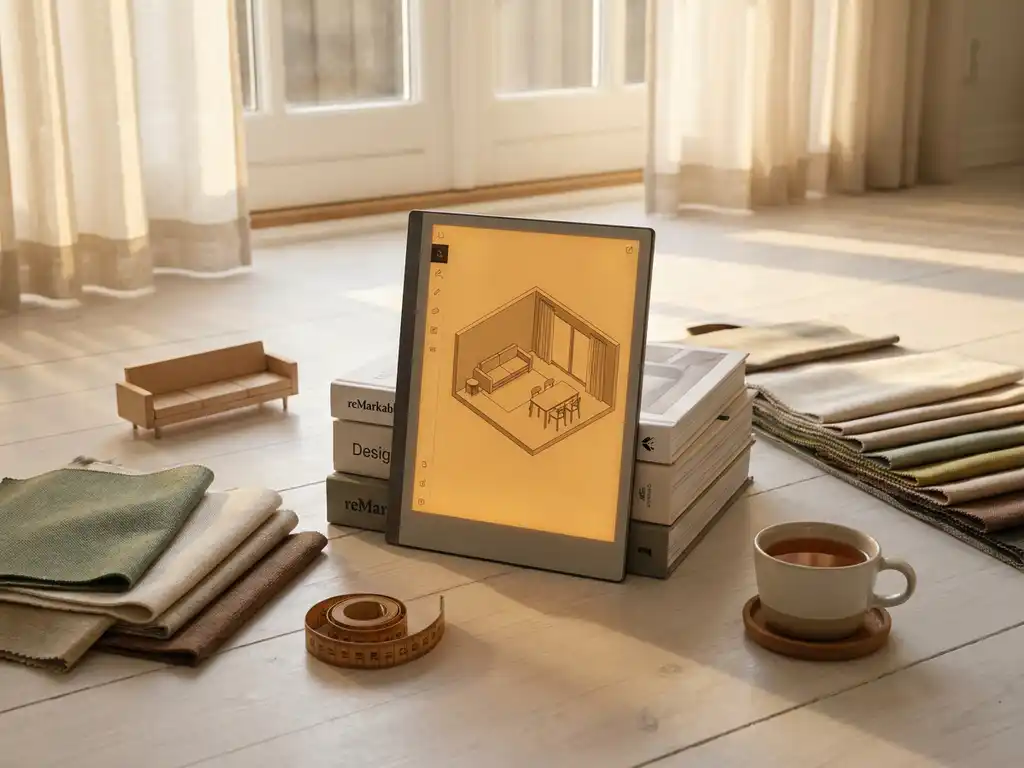
The best app to plan a furniture layout depends on what you need it to do. For casual home use, free tools like Ikea’s room planner or Planner 5D offer a solid starting point. For retailers and furniture brands, a purpose-built 3D room planning software integrated with your product catalogue delivers far greater value, accuracy, and sales impact.
Consumer apps are built for exploration and inspiration. Professional 3D room planning software is built for conversion: it connects your product catalogue, your pricing, and your customer’s design decisions into a single seamless journey.
Below, we answer the most common questions people ask when searching for the best furniture layout app in 2026. Whether you are a homeowner looking for a free tool or a furniture retailer evaluating 3D room planning software for your business, you will find a clear answer here.
Why furniture retailers lose sales on the showroom floor
The core problem furniture retailers face is called the imagination gap: the moment a customer loves a product in the showroom but cannot visualise how it will look, fit, or feel in their own home. That uncertainty causes hesitation, delays, and lost sales — every single day.
Picture a customer who walks into your showroom, sits on a sofa they love, and then hesitates. They cannot picture how it will look in their living room. Will it fit? Will the colour work with their existing furniture? They leave with a brochure and a vague intention to think about it. The imagination gap is not solved by sending a customer home with a leaflet or pointing them toward a generic consumer app filled with placeholder furniture. A tool that shows a random sofa in a staged room tells the customer nothing meaningful about how their sofa, in their fabric choice, at their size, will actually look in their home. The doubt remains, and so does the delay.
A branded 3D room planning tool embedded in your website or showroom closes this gap directly. Using interior design software for retail that is built around your actual catalogue, customers can design their real room with your real products, configure every detail, and leave the experience with confidence rather than uncertainty. That confidence is what converts browsers into buyers.
What features should a furniture layout app have?
A furniture layout app should offer an accurate floor plan builder, a realistic 3D view, the ability to add and rearrange multiple pieces of furniture, and camera controls that let you zoom and rotate freely. These are the baseline features. Anything less is more of a sketch tool than a genuine room planning solution.
Beyond the basics, here is what separates a capable room planning tool from a truly useful one:
- Photorealistic 3D visualisation so the room looks convincing, not cartoonish
- Product-specific models that reflect actual dimensions, materials, and finishes
- In-app product configuration so users can change fabric, colour, or size directly in the scene
- Decoration layers including flooring, wallpaper, curtains, and lighting
- Pricing and availability visible in context, not buried in a separate product page
- Direct add-to-cart or quote functionality from inside the planner
- Mobile and tablet compatibility without requiring a download or app install
For furniture retailers and manufacturers, the most important feature is often the one that gets overlooked: integration with your actual product catalogue. A generic app that uses placeholder furniture models is useful for inspiration but does nothing for your conversion rate. A room planning tool that furniture brands can embed with their own products, prices, and configurations functions as a sales asset, not just a design toy.
Which furniture layout apps are most popular in 2026, and how do they compare?
The most widely used furniture layout apps in 2026 include Planner 5D, Roomstyler, Houzz, Ikea Place, and Homestyler. Each serves a slightly different audience and use case, ranging from consumer-facing inspiration tools to more professional design platforms.
Here is a quick overview of where the most popular options sit:
- Planner 5D — A popular consumer tool with a broad furniture library and 3D view. Good for general home planning but not tied to any specific brand’s catalogue.
- Roomstyler — Web-based and easy to use, with a decent selection of branded furniture. Limited configuration depth.
- Ikea Place — An augmented reality (AR) app specifically for Ikea products. Excellent within its own ecosystem but limited to one brand.
- Houzz — Primarily an inspiration platform with some room visualisation features. Better for discovery than for planning a specific purchase.
- Homestyler — Feature-rich for a free tool, though the product library can feel disconnected from real purchasing journeys.
| App / Solution | Catalogue integration | Product configuration depth | AR functionality | B2B / retail features | Direct-to-checkout capability |
|---|---|---|---|---|---|
| Planner 5D | None | Limited | Partial | None | None |
| Roomstyler | Limited | Limited | None | None | None |
| Houzz | Limited | None | Partial | None | None |
| Ikea Place | Partial | Limited | Full | None | Partial |
| Homestyler | None | Limited | Partial | None | None |
| Branded 3D room planner | Full | Full | Full | Full | Full |
Consumer apps excel at inspiration; a branded room planner built on your own catalogue is the only option that covers the full purchase journey.
For consumers browsing ideas, these tools work well. For furniture brands and retailers, the limitation is always the same: these platforms are not built around your products, your configurations, or your sales process. A white-labelled room planning tool embedded directly in your webshop or showroom experience connects inspiration directly to a purchase, which is where the commercial value actually lies.
How does augmented reality (AR) change furniture layout planning?
Augmented reality (AR) changes furniture layout planning by letting users place virtual furniture into their actual physical space using a smartphone or tablet camera. Instead of imagining how a sofa might look in a corner, the customer sees it there, at scale, in real time. This directly reduces purchase uncertainty and the hesitation that often delays or prevents a buying decision.
The practical impact of AR in room planning is significant. Customers who can visualise a product in their own home before buying are considerably more confident in their choice. That confidence translates into fewer abandoned carts, fewer returns, and higher average order values. The mechanism is straightforward: when a customer can see exactly how a sofa looks in their room, the uncertainty that causes returns disappears before the order is even placed. And when they can see how that sofa pairs with a rug or a side table from the same collection, they are far more likely to add those items to their cart, lifting the average order value without any additional sales effort.
AR works best as part of a broader room planning workflow rather than as a standalone feature. A customer who has already designed a room layout, selected products, and configured them to their preferences is far more ready to buy than someone who simply pointed their phone at a corner. AR closes the final gap between imagination and commitment.
What is the difference between a room planner and a product configurator?
A room planner lets users arrange multiple pieces of furniture within a defined space to create a complete room layout. A product configurator lets users customise a single product by selecting options like size, material, colour, or finish. They solve different problems, but they are most powerful when they work together in a single integrated platform.
Think of it this way: the room planner answers “does this all work together in my space?” while the product configurator answers “can I get exactly the version of this piece that I want?” Separately, each tool addresses part of the buying journey. Together, they cover it end to end.
For furniture brands selling configurable products — such as modular sofas, custom storage, or made-to-order dining sets — having both tools integrated into a single platform is a significant commercial advantage. A customer can design their room, configure each product individually, see accurate pricing update in real time, and proceed directly to checkout without ever leaving the experience. That seamless flow is what 3D room planning software built for the furniture industry is specifically designed to deliver.
Branded room planning tool or third-party app: which is right for your furniture business?
For furniture brands and retailers, a branded room planning tool is the stronger commercial choice. Third-party planners give consumers access to broad product libraries, but they offer brands no control over the customer experience, no first-party data on how shoppers interact with specific products, and no direct path from planning to purchase.
Third-party planners have a clear advantage for consumers: broad product libraries and no commitment to a single brand. But for a furniture business, that same breadth is a problem. When a customer uses a generic planner, they are just as likely to discover a competitor’s sofa as yours. You have no control over the experience, no data on how customers interact with your products, and no direct path from planning to purchase.
This challenge is even more acute for multi-brand retailers and wholesalers. When your range includes products from ten or twenty different suppliers, a generic third-party planner will never reflect your actual inventory, configurations, or pricing rules. A branded room planning tool built for your business can bring all of those supplier collections together in one unified environment, with consistent product logic, accurate dimensions, and live pricing for every item you sell, regardless of who made it. That is a level of commercial control that no third-party platform can offer.
A brand-owned room planning tool keeps the customer within your ecosystem from the first click to the final order. It reinforces your brand identity, shows your full product range in all configurations, and connects directly to your pricing, stock, and checkout systems. For manufacturers and retailers serious about digital commerce in 2026, a proprietary room planning experience is not a luxury; it is a competitive necessity.
How interior design software works on the retail sales floor
A room planning tool is not only a digital channel asset. When deployed as interior design software for retail, it transforms how sales advisors engage customers in the showroom, turning a conversation about possibilities into a visual, interactive experience that moves the sale forward.
Quick sketches for spontaneous showroom visits
Not every customer arrives with a floor plan in hand. When a visitor falls in love with a sofa during a casual browse, a sales advisor can open the tool on a tablet, enter the customer’s rough room dimensions, and place a few key pieces within minutes. The customer leaves with a visual anchor tied to your actual products rather than a vague mental image, and far less likely to stall at home. That quick sketch can be saved and shared instantly, keeping your brand and your products at the centre of their decision-making process.
Detailed consultations for planned appointments
For customers who book a dedicated design appointment, the same tool supports a full co-design session. Advisor and customer work through the room together, selecting and configuring each piece, adjusting sizes and finishes, and watching the price update live as choices are made. By the end of the session, the customer has a complete, accurate quote they can review at home and convert online at their own pace. This kind of guided experience builds trust, reduces ordering errors, and consistently results in higher-value transactions.
The omnichannel connection is where the real power lies. A plan created in-store is saved to the customer’s account and accessible on any device, whether that is a laptop at home, a tablet with a partner, or a smartphone during a follow-up visit. The physical and digital sales journeys become one continuous experience, and your brand stays present throughout every step of it.
What is iONE360, and how does it help furniture brands with room planning?
iONE360 is a 3D room planning and visual configuration platform built specifically for furniture brands, manufacturers, and retailers. Developed by the Dutch Colijn Group and drawing on more than 45 years of furniture industry expertise, iONE360 provides a fully integrated, photorealistic 3D room planning environment where customers can design their space, configure every product, and buy with confidence — all in one seamless experience.
Here is what makes our approach different:
- Your products, your catalogue — every item in the planner reflects your actual range, with accurate dimensions, materials, and finishes
- Integrated product configuration — customers can configure sofas, storage, and custom pieces directly inside the room planner
- Real-time pricing and lead times — no surprises at checkout; customers see exactly what they are ordering and when it arrives
- Two flexible deployment options — a bespoke white-labelled planner built for your platform, or onboarding to HomeDecoHub, our ready-to-use room planning marketplace
- Seamless integration with your existing PIM, ERP, CMS, and webshop
- No specialist training required — our interface is intuitive enough for any sales advisor or customer to use from day one, with no design background needed
- Pre-built room templates as a starting point — customers and advisors can begin with a furnished room rather than an empty floor plan, removing hesitation and accelerating the planning session
- Proven sales impact — showing products in the right environment increases buying intent by up to 64%
Consider a customer who arrives on your website looking for a corner sofa. Without a planning tool, they browse, hesitate, and leave. With a branded room planner powered by iONE360, they design their living room, configure the sofa in the fabric and size that fits their space, see the price update in real time, and add it to their cart — often alongside a coffee table or rug they had not planned to buy. That is not just a higher conversion rate; it is a higher average order value, and it is the kind of uplift our clients consistently see when visualisation becomes part of the purchase journey, with buying intent increasing by up to 64% when products are shown in the right environment.
iONE360 is purpose-built for the furniture and interior market — cost-effective, pragmatically scalable, and designed to integrate with the systems you already use. Whether you are launching a new collection, scaling your digital presence, or replacing costly photoshoots with automated visuals, we have a solution that fits. Ready to see what a purpose-built room planning experience can do for your business? Get in touch with our team and let us show you what is possible.
Frequently Asked Questions
How long does it take to integrate a branded room planning tool into an existing webshop?
The timeline depends on the complexity of your product catalogue and how deeply the tool needs to connect with your existing systems such as your PIM, ERP, or CMS. For most furniture brands, a full integration typically takes between a few weeks to a couple of months, with simpler deployments or marketplace onboarding options available for faster go-lives. Working with a provider that has pre-built connectors for common e-commerce platforms can significantly reduce that timeline.
Can a 3D room planning tool handle highly configurable products like modular sofas or made-to-order furniture?
Yes, and this is actually where a purpose-built 3D room planning tool delivers its greatest value over generic consumer apps. A professional solution can reflect real product logic, meaning customers can only select valid combinations of size, fabric, finish, and configuration, while seeing accurate pricing update in real time. This prevents ordering errors, reduces back-and-forth with customer service, and gives buyers the confidence to commit to complex, high-value purchases.
What's the best way to get customers to actually use a room planning tool on my website?
Placement and discoverability are critical. Embedding the room planner directly on product pages, category pages, and campaign landing pages, rather than burying it under a separate menu, dramatically increases engagement. Pairing it with a clear call-to-action such as ‘Design your room’ or ‘See this in your space’ and showcasing pre-built room templates as starting points lowers the barrier for customers who might feel intimidated by a blank canvas.
Will a room planning tool work well on mobile devices, or is it mainly a desktop experience?
Modern, browser-based room planning tools are designed to work across desktop, tablet, and mobile without requiring a download or app install. That said, the experience can vary: detailed floor plan building tends to be easier on larger screens, while AR placement features are naturally suited to smartphones and tablets. The best solutions are fully responsive and adapt their interface to the device being used, ensuring customers can engage meaningfully regardless of how they arrive at your site.
How do I measure whether a room planning tool is actually improving my sales performance?
The key metrics to track are session engagement rate with the planner, average order value for sessions that include planner use versus those that do not, return rates for products purchased through the planner, and direct add-to-cart or quote conversions originating from the planning experience. Most professional room planning platforms provide built-in analytics or integrate with tools like Google Analytics, giving you a clear picture of how the planner influences purchasing behaviour across your customer journey.
Is it worth investing in a branded room planner if my product range is relatively small?
Catalogue size matters less than catalogue quality and configurability. Even a focused range of 50 to 100 SKUs can benefit enormously from a room planning tool if those products are configurable, high-value, or require spatial context to sell effectively, as most furniture does. In fact, a smaller, well-curated catalogue can make for a more guided and persuasive planning experience than an overwhelming library of thousands of generic items.
Can a branded room planning tool work for retailers who carry products from multiple suppliers?
Yes, and for multi-brand retailers this is often where the tool delivers the most value. A purpose-built solution can consolidate catalogues from multiple suppliers into a single planning environment, each with their own configuration rules, dimensions, and pricing logic. From the customer’s perspective, the experience is seamless: they design their room using your full range, regardless of which supplier produced each item. For the retailer, it means a single platform that reflects the real complexity of your inventory without requiring the customer to navigate multiple tools or websites.
What's the biggest mistake furniture brands make when choosing a room planning solution?
The most common mistake is prioritising visual appeal over commercial integration. A room planner that looks impressive but does not connect to your real product data, live pricing, and checkout flow is ultimately just a marketing asset with limited sales impact. The brands that see the strongest return treat their room planning tool as a core part of the purchase journey, not a standalone feature, and choose a solution built to support that end-to-end connection from the outset.