

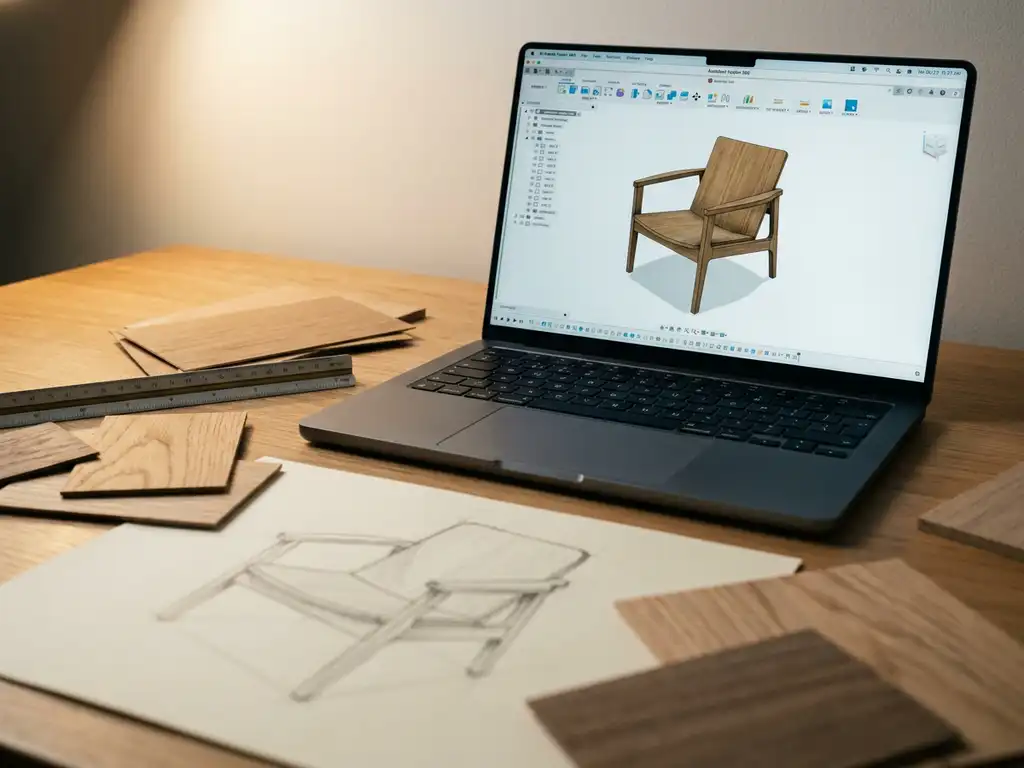
The most widely used Autodesk software for furniture design is Fusion 360, followed by AutoCAD. Fusion 360 combines parametric 3D modeling with manufacturing preparation tools, making it a practical choice for furniture designers who need to move from concept to CNC production. AutoCAD remains the standard for technical drafting, cutting plans, and 2D floor layouts. But for manufacturers evaluating custom furniture design software — especially those who also need to handle product configuration, customer visualization, or omnichannel retail — understanding where Autodesk tools stop is just as important as knowing what they do. This article covers how each Autodesk product is used, where they fall short, what purpose-built alternatives exist, and what a complete furniture software stack looks like in practice.
Which Autodesk products are actually used for furniture design?
The two Autodesk products most commonly used in furniture design are Fusion 360 and AutoCAD. Fusion 360 handles 3D modeling and manufacturing workflows, while AutoCAD is primarily used for technical 2D drawings, cutting plans, and floor layouts. A smaller number of designers also use Autodesk 3ds Max for high-end rendering, though it is more common in architecture and interior visualization than in furniture manufacturing itself.
Each tool serves a different stage of the design and production process. Fusion 360 is the go-to for product development and CNC preparation. AutoCAD lives at the drafting and documentation end. Neither was built specifically for furniture, which is an important distinction when evaluating them against purpose-built alternatives.
When your current design software is holding you back
Most furniture manufacturers do not set out to replace their software — they start noticing problems that their current tools cannot solve.
- Your design team produces accurate 3D models in Fusion 360, but creating product images for every fabric and finish variant requires weeks of manual rendering work.
- Customers ask to see a product in a specific color or size, and your team has to go back to CAD to produce a one-off visual — every time.
- Your e-commerce store relies on static photography that cannot keep up with your configurable product range.
- Sales staff cannot demonstrate product options to clients without a designer in the room.
- You have invested in engineering software that serves production well, but there is no connection between that workflow and what customers experience online or in the showroom.
- Returns are higher than expected because customers cannot accurately judge dimensions, materials, or finish before buying.
If any of these sound familiar, the issue is not your engineering software — it is the missing layer between production and the customer.
What is Fusion 360 used for in furniture manufacturing?
In furniture manufacturing, Fusion 360 is used primarily for parametric 3D modeling, engineering drawings, and CAM (computer-aided manufacturing) preparation. Designers use it to build accurate 3D models of furniture components, define joinery details, and generate the toolpaths needed to drive CNC cutting machines. It bridges the gap between design intent and factory-floor production.
Fusion 360 is particularly valued in custom and contract furniture manufacturing, where precision tolerances and repeatable production matter. Key use cases include:
- Building component-level 3D models with exact dimensions and material thicknesses
- Creating assembly drawings and exploded views for production documentation
- Generating CNC toolpaths for panel cutting, routing, and drilling
- Running basic stress simulations on structural joints or frame elements
- Exporting files in formats compatible with manufacturing equipment (STEP, OBJ, IGES, and DXF)
What Fusion 360 does not do well is consumer-facing visualization. Its rendering output is functional rather than photorealistic, and it offers no tools for interactive product configuration, room planning, or augmented reality. It is an engineering tool first and a design presentation tool a distant second.
How does AutoCAD compare to Fusion 360 for furniture design?
AutoCAD and Fusion 360 serve fundamentally different purposes in furniture design. AutoCAD excels at 2D technical drafting — such as cutting layouts, assembly instructions, and floor plans — while Fusion 360 is built for 3D modeling and manufacturing workflows. For furniture designers who primarily work in 2D documentation, AutoCAD remains the industry standard. For those who need to model in three dimensions and connect to production, Fusion 360 is the stronger choice.
Where AutoCAD fits in the furniture workflow
AutoCAD is widely used for producing shop drawings, technical specifications, and spatial planning documents. In retail and contract furniture contexts, it is often used to draft room layouts and furniture placement plans for clients. Its precision drafting tools and universal file format (.dwg) make it a reliable communication tool between designers, clients, and factories.
Where Fusion 360 has the advantage
Fusion 360 brings the third dimension into the workflow, which matters when designing complex forms, validating fit and clearance between components, or preparing files for CNC production. Its parametric modeling approach means that changing one dimension updates the entire model automatically, saving significant rework time during the design iteration phase.
It helps to understand that furniture design software generally falls into one of three categories, each suited to a different part of the workflow. Parametric CAD tools — including Fusion 360, Shapr3D, and FreeCAD — build models from dimensions and constraints, so changing one value updates the entire assembly automatically. This makes them ideal for engineering precision and CNC preparation. Mesh and rendering tools such as Blender work with polygon geometry rather than parametric logic, making them well suited for photorealistic marketing visuals but not for production-ready files. Catalog-based configuration platforms — the category that includes iONE360 — work from pre-built product logic and material libraries, allowing customers or sales staff to select options and see the configured result in real time without any CAD knowledge. Understanding which category a tool belongs to is the fastest way to judge whether it fits your specific workflow stage, and it is the key distinction when evaluating software for parametric and configurable furniture design.
For manufacturers who need both, the tools are often used in combination: AutoCAD for 2D documentation and client-facing floor plans, Fusion 360 for the 3D development and manufacturing preparation that happens behind the scenes.
What are the limitations of Autodesk software for furniture visualization?
The core limitation of Autodesk software for furniture visualization is that neither Fusion 360 nor AutoCAD was designed for consumer-facing or sales-oriented visual experiences. Both tools produce technically accurate models, but they cannot generate the photorealistic product imagery, interactive configurators, or augmented reality previews that modern furniture retail demands. The gap between what these tools produce and what an e-commerce or showroom environment requires is significant.
Specific limitations include:
- No product configurator functionality: Autodesk tools cannot present a customer-facing interface where shoppers select fabrics, colors, or dimensions and see the result in real time.
- No automated packshot generation: Creating product images for every variant of a configurable sofa or cabinet requires manual rendering work for each combination, which does not scale.
- No room planning integration: Neither Fusion 360 nor AutoCAD offers a consumer-ready 3D room planning tool that lets shoppers arrange and configure furniture in a virtual space.
- No AR output for retail: Augmented reality features that allow customers to place furniture in their own home are not part of the Autodesk product suite.
- High technical barrier: These tools require trained users. A sales team or end customer cannot operate Fusion 360 or AutoCAD without significant training.
For manufacturers, this means Autodesk software covers the engineering and production side of the workflow well, but a separate layer of visual commerce tooling is needed to serve the sales and marketing function.
Common mistakes when choosing furniture design software
Choosing the wrong furniture design software — or using the right tool in the wrong part of your workflow — is one of the most common and costly mistakes manufacturers make during a software evaluation. Here are the pitfalls to watch for:
- Choosing a visualization tool without checking whether it exports CNC-ready files, leaving production teams to rebuild geometry from scratch.
- Assuming a parametric CAD model is ready for customer-facing use without a rendering or configuration layer.
- Selecting software based on individual designer needs rather than the full team workflow, leading to collaboration bottlenecks when multiple engineers or sales staff need access.
- Overlooking whether the tool integrates with existing ERP or PIM systems, which forces manual data re-entry between design and production.
- Treating engineering software and visual commerce software as competing choices rather than complementary layers.
The most effective furniture software stacks combine a production-grade CAD tool with a dedicated visual commerce platform — each doing what it was built for.
What to look for in furniture design software
Before committing to any tool, apply these six criteria to make sure it fits your actual workflow needs rather than just your immediate requirements.
- Workflow fit: Does the tool cover the specific stage you need — concept design, engineering, production, or customer visualization — or does it try to cover all stages poorly?
- Parametric or catalog-based modeling: Parametric tools like Fusion 360 update the entire model when one dimension changes; catalog-based configurators like iONE360 let customers select options in real time. Choose based on whether your priority is engineering precision or sales flexibility.
- CNC and production output: If you run CNC equipment, confirm the software generates machine-ready toolpaths or cut lists without manual conversion steps.
- ERP and PIM integration: Software that connects directly to your existing ERP or PIM system eliminates duplicate data entry and reduces errors between design and production.
- Scalability: A tool that works for a five-person studio may create bottlenecks as your catalogue or team grows — check whether the platform supports multi-user collaboration and large product ranges.
- Customer-facing capability: If your goal includes online sales or showroom configuration, verify that the tool can produce photorealistic renders, interactive configurators, or AR output — capabilities that engineering tools like Fusion 360 and AutoCAD do not offer.
Most manufacturers find that no single tool scores well on all six criteria, which is why a layered approach — pairing production software with a visual commerce platform — has become the standard in modern furniture operations.
What software do furniture manufacturers use instead of or alongside Autodesk?
Furniture manufacturers use a range of purpose-built and visual commerce tools alongside or instead of Autodesk products, depending on where in the workflow the need arises. For production planning, industry-specific solutions like Cabinet Vision, Polyboard, and imos iX are common. For consumer-facing visualization, configuration, and room planning, manufacturers increasingly turn to dedicated visual commerce platforms built specifically for the furniture and home furnishings sector.
The shift is driven by a clear need: Autodesk tools solve engineering problems, but they do not help a customer choose a sofa in the right fabric, see it in their living room, or complete a purchase with confidence. That gap is where specialized furniture visualization and configuration platforms step in, offering photorealistic 3D rendering, interactive product configuration, and room planning software that integrates directly with e-commerce systems.
Other tools furniture designers use alongside or instead of Autodesk
Beyond the production-specific tools, several other platforms are used by furniture designers depending on their workflow and budget.
- Shapr3D: A parametric CAD tool optimized for tablet and stylus input, popular with independent designers who want Fusion 360-level precision with a faster, more intuitive modeling experience.
- FreeCAD: An open-source parametric modeler with no licensing cost, suitable for small studios or individual makers who need basic 3D modeling and technical drawing without the Autodesk subscription overhead.
- Onshape: A cloud-native CAD platform that supports real-time multi-user collaboration, making it a practical choice for distributed design teams working on shared furniture projects.
- Blender: A mesh-based 3D tool used primarily for high-quality rendering and visualization rather than engineering or production — useful for creating marketing imagery but not for generating CNC-ready files.
None of these tools, including Fusion 360 and AutoCAD, address the customer-facing visualization and configuration requirements that furniture retailers and manufacturers increasingly need for online and omnichannel sales.
Furniture design software compared: which tool fits which workflow?
The table below compares seven widely used tools across the key stages of a furniture workflow to help you evaluate options quickly.
| Tool | Primary use case | 3D modeling | CNC/production output | Consumer-facing visualization |
|---|---|---|---|---|
| Fusion 360 | Parametric engineering and CAM | Primary | Primary | No |
| AutoCAD | 2D technical drafting | Partial | Partial | No |
| Cabinet Vision | Cabinet and case goods production | Yes | Primary | No |
| Polyboard | Panel furniture design and cut lists | Partial | Primary | No |
| imos iX | Furniture engineering and production planning | Yes | Primary | No |
| Blender | Rendering and marketing visuals | Yes | No | Partial |
| iONE360 | Visual commerce and product configuration | Via integration | Via integration | Primary strength |
No single tool covers every stage — the strongest workflows pair an engineering tool like Fusion 360 with a dedicated visual commerce platform for the customer-facing side. Choosing the right furniture design software means being honest about which stage of the workflow you are actually trying to solve.
How iONE360 helps furniture manufacturers go beyond design tools
Engineering tools like Fusion 360 and AutoCAD stop at the factory door. What happens between the finished product and the customer’s purchase decision requires a completely different kind of software — and that is exactly where we come in.
iONE360 is a visual commerce platform built specifically for the furniture, home, and decoration industry, with over 45 years of sector expertise behind it. As a specialist in cost-effective, pragmatically scalable visual configuration solutions for the furniture and interior market, iONE360 covers what Autodesk cannot:
- Interactive 3D product configuration: Customers select fabrics, colors, sizes, and options and see every change rendered in real time, across millions of possible variants.
- Automated packshot generation: High-quality product images are generated automatically for every configuration, eliminating the need for manual photoshoots at scale.
- Room planning software: Our advanced 3D room planning tool lets customers build full room layouts, combine and configure multiple furniture pieces, adjust flooring and wallcoverings, and view the complete result in photorealistic 3D — all in a browser without any download required.
- Augmented reality: Shoppers can place configured products directly into their own space using AR, removing the last barrier to confident purchasing.
- Seamless integration: Our platform connects with PIM, ERP, CMS, and webshop systems via APIs and plugins, fitting into your existing tech stack rather than replacing it.
How implementation works
- Scoping and asset review: We start with a conversation about your product range, existing 3D assets, and the configuration options you need to support. This defines the scope and timeline for your rollout.
- Model preparation and optimization: Your existing CAD files — whether from Fusion 360, AutoCAD, or another tool — are converted and optimized for real-time rendering. You do not need to rebuild your models from scratch.
- Configuration logic and content setup: We build the configuration rules, material libraries, and option logic that power your interactive product experience, whether that is fabric selection, size variants, or finish combinations.
- Integration and launch: The configurator, room planner, and AR features are connected to your existing webshop, PIM, or ERP system via API, and your team is trained before go-live.
Most focused product ranges are live within weeks — and because our platform is built specifically for the furniture and home industry, we already understand the complexity of your product logic.
The results manufacturers see are measurable: higher conversion rates, larger average order values, and significantly fewer returns — because customers who configure and visualize a product before buying are more confident in their choice. Our platform is built to scale with your business, whether you are launching a focused product line today or managing a catalogue of thousands of configurable variants in the future. And because iONE360 connects with your existing PIM, ERP, CMS, and webshop systems, it fits into your current tech stack rather than requiring a full infrastructure overhaul. For manufacturers who have already invested in Fusion 360 or AutoCAD for their engineering workflow, we are the layer that turns that investment into a complete end-to-end solution — from factory floor to customer purchase.
If you are ready to take your product visualization beyond what engineering software can deliver, get in touch with us and we will show you what is possible.
Frequently Asked Questions
Can Fusion 360 files be imported directly into furniture visualization platforms like iONE360?
In most cases, yes — Fusion 360 exports to standard formats such as STEP, OBJ, and IGES, which are compatible with most 3D visualization and configuration platforms. However, raw engineering models often require optimization before they are ready for real-time rendering, as CAD files tend to be highly detailed in ways that slow down interactive experiences. A visual commerce platform like iONE360 typically handles this conversion and optimization process as part of onboarding, so you do not need to rebuild your models from scratch.
Is Fusion 360 suitable for small or independent furniture designers, or is it better suited to larger manufacturers?
Fusion 360 is genuinely accessible to independent designers and small studios, partly because Autodesk offers a free version for personal and startup use with annual revenue under a defined threshold. Its parametric modeling and built-in CAM tools make it a strong choice for small-batch custom furniture makers who run their own CNC equipment. That said, the learning curve is real — expect to invest several weeks of practice before working efficiently, and factor in whether the engineering-focused workflow matches how you actually design.
What is the biggest mistake furniture companies make when relying solely on Autodesk tools?
The most common mistake is assuming that a technically accurate 3D model is sufficient for both production and sales. Autodesk tools produce precise engineering files, but those files are not the same as compelling, customer-ready product visuals. Companies that skip the visualization layer often rely on physical samples or static photography, which cannot keep pace with configurable product ranges or omnichannel retail demands. The fix is not to abandon Autodesk software, but to pair it with a dedicated visual commerce solution that handles the customer-facing side of the workflow.
How does purpose-built furniture design software like Cabinet Vision differ from Fusion 360?
Cabinet Vision and similar tools such as Polyboard or imos iX are designed specifically around furniture and cabinetry production logic — they understand concepts like carcass construction, hardware placement, sheet material optimization, and cut-list generation out of the box. Fusion 360 is a general-purpose engineering tool that can be adapted to furniture work but requires more manual setup to achieve the same results. For high-volume cabinet and case goods manufacturers, purpose-built software typically delivers faster workflows and better integration with production management systems.
How long does it typically take to implement a 3D product configurator for a furniture range?
Implementation timelines vary depending on the complexity of the product range, the quality of existing 3D assets, and the number of configuration options involved. For a focused product line with existing models, a configurator can be live in a matter of weeks. Larger catalogues with extensive fabric, finish, and size variants naturally take longer to set up, but platforms like iONE360 are built to handle this scale efficiently. The best starting point is an initial scoping conversation to assess your existing assets and define the rollout sequence.
Can augmented reality features work alongside an existing e-commerce platform, or does it require a complete technology overhaul?
AR features and 3D configurators are designed to integrate with your existing e-commerce stack, not replace it. Modern visual commerce platforms connect via APIs and plugins to common webshop systems, PIM tools, and CMS platforms, meaning your product data and purchase flow remain intact. The AR and configuration layer sits on top as an enhanced product experience, so customers move seamlessly from visualizing a piece to completing a purchase without leaving your existing storefront.
How does visual commerce software connect with ERP and PIM systems in a furniture manufacturing workflow?
In a furniture manufacturing workflow, visual commerce software like iONE360 sits between your product data systems and your customer-facing channels. Integration with a PIM system means that product specifications, material options, and configuration rules are maintained in one place and automatically reflected in the visual configurator — eliminating the need to manually update product content across multiple platforms. ERP integration takes this further: when a customer completes a configured order, the order data including selected dimensions, materials, and finishes can flow directly into your production planning system without manual re-entry. For IT-responsible decision-makers, this means the visual commerce layer does not create a data silo — it becomes a connected part of the existing stack. Our platform connects via standard APIs and supports common ERP, PIM, CMS, and webshop systems, so the integration fits around your current infrastructure rather than requiring you to rebuild it.
What should furniture manufacturers prioritize first — improving their production software or their customer-facing visualization tools?
If your production workflow is already stable and your main bottleneck is converting browsers into buyers, customer-facing visualization is almost always the higher-impact investment. Research consistently shows that shoppers who interact with a 3D configurator or AR tool convert at significantly higher rates and return products less frequently. If your production process is still manual or error-prone, address that foundation first — but for most established manufacturers, the faster return on investment comes from closing the gap between what customers can see and what they can confidently buy.