

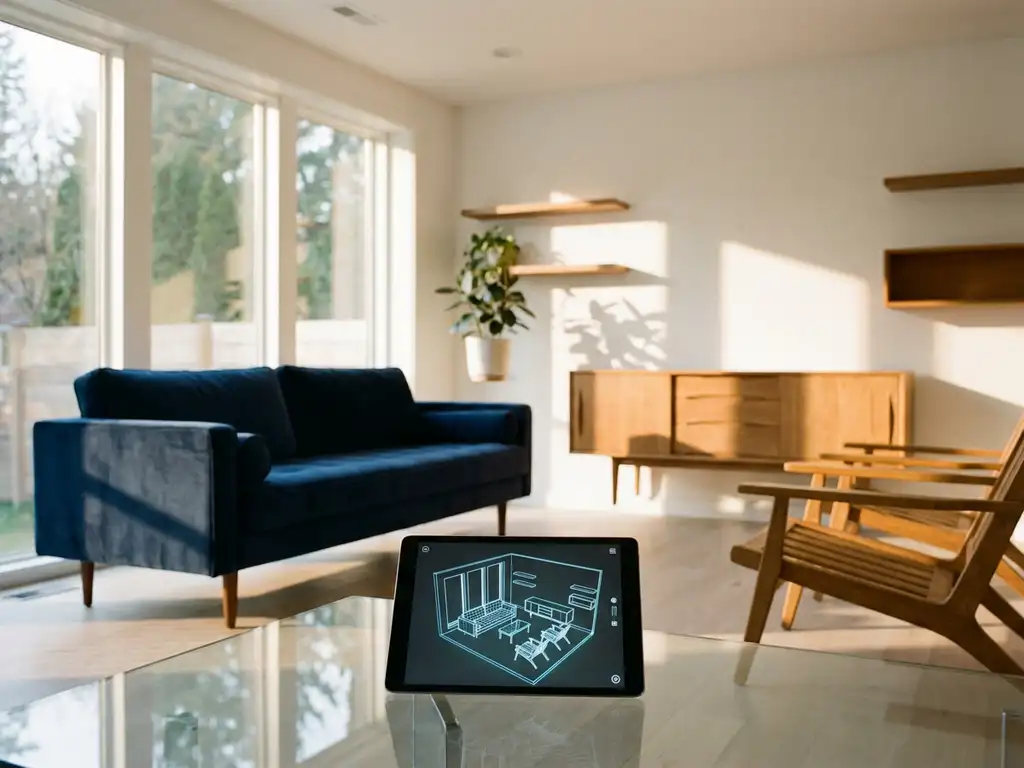
Rearranging a room sounds simple until you’re pushing a heavy sofa for the third time and it still doesn’t feel right. Most of us struggle to visualize how a space will look before we move anything — and that uncertainty makes the whole process exhausting. Yes, AI can help you rearrange a room by analyzing your dimensions, furniture, and design principles to show you the result before you lift a finger. Modern AI room planning tools generate multiple layout options in minutes, helping you avoid costly mistakes and finally create a space that works for how you actually live.
How does AI room design actually work?
AI-powered space planning uses machine learning algorithms to analyze room dimensions, furniture specifications, and design principles to automatically generate optimal furniture arrangements. The technology processes spatial data, user preferences, and functional requirements to suggest layouts that maximize both aesthetics and usability.
The process begins when you input your room’s measurements and upload photos or create a floor plan. AI algorithms then analyze traffic patterns, natural light sources, and architectural features like doors and windows. The system considers furniture dimensions from product databases and applies design rules about spacing, proportion, and furniture layout optimization.
Modern AI room planners go beyond basic arrangement suggestions. They can predict how different layouts affect room flow, suggest complementary color schemes, and even recommend furniture pieces that work well together. Some advanced systems learn from user feedback, improving their suggestions over time based on what arrangements people actually choose and rate positively.
Can AI really help you rearrange furniture — and how well does it work?
AI can effectively help rearrange furniture by analyzing spatial relationships, traffic patterns, and design principles that humans might overlook. These systems excel at optimizing space utilization and suggesting arrangements that balance aesthetics with functionality, often producing better results than manual planning.
The strength of AI furniture rearrangement lies in its ability to process multiple variables simultaneously. While you might focus on one aspect like fitting a large sofa, AI considers the entire room ecosystem, including walkway clearances, conversation areas, lighting placement, and visual balance. This comprehensive analysis often reveals arrangement possibilities that weren’t immediately obvious.
AI room planning vs. doing it yourself: what’s the difference?
Most people try to rearrange a room by moving furniture around until something feels right — a process that can take hours and still leave you unsure. Traditional methods like sketching on paper or using a tape measure and imagination make it nearly impossible to visualize scale accurately, and there is no way to test multiple arrangements without the physical effort of moving everything. AI room planning lets you rearrange a room with AI assistance by testing dozens of arrangements digitally in minutes, with accurate measurements and 3D previews, so you only move furniture once — into the arrangement you already know works. The result is less physical effort, fewer buying mistakes, and a room you can feel confident about before making any changes.
However, AI works best when combined with human judgment. The technology excels at generating multiple viable options and handling spatial calculations, but you still need to evaluate which arrangements match your lifestyle and personal preferences. The most effective approach treats AI as a sophisticated design assistant that expands your possibilities rather than making final decisions for you.
Which AI tools are best for room planning and furniture arrangement?
The best virtual room planner tools combine advanced 3D visualization with intelligent layout suggestions and integrate with furniture catalogs for realistic planning. Top platforms include specialized 3D room planning software that offers both automated arrangement features and manual customization options.
Professional-grade tools provide the most comprehensive features, including accurate furniture databases, realistic material rendering, and integration with manufacturer catalogs. These platforms often include AI-powered suggestion engines that can recommend furniture arrangements based on room function, whether you’re designing a living room for entertaining or a bedroom for relaxation.
When evaluating room planning tools, prioritize those that offer real-time 3D visualization, extensive furniture libraries, and the ability to see your designs from multiple angles. The most effective solutions let you configure furniture pieces directly within the room planner, adjusting colors, materials, and sizes while seeing immediate visual feedback. Room redesign with AI is most powerful when the tool you choose matches the complexity of your project.
Key features to look for in AI room planning tools
- Accurate measurement input and scaling capabilities
- Extensive furniture databases with real product specifications
- Real-time 3D rendering and visualization
- AI-powered layout suggestions based on room function
- Integration with retailer catalogs for seamless purchasing
How popular AI room planning tools compare
With so many options available, it helps to understand what the most widely used tools actually offer — and where each one falls short. Here is how a selection of the best AI room planners currently available compare across primary use case, standout features, and key limitations.
Roomstyler is a browser-based room design tool aimed at consumers who want to experiment with furniture placement and interior styles without downloading software. Its standout feature is a large community-shared design library that provides visual inspiration alongside basic room planning. Its main limitation is relatively shallow AI-driven layout intelligence — the tool is better suited to visual experimentation than precision planning. Best for: casual home decorators at an early inspiration stage.
Planner 5D is a cross-platform AI interior design tool that supports both 2D floor planning and 3D visualization, with an AI feature that can auto-generate room layouts from a brief description. It is well suited to consumers who want a guided starting point without needing to place every item manually. Its key limitation is that furniture catalog accuracy varies, and customization options for specific product configurations are limited. Best for: consumers planning a full room redesign from scratch.
IKEA Place uses augmented reality to let users place true-to-scale IKEA products in their existing room via a smartphone camera. The standout feature is its photorealistic AR rendering, which makes it easy to visualize a single product in context. The obvious limitation is that it is restricted entirely to IKEA’s product range, making it unsuitable for multi-brand planning or professional use. Best for: consumers already committed to IKEA furniture.
RoomGPT is an AI-powered room redesign tool that generates new interior design concepts from a photo of an existing room. It is fast and visually striking, making it useful for exploring broad aesthetic directions. However, it does not offer precise furniture placement, real product specifications, or any purchasing integration — making it more of a mood board generator than a true room planning tool. Best for: consumers in the early inspiration phase who want to explore different styles quickly.
iONE360 is built specifically for the furniture and interior industry and operates at a fundamentally different level of precision and integration than the consumer tools above. Our platform combines photorealistic 3D room planning with a fully integrated product configurator, manufacturer catalog integration, and seamless e-commerce connectivity. Where other tools show you a generic room, we show you the exact product — in the exact fabric, finish, and configuration you have chosen — placed accurately in your space. Best for: furniture retailers and manufacturers who need a professional-grade AI room planning software solution, and consumers who want the most accurate, purchase-ready visualization available.
The tools above cover a wide range of needs, from quick inspiration to precision retail planning. For users who need more than a starting point — and want a solution that connects visualization directly to a confident purchase — the section below explains exactly what we offer.
How do you use AI to redesign a room step by step?
Using AI to redesign a room involves measuring your space, inputting dimensions into the software, selecting your preferred furniture pieces, and letting the AI generate multiple layout options for you to refine. The process typically takes 30–60 minutes from start to a finished design.
You do not need to start with a blank canvas. Most AI room planning tools let you begin with a photo of your existing room — even if it’s not perfectly tidy — and build from there. This makes the process far more accessible for anyone who finds the idea of creating a floor plan from scratch intimidating.
- Take photos of your room from multiple angles to capture existing furniture placement, window positions, and any fixed features. Accurate measurements of the room dimensions, door and window locations, electrical outlets, and permanent fixtures are essential at this stage.
- Upload your photos or create a floor plan using the tool’s built-in drawing feature — most platforms support both options, so you can start with whatever is easiest.
- Select furniture pieces from the catalog or add custom items, specifying your budget range and style preferences to filter options.
- Review AI-generated layout suggestions and evaluate which arrangements best suit your lifestyle.
- Refine arrangements by adjusting individual pieces to reflect your specific habits and preferences.
- Visualize the final design in 3D before implementation to confirm the layout works from every angle.
AI room rearrangement ideas by room type
AI room planning is not a one-size-fits-all process. Different rooms present different challenges, and the variables an AI optimizes for will shift depending on how a space is actually used. Here is how AI-powered space planning addresses the most common room types.
Living room
The most common living room complaint is that the space feels cramped or disconnected — a large sofa dominates the room, the TV is in an awkward corner, and there is no clear sense of flow. AI room planning analyzes variables like sofa-to-TV viewing distance, conversation circle radius, walkway clearance, and the relationship between seating and natural light sources. The result is typically a layout that opens up the center of the room, creates a defined focal point, and ensures clear pathways — without requiring you to physically move anything until you are certain it works. If you want to rearrange your living room with AI, this is where the technology delivers some of its most immediately satisfying results.
Bedroom
In a bedroom, the most frustrating problems are poor flow between the bed and the wardrobe, insufficient space on either side of the bed, and a layout that makes the room feel smaller than it actually is. An AI bedroom layout planner evaluates bed placement relative to doors and windows, clearance around furniture for comfortable movement, and the visual balance of the space from the doorway. It can identify arrangements that feel more spacious simply by rotating the bed orientation or repositioning storage — changes that are obvious in a 3D preview but easy to miss when planning mentally.
Home office
Home office AI design focuses on a specific set of ergonomic and functional variables that general room planners often overlook. Desk orientation relative to windows is critical — positioning a desk perpendicular to a window reduces screen glare while still benefiting from natural light. AI tools also consider cable management zones, proximity to power outlets, and the visual separation between work and relaxation areas in combined spaces. The outcome is a workspace that supports focus and reduces physical strain, whether you are working in a dedicated room or a corner of a larger space.
Dining room
Dining rooms present a deceptively simple planning challenge: the table needs to be large enough to seat everyone comfortably, but leave sufficient clearance for chairs to be pulled out and for people to move around the table without squeezing past one another. AI analyzes the minimum clearance standards for dining furniture, the relationship between the table and serving or storage areas, and how the layout affects the room’s visual proportions. For smaller dining spaces, AI often surfaces creative solutions — such as a round table instead of rectangular, or a bench along one wall — that free up significant floor space without sacrificing seating capacity.
What are the limitations of AI room design tools?
AI room design tools have limitations in understanding personal lifestyle needs, handling unique architectural features, and accounting for emotional or sentimental attachments to existing furniture pieces. They also struggle with highly irregular room shapes or spaces with complex structural elements.
The biggest limitation is that AI cannot fully understand how you actually live in your space. While algorithms can optimize for general traffic patterns, they might not account for your specific habits, like needing extra workspace for hobbies or preferring certain seating arrangements for family gatherings. The technology works best for standard room configurations and common furniture arrangements.
Another significant constraint is the quality of furniture databases. AI suggestions are only as good as the product information available in the system. If a tool lacks accurate dimensions or realistic representations of furniture pieces, its recommendations may not translate well to real-world implementation.
Additionally, most AI tools focus on new furniture purchases rather than incorporating existing pieces you want to keep. This is worth considering if you are planning a partial refresh rather than a full room redesign.
Here is a quick summary of the most common technical constraints to keep in mind:
Technical limitations to consider
- Difficulty handling irregular or uniquely shaped rooms
- Limited understanding of personal lifestyle requirements
- Dependence on accurate furniture database information
- Challenges incorporating existing furniture pieces
- Inability to account for future needs or changing circumstances
How iONE360 helps with room planning and design
Imagine seeing your redecorated living room in photorealistic 3D — every fabric texture, every shadow, every material finish — before a single piece of furniture is moved. That is exactly what our room planning software makes possible. Whether you are a homeowner exploring a new layout or a first-time buyer trying to visualize how a sofa will actually look in your space, our 3D room planning software gives you the confidence to make decisions you will not regret.
For furniture retailers and manufacturers, we go further. Our platform combines intelligent AI room planning software with full product configuration capabilities, allowing customers to not only arrange furniture but also customize pieces — fabric, finish, size, and configuration — directly within the room visualizer. This is visual commerce at its most powerful.
Key advantages of our room planning solution include:
- See your configured room exactly as it will look in real life, with accurate lighting, materials, and scale — photorealistic rendering that eliminates guesswork
- Customize furniture pieces in real time directly within the room planner, adjusting colors, fabrics, and configurations before committing to a purchase
- View your design from any angle with advanced camera controls that give a true sense of space and proportion
- Connect seamlessly with your existing e-commerce platform and product catalog for a frictionless path from visualization to purchase
- Deploy a fully branded experience with our white-label solutions, tailored to your identity and customer journey
With over 45 years of expertise in the furniture and interior industry, we have built our room planning software around the real challenges that furniture retailers and their customers face. Our solutions are trusted by manufacturers and retailers across Europe who use our platform to help customers visualize, configure, and commit to purchases with confidence. The result is a measurably better buying experience — fewer returns, higher conversion rates, and customers who feel genuinely excited about their new space.
Built on deep furniture industry knowledge and a commitment to cost-effective, pragmatically scalable integration, our platform transforms the traditional buying experience by eliminating uncertainty and enabling confident purchasing decisions. Ready to see how our advanced room planning technology can enhance your furniture shopping experience? Explore our showcases or contact us for a personalized demonstration.
Frequently Asked Questions
How accurate do my room measurements need to be for AI room planning to work effectively?
Your measurements should be accurate to within 1-2 inches for best results. Small measurement errors can significantly impact furniture placement suggestions, especially in tight spaces. Use a laser measuring tool if possible, and double-check dimensions of doors, windows, and any built-in features like radiators or electrical outlets that could affect furniture placement.
Can I use AI furniture rearrangement tools if I want to keep some of my existing furniture?
Yes, but you’ll need to manually input the dimensions and specifications of your existing pieces into the AI tool. Most platforms allow you to create custom furniture items by entering measurements, though this requires more effort than selecting from their pre-loaded catalogs. The AI can then incorporate these pieces into its layout suggestions.
What should I do if the AI suggests furniture arrangements that don't match my daily routines?
Use the AI suggestions as a starting point, then manually adjust the layout to fit your lifestyle needs. Most AI furniture rearrangement tools allow you to move individual pieces after the AI generates initial suggestions. Consider factors like your morning routine, entertainment habits, and work-from-home requirements when refining the AI-generated layouts.
How do I handle rooms with unusual shapes or architectural features that AI might not understand?
Break complex rooms into functional zones and focus on one area at a time. For unusual shapes, you may need to manually override some AI suggestions and rely more on the tool’s 3D visualization capabilities rather than automated layout features. Document any unique constraints or features in notes to guide your manual adjustments.
Is it worth investing in premium AI room planning software, or are free tools sufficient?
Premium tools typically offer more accurate furniture databases, better 3D rendering, and integration with retailer catalogs for seamless purchasing. Free tools work well for basic layout planning, but if you’re making significant furniture investments or need precise visualization, premium software often pays for itself by preventing costly purchasing mistakes.
How can I ensure the furniture I see in the AI visualization will actually fit and look good in my real room?
Always verify that the AI tool uses accurate manufacturer specifications for furniture dimensions. Take photos of your actual room from multiple angles and compare them with the 3D renderings. Pay special attention to scale relationships and consider factors like ceiling height and natural lighting that might affect how pieces actually appear in your space.
What's the best way to present AI-generated room designs to family members or roommates for approval?
Use the 3D visualization features to create multiple viewpoints of the proposed layout, including eye-level perspectives that show how the room will feel to walk through. Export images or create virtual walkthroughs if the software supports it, and prepare 2-3 different layout options to give others meaningful choices in the decision-making process.
Related Articles
- How do AI configurators handle complex product combinations?
- Is room planning software worth the investment for retailers?
- How do 3D product configurators help furniture brands tell their product story?
- How does a 3D product configurator increase sales?
- How do furniture manufacturers use 3D product configurators?