

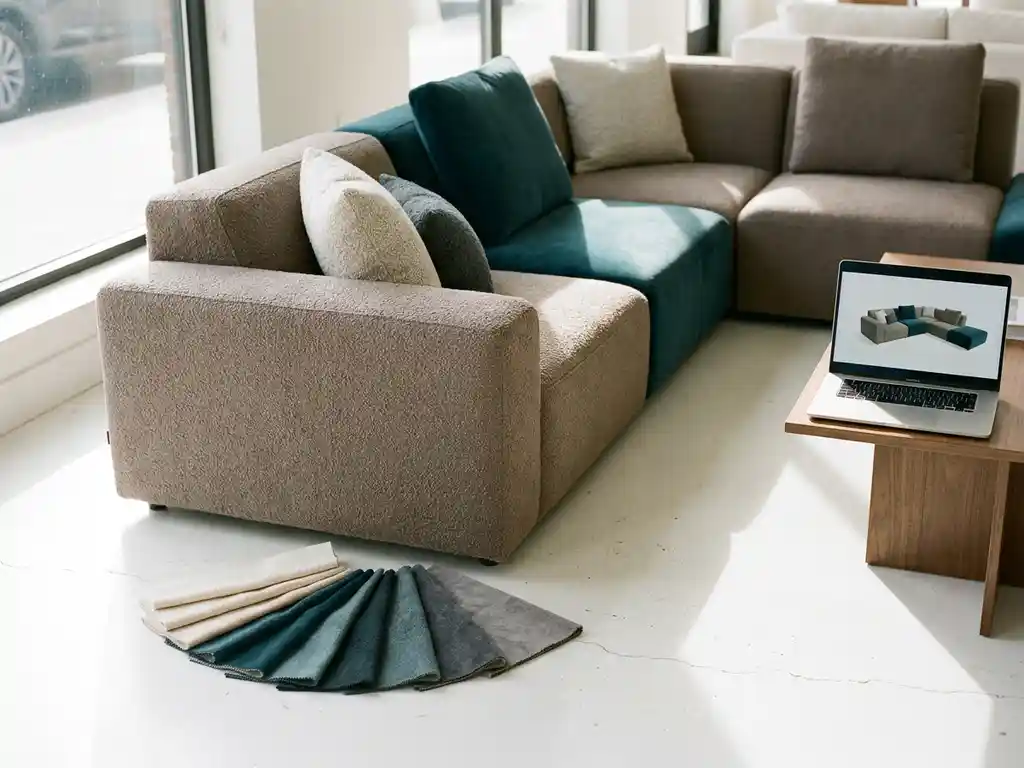
A configuration is a specific combination of product choices, such as material, colour, size, and finish, that defines a unique version of a customisable product. In a product context, a sofa ordered in a particular fabric, leg colour, and seat depth is a configuration. The same logic applies across furniture, flooring, kitchens, and virtually any product with selectable options. The sections below unpack how configurations work, what they look like in practice, and when an online product configurator makes commercial sense.
What types of products can be configured?
Any product with two or more selectable attributes can be configured. This includes furniture such as sofas, beds, and storage units, but also flooring, window treatments, lighting, kitchen cabinetry, and outdoor products. The common thread is that the end product is defined by the buyer’s choices rather than being sold as a fixed, off-the-shelf item.
Within the home furnishings and interior sector, configurable products typically involve combinations of dimensions, upholstery or material options, colour palettes, structural variants, and optional add-ons. A modular sofa, for example, might offer four seat configurations, twelve fabric families, three leg finishes, and optional armrest styles, producing thousands of distinct end products from a single base design.
Beyond furniture, the same principle applies to made-to-measure curtains, customisable flooring layouts, fitted wardrobes, and even decorative accessories where personalisation is a selling point. If a product has options, it can be configured.
How does a product configurator work in practice?
A product configurator is a digital tool that guides a user through a structured set of choices and translates those choices into a valid, purchasable product. The user selects options step by step, the configurator applies business rules to ensure only compatible combinations are shown, and the result is a complete product specification ready for quoting or ordering.
In practice, the process works like this:
- The user opens the configurator for a specific product category.
- They are guided through a logical sequence of choices, such as size first, then material, then colour.
- The configurator filters available options in real time based on what has already been selected, preventing invalid combinations.
- Pricing updates dynamically as choices are made.
- The final configuration is summarised and can be added to a quote, saved, or sent directly to an order system.
Sophisticated configurators connect directly to ERP and pricing systems, meaning the output is not just a visual representation but a commercially accurate specification that flows into fulfilment without manual re-entry.
What’s the difference between a simple and complex configuration?
A simple configuration involves a small number of independent choices with no conditional logic, such as selecting a colour and a size. A complex configuration involves interdependent rules, large option sets, and pricing logic that changes based on multiple combined selections, often producing millions of valid variants from a single product.
Simple configurations
Simple configurations are common in retail contexts where products have limited customisation. A chair available in three colours and two sizes produces six possible combinations. There are no conflicting rules, pricing is straightforward, and the configurator logic is minimal. These are easy to implement but offer limited competitive differentiation.
Complex configurations
Complex configurations are the norm in the furniture and interior industry. A modular shelving system might allow users to choose width, height, number of compartments, door types, internal fittings, and surface finishes, where some combinations are structurally impossible and others carry surcharges. Managing this correctly requires a rules engine that mirrors the manufacturer’s production logic, not just a visual front end. The more accurately the configurator reflects real-world constraints, the fewer errors reach the factory floor.
What does a configuration look like in a furniture context?
In a furniture context, a configuration is the complete specification of a customised piece, covering every choice the buyer has made. For a corner sofa, this might include the layout direction, seat depth, fabric collection, fabric colour, leg material, leg finish, optional headrest type, and delivery preference. Together, these choices define one unique product.
From a manufacturer’s perspective, this specification needs to be precise enough to drive production. Each selected option maps to a material code, a component, and a price. A well-structured configuration in the furniture industry therefore bridges the gap between what the customer sees and what the factory builds. When the configurator is connected to the ERP system, the configuration becomes a production order automatically, eliminating transcription errors and reducing lead times.
For the end customer, the configuration experience should feel simple even when the product is technically complex. Guided steps, clear visual feedback, and instant pricing make the process feel manageable rather than overwhelming.
How do configurations connect to 3D visuals and AR?
In a modern online product configurator, each configuration choice triggers a real-time visual update. When a user selects a fabric, the 3D model re-renders with that material applied. When they change the leg finish, the visual updates instantly. This means the customer always sees exactly what they are about to buy, reducing uncertainty and building purchase confidence.
Augmented reality extends this further. Once a configuration is complete, the buyer can place the product in their own room using their smartphone camera. They see the exact sofa they have configured, in their chosen fabric, at the correct scale, in their actual space. This is not a generic model but the specific variant they have built.
The connection between configuration data and 3D output also enables automatic packshot generation. Rather than photographing every possible variant, manufacturers can generate high-quality product images for any configuration on demand. This is particularly valuable when a product range involves hundreds or thousands of valid combinations that would be impossible to photograph individually.
When should a business invest in a product configurator?
A business should invest in a product configurator when the cost and complexity of showing its full product range through traditional means outweigh the investment in digital tooling. The clearest signals are a large number of configurable variants, high photography costs, errors in the ordering process, or customer hesitation caused by an inability to visualise the end product.
Specific triggers that indicate the timing is right include:
- Launching a new collection with many variants that cannot all be photographed at scale.
- Expanding into e-commerce where customers need to self-serve through the configuration process.
- Reducing costly returns driven by customers receiving something different from what they expected.
- Enabling retail partners to sell the full range without holding physical samples for every variant.
- Improving sales team accuracy by replacing manual quote processes with a guided digital tool.
The business case strengthens when the configurator integrates with existing systems such as ERP, PIM, and webshop platforms, because the efficiency gains extend beyond the customer-facing experience into back-end operations.
How iONE360 helps with product configuration
We built iONE360 specifically for manufacturers and retailers in the furniture, home, and interior sector who need to manage complex configurable products at scale. Our platform handles products with millions of valid variants, enforces business rules automatically, and connects directly to ERP logic so that every configuration is commercially accurate from the first click.
Here is what iONE360 delivers in practice:
- Real-time 3D visualisation that updates instantly with every configuration choice, so customers always see exactly what they are buying.
- Augmented reality that lets buyers place their configured product in their own space using any smartphone, no app download required.
- Automatic packshot generation that produces high-quality product images for every variant without manual photography.
- ERP-connected logic that ensures configurations are production-ready and flow directly into fulfilment systems.
- Seamless integration with existing PIM, CMS, and webshop platforms, so the configurator extends your current tech stack rather than replacing it.
- A guided sales flow that works both online and in-store, reducing ordering errors and improving conversion at every touchpoint.
The result is fewer returns, higher order values, and a consistent brand experience across every channel and retail partner. If your product range has outgrown traditional photography and manual quoting, we would be glad to show you what iONE360 can do. Get in touch with our team to discuss your configuration needs.