

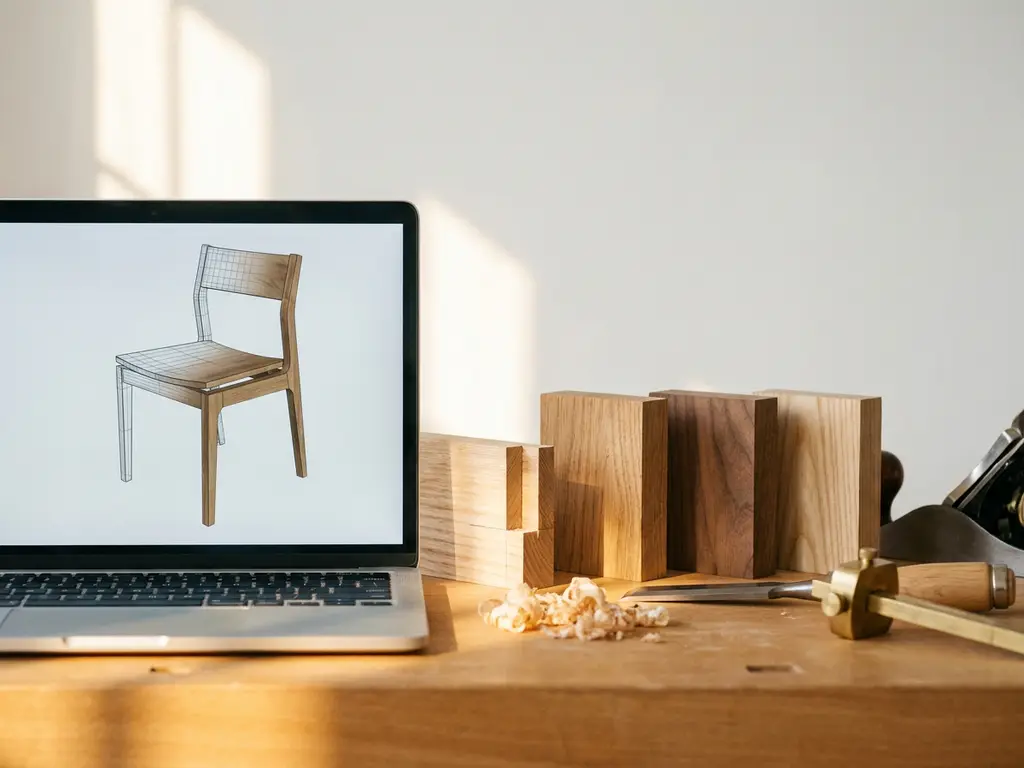
SketchUp is a capable 3D modeling tool that many furniture designers use for conceptual work and spatial planning, but it is not purpose-built for furniture design. It works well for visualizing shapes, proportions, and room layouts, but it lacks the specialized configuration logic, materials management, and manufacturing output that professional furniture designers and manufacturers typically need.
For hobbyists, architects, and interior designers sketching out ideas, SketchUp can be a practical starting point. For furniture manufacturers dealing with complex product variants, configurable options, and scalable visual content, its limitations become significant fairly quickly.
Below, we break down exactly what SketchUp can and cannot do, how it compares to dedicated tools, and what professional manufacturers tend to use instead.
What can SketchUp actually do for furniture designers?
SketchUp allows furniture designers to create 3D models of individual pieces, experiment with proportions, and visualize how furniture fits within a room. It is particularly useful for early-stage concept work, client presentations, and basic spatial planning. Its intuitive push-pull interface makes it accessible to designers without deep technical modeling experience.
Here is what SketchUp genuinely handles well in a furniture design context:
- 3D shape modeling: Building basic to moderately complex furniture forms using geometric tools
- Room layout visualization: Placing furniture models within a floor plan to assess scale and flow
- Client presentations: Generating walkthroughs and rendered images for approval processes
- Component libraries: Accessing the 3D Warehouse for pre-built furniture assets
- Collaboration: Sharing models with architects, interior designers, or contractors
With the right plugins and rendering extensions, SketchUp models can look quite polished. Tools like V-Ray for SketchUp can produce photorealistic renders, which makes it a reasonable choice for design studios that already have the workflow in place.
Is SketchUp good for interior design?
Is SketchUp good for interior design? In many respects, yes. Interior designers doing spatial planning, furniture placement, and client presentations will find SketchUp genuinely useful. Its accessible interface and room layout capabilities make it a practical tool for communicating design intent to clients and collaborators.
However, even for interior design professionals, SketchUp has real gaps. It offers no live product configuration tied to real manufacturer catalogs, no accurate material and finish representation without additional plugins, and no buyer-facing room planning tool connected to actual purchasable products. Interior designers working closely with furniture brands benefit from platforms that combine room planning with real product data, so clients can configure and order directly, without the disconnect that a standalone SketchUp workflow creates.
What are the limitations of SketchUp for furniture design?
SketchUp’s core limitations for furniture design center on its lack of parametric modeling, poor handling of complex product variants, and absence of manufacturing-ready output. SketchUp was designed as a general-purpose 3D modeling tool, not as a furniture-specific platform, and those origins show clearly when the software is pushed toward professional production use.
The most significant gaps include:
- No parametric logic: Changing one dimension does not automatically update related parts, making variant management tedious and error-prone
- No configuration rules: SketchUp cannot handle business logic such as “if fabric A is selected, option B is unavailable”
- Limited materials management: Applying realistic fabric textures, wood grains, and finishes at production quality requires third-party plugins
- No pricing integration: There is no native way to connect product configurations to live pricing or ERP systems
- Not scalable for product catalogs: Managing hundreds of product variants across a full range is not what SketchUp was built for
- No AR or interactive buyer experience: SketchUp does not offer consumer-facing augmented reality or guided configuration journeys
For a single designer working on a one-off commission, these limitations are manageable. For a furniture brand trying to present its full catalog in every configuration online, they become blockers.
Manufacturing output and CNC compatibility
For furniture manufacturers, production-ready file output means the ability to export DXF, STEP, or G-code files that CNC machines and production partners can use directly. SketchUp does not natively generate cut lists, assembly drawings, or CNC-compatible exports. The CutList Bridge plugin, which is useful for basic material takeoffs, does not replace full production documentation: it provides a starting point rather than the complete, machine-ready output a manufacturing workflow requires.
Purpose-built tools like Cabinet Vision and Polyboard handle this differently. Cut list generation and CNC export are core parts of their workflow, not optional add-ons. For any furniture manufacturer running production at scale, the absence of native, automated production output in SketchUp is a fundamental limitation that plugins alone cannot resolve.
How does SketchUp compare to dedicated furniture design software?
Dedicated furniture design software outperforms SketchUp in almost every dimension that matters for professional manufacturing and sales. The key difference is that purpose-built tools are designed around the specific logic of configurable furniture: variant management, material libraries, pricing rules, and buyer-facing visualization. SketchUp is a general 3D modeling environment that requires significant customization to replicate even a fraction of that functionality.
| SketchUp | Polyboard | Cabinet Vision | AutoCAD / Rhino | iONE360 | |
|---|---|---|---|---|---|
| Primary use | General 3D modeling | Cabinet / furniture design | Cabinet / furniture design | Precision drafting | Visual commerce, full workflow |
| Parametric modeling | None | Native | Native | Partial | Native |
| Variant management | Manual | Native | Native | Manual | Automated |
| CNC / manufacturing output | Via plugins only | Native | Native | Native | Via integration |
| Buyer-facing visualization | None | None | Limited | None | Full |
| AR support | None | None | None | None | Native |
| ERP / PIM integration | None | Limited | Limited | None | Full |
The table makes one point clear: no single tool other than a purpose-built visual commerce platform covers the full range from design to buyer-facing commerce. Design tools like Polyboard and Cabinet Vision excel at the manufacturing side, while SketchUp handles early-stage visualization. Only platforms built end-to-end for the furniture industry bridge both worlds.
Parametric design and variant management
Tools like Cabinet Vision, Polyboard, or enterprise-level configurator platforms handle parametric relationships natively. Change the width of a cabinet and every related component updates automatically. SketchUp requires manual adjustments to each element, which is workable for a single model but impractical at catalog scale.
Buyer-facing experience and room planning
Dedicated furniture visualization platforms go beyond internal design tools. They power the actual customer buying journey, offering interactive room planning tools where shoppers can arrange furniture, configure options, and see photorealistic results in real time. SketchUp has no equivalent consumer-facing layer — it is a designer’s tool, not a sales tool.
SketchUp vs. Polyboard: which is right for furniture makers?
When comparing SketchUp vs. Polyboard, the distinction comes down to intended purpose. SketchUp is a general 3D modeling environment suited to conceptual visualization, spatial planning, and early-stage design. It works well for designers who need to communicate ideas visually but do not require production-ready output. Polyboard, by contrast, is built specifically for cabinet and furniture manufacturers. It offers native parametric modeling, so dimensions and components update automatically, and it generates cut lists and CNC-ready files as a core part of its workflow rather than as an afterthought.
For independent makers or small workshops producing custom cabinetry, Polyboard’s manufacturing focus gives it a clear advantage. SketchUp remains a better entry point for conceptual visualization and spatial planning where production output is not the priority. That said, both tools operate at the design phase. Neither addresses buyer-facing visualization or omnichannel sales. That is where a dedicated furniture design software layer, such as iONE360, adds the commercial dimension that takes a product from the workshop to the customer’s screen.
Is SketchUp good enough for professional furniture manufacturers?
For most professional furniture manufacturers, SketchUp is not sufficient as a primary tool. It can serve a supporting role in the design and development phase, but it does not address the commercial and operational needs of a manufacturer: scalable visual content, channel-ready product imagery, integration with sales and ordering systems, and consumer-facing configuration experiences.
The challenge for manufacturers is not just designing a product once — it is presenting that product in every configuration, across every sales channel, consistently and at scale. A sofa that comes in 40 fabrics, three sizes, and two leg finishes generates hundreds of visual combinations. Producing those manually in SketchUp would be enormously time-consuming and costly. Professional manufacturers need tools that automate visual content generation, support guided selling, and connect directly to their back-end systems. SketchUp does none of those things natively.
Signs your workflow has outgrown SketchUp
If you are unsure whether SketchUp is still the right tool for your business, consider whether any of the following apply to your current situation:
- You manually update multiple model files every time a dimension or material changes
- You spend more time producing variant renders than actually designing products
- You cannot show customers a configured product in real time during the sales process
- Your product images are inconsistent across your webshop and retail partners
- There is no direct connection between your design files and your ERP or ordering system
- Customers frequently ask for customization options you cannot show them visually
If several of these apply, a purpose-built platform will save time and improve your sales performance considerably.
What software do professional furniture designers use instead of SketchUp?
Professional furniture designers and manufacturers typically use a combination of tools depending on their role in the process. Product development teams often work in CAD-based environments, while commercial and marketing teams rely on visual commerce platforms built specifically for the furniture industry.
Common tools by use case include:
- Cabinet Vision / Polyboard: Parametric cabinet and furniture design with CNC-ready output for manufacturers
- AutoCAD / Rhino: Precision drafting and complex form development for product designers
- KeyShot / V-Ray: High-quality rendering for marketing visuals, often used alongside CAD tools
- 3D product configurators: Consumer-facing platforms that let buyers configure products in real time with photorealistic results
- 3D room planning software: Web-based tools that allow customers to plan entire rooms, combine products, and visualize purchases before buying
The most forward-thinking manufacturers combine internal design tools with a customer-facing visual commerce platform. This closes the gap between how a product is designed and how it is sold, giving buyers the same level of visual clarity that designers have internally.
Choosing the right tool for your situation
The right furniture design software depends on your role, your catalog complexity, and whether the tool needs to serve buyers directly. Here is a practical framework by user profile:
- Hobbyists and students: SketchUp or Blender are accessible starting points for 3D modeling and spatial visualization. SketchUp in particular is a practical entry-level tool for learning the fundamentals of 3D design without a steep learning curve.
- Small workshops and independent makers: Polyboard or SketchList 3D offer parametric cabinet design and production-ready output that general modeling tools cannot match. These tools are built around the logic of furniture manufacturing rather than general 3D modeling.
- Mid-size furniture brands: A dedicated 3D product configurator combined with a CAD tool covers both the design and the commercial presentation layer. This combination allows brands to maintain design accuracy while giving buyers an interactive experience.
- Manufacturers and retailers selling online: A full visual commerce platform with a configurator, room planner, AR, and ERP integration is the most complete solution. Our platform, iONE360, is built precisely for this profile, combining all of these capabilities in a single, scalable system.
The right choice ultimately depends on your catalog complexity, your sales volume, and whether your tool needs to serve buyers directly as well as your internal team.
Which industries rely on furniture design software?
Furniture design software is not limited to residential furniture manufacturers. Across a wide range of sectors, specialized software has become essential for managing complexity, ensuring accuracy, and presenting products effectively to buyers and specifiers.
- Residential furniture manufacturing: The core market for furniture design software, where brands need to manage large variant catalogs, automate visual content, and deliver consistent product experiences across retail and e-commerce channels.
- Contract and hospitality furniture: Hotels, restaurants, and office fit-out projects require bulk variant management and the ability to configure products to specification at scale. Consistency across large orders and tight project timelines make specialized software a necessity rather than a convenience.
- Healthcare and care-home furnishing: This sector demands compliance-safe material documentation and the ability to demonstrate that finishes and fabrics meet hygiene and durability standards. General modeling tools are not equipped to handle this level of product specification.
- Retail fit-out and visual merchandising: Brands designing and supplying retail environments need to visualize full spatial layouts, manage modular product systems, and present configurations to clients before production begins.
- Kitchen and bathroom cabinetry: Cabinet manufacturers face some of the highest levels of configuration complexity in the furniture sector, with precise dimensional constraints, material choices, and CNC production requirements that demand parametric software built for the task.
Across all of these industries, the shift toward configurable products and online sales is making buyer-facing visualization tools an operational necessity, not a luxury. Brands that invest in the right furniture design software are better positioned to serve customers across every channel and at every stage of the buying journey.
How furniture design software integrates design, visualization, and manufacturing
One of the clearest advantages of purpose-built furniture design software over a general tool like SketchUp is how it connects the three core stages of bringing a product to market. Understanding this workflow makes it easier to see where SketchUp falls short and what a complete platform actually delivers.
Stage 1: Design. At the design stage, parametric modeling tools allow manufacturers to define the logic of a product once: dimensions, components, material options, and configuration rules. When one parameter changes, everything related updates automatically. SketchUp handles basic geometry at this stage but offers no parametric logic, meaning every variant must be modeled and adjusted manually.
Stage 2: Visualization. Once the design logic is in place, purpose-built platforms automatically generate photorealistic images and interactive 3D content for every product variant. This eliminates the need for individual photoshoots or manual render sessions for each configuration. SketchUp requires manual rendering effort for each variant, which does not scale when a product catalog runs into the hundreds of combinations.
Stage 3: Manufacturing and sales. At the final stage, production-ready files are exported for CNC machines and production partners, while ERP and PIM integration ensures that product data, pricing, and availability stay synchronized across all sales channels. Buyer-facing configuration tools then allow customers to interact with the product directly. SketchUp has no native capability at this stage: it does not connect to ERP or PIM systems, does not generate manufacturing-ready exports automatically, and offers no buyer-facing experience.
iONE360 is built to span all three stages for furniture brands, connecting design logic, automated visual content production, and omnichannel sales in a single integrated platform.
How iONE360 helps furniture brands go beyond SketchUp
iONE360 is a visual commerce platform built specifically for the furniture and home furnishings industry. Where SketchUp stops at the designer’s desk, iONE360 takes the product all the way to the customer’s living room, closing every gap that SketchUp leaves open across visual content production, buyer-facing configuration, and omnichannel sales.
Here is what sets our platform apart for furniture manufacturers and retailers:
- Automated visual content at scale: Generate photorealistic packshot images for every product variant without a single photoshoot
- Interactive 3D product configurator: Let customers configure products step by step with real-time visual feedback and live pricing
- Advanced 3D room planning software: Customers can arrange and configure full rooms, combining multiple pieces, adding flooring, wallpaper, and curtains, all in a browser without any download
- Augmented reality (AR): Buyers can place configured furniture in their own space using their phone camera
- Seamless system integration: Our platform connects with PIM, ERP, CMS, and webshop systems, keeping your tech stack coherent
- Omnichannel consistency: The same visual experience works across your webshop, retail partners, and in-store displays
We see manufacturers consistently reduce the manual content production hours that a SketchUp-based workflow demands, because visual variants are generated automatically rather than rendered one by one. When a single platform serves as the source of truth for all product data and visuals, the inconsistency errors that arise from managing separate files across channels are eliminated. And when buyers can configure and visualize products before purchasing, the measurable impact on conversion rates makes the investment in a purpose-built platform straightforward to justify.
Research consistently shows that showing products in a realistic room context significantly increases buying intent. Our room planning tool is built to convert browsers into buyers, with the full power of our configurator engine running underneath it.
If you are evaluating whether your current toolset is holding back your sales and marketing performance, we would love to show you what is possible. Get in touch with our team and we will walk you through a demo tailored to your product range.
Frequently Asked Questions
Can SketchUp be extended with plugins to work better for furniture manufacturing?
Yes, plugins can close some of the gaps — extensions like CutList Bridge help with basic material takeoffs, and rendering plugins like V-Ray improve visual output quality. However, plugins cannot add the core capabilities SketchUp fundamentally lacks, such as parametric logic, configuration rules, live pricing integration, or consumer-facing AR experiences. For occasional use or small-scale projects, a plugin-extended SketchUp setup can be workable, but it still requires significant manual effort compared to purpose-built furniture design and commerce platforms.
How difficult is it to migrate from SketchUp to a dedicated furniture configurator platform?
The migration process depends largely on the quality and format of your existing 3D assets. Most professional configurator platforms, including iONE360, accept standard formats such as OBJ, FBX, or GLTF, so SketchUp models can often be exported and repurposed as a starting point. The more significant investment is in setting up your configuration logic, material libraries, and pricing rules — which is typically handled with onboarding support from the platform provider. Many manufacturers find that the initial setup effort pays back quickly through reduced manual content production and improved conversion rates.
What implementation support should you expect when switching from SketchUp to a professional furniture platform?
A good onboarding process goes well beyond a basic training session. It should include an audit of your existing 3D assets, setup of your configuration logic and rules, building out your material library with accurate fabric textures and finishes, integration with your ERP, PIM, and CMS systems, and hands-on staff training. The risk of choosing a vendor that only provides documentation and training without active implementation support is real: without guided setup, configuration logic errors and asset quality issues can slow down your go-live significantly. At iONE360, our team works alongside you through the full implementation process, from your first asset review to live deployment. We support standard formats including OBJ, FBX, and GLTF, so existing SketchUp models can often be carried forward. With the right partner, the transition from SketchUp to a professional platform is entirely manageable.
What is the best approach for a small furniture brand that cannot yet invest in an enterprise platform?
Small furniture brands should prioritize tools that match their current catalog complexity and sales volume, then plan to scale. Starting with a mid-range configurator or visual commerce platform that offers modular pricing is often more practical than committing to an enterprise solution too early. The key is to avoid building deep workflows in SketchUp that will be expensive to undo later — even a lightweight configurator will serve your customers and sales team better than static renders produced manually from SketchUp models.
How does a 3D product configurator actually impact conversion rates for furniture brands?
Research consistently shows that interactive 3D and room-context visualization significantly reduces purchase hesitation, which is one of the biggest barriers in furniture e-commerce given the high price points and the difficulty of imagining a product in your own space. Buyers who can configure a product, see it in a realistic room setting, and place it in their own home via AR are far more likely to complete a purchase and less likely to return it. For furniture brands, this translates directly into measurable improvements in conversion rate, average order value, and return rate reduction.
Can a 3D room planner work for B2B sales and trade customers, or is it only useful for end consumers?
Room planning tools are highly effective in B2B and trade contexts as well. Interior designers, architects, and contract buyers benefit from the same ability to visualize full room layouts, combine product lines, and present configurations to their own clients — often with even greater detail requirements than end consumers. Platforms like iONE360 support both consumer-facing and trade-facing use cases, making the same visual commerce engine available across your entire sales channel ecosystem.
What 3D file quality does my product catalog need before I can use a furniture configurator platform?
Most platforms work best with optimized, web-ready 3D models rather than heavy CAD files, so some preparation of your assets is usually required. If you already have SketchUp models or CAD files, these can typically be converted and optimized as part of the onboarding process. The quality of your material definitions — fabric textures, wood grains, finishes — matters as much as the geometry itself, since photorealistic output depends heavily on accurate material representation. A good platform partner will guide you through asset requirements and can often assist with model preparation.
How does omnichannel consistency work in practice when selling furniture across multiple platforms?
Omnichannel consistency means that the same product configuration logic, visual assets, and pricing rules are served from a single source of truth — whether a customer is browsing your webshop, visiting a retail partner’s site, or interacting with an in-store display. Without a centralized platform, manufacturers typically end up with different product images, outdated configurations, and inconsistent pricing across channels, which erodes brand trust and creates operational headaches. A platform like iONE360 integrates with your PIM, ERP, and CMS systems so that any product update is automatically reflected everywhere your products appear.
Related Articles
- How does a room planner help retailers sell entire room sets?
- Can you use room planners for commercial spaces?
- What should I look for when choosing a 3D product configurator for my furniture business?
- What are the benefits of using a room visualizer?
- Can a 3D product configurator work without technical knowledge?