
iONE360 InPhoto

3D Product Configuraton In Room Photos

Bring real furniture into real homes with the power of 3D and AI.
Turn a room photo into a personalised furniture visualisation. Place and configure real products, then use AI to bring the scene to life.

Your Products. In Their Homes. Without Moving a Thing.

Go from from a simple photo to a stunning interior in less than 5 minutes. No complicated room planning. No 3D room modelling. Just a photo, your furniture and the power of AI.
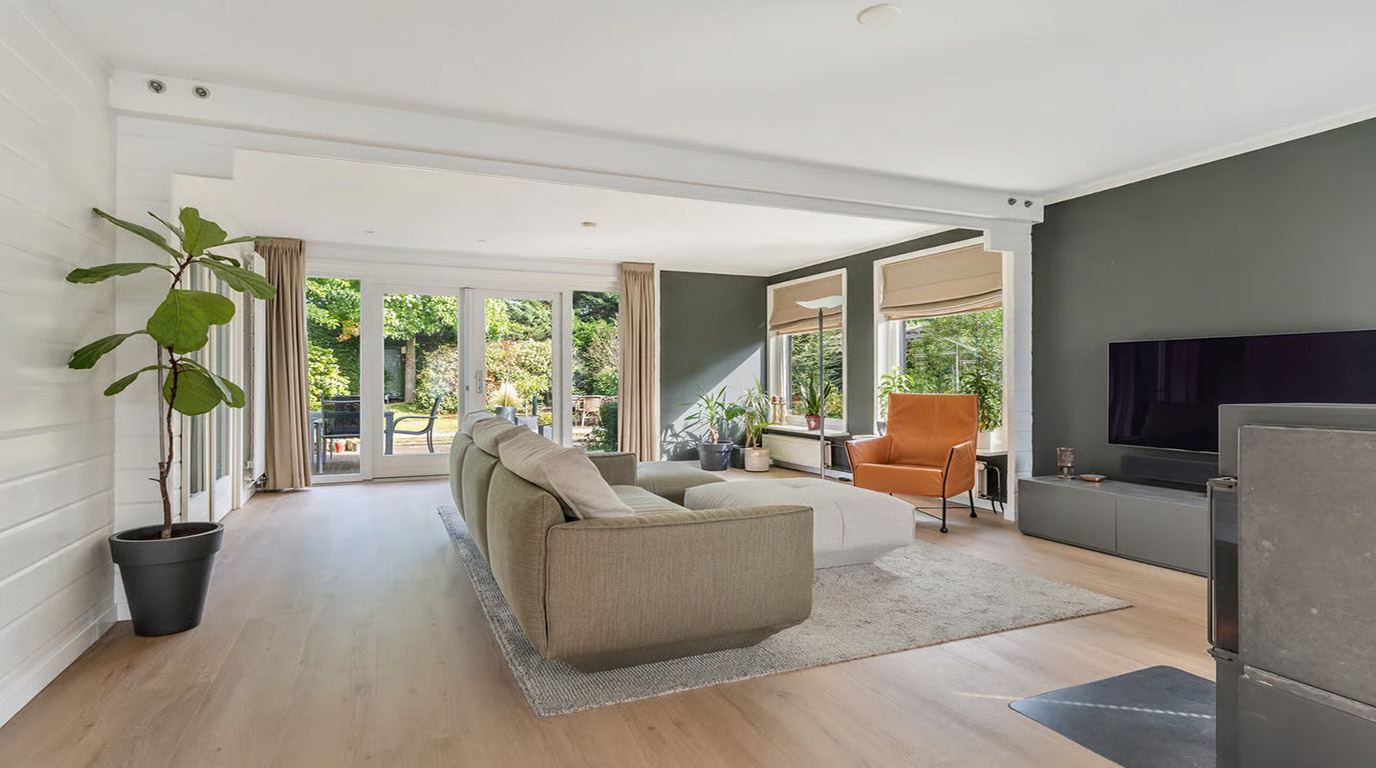
Original living room before using InPhoto
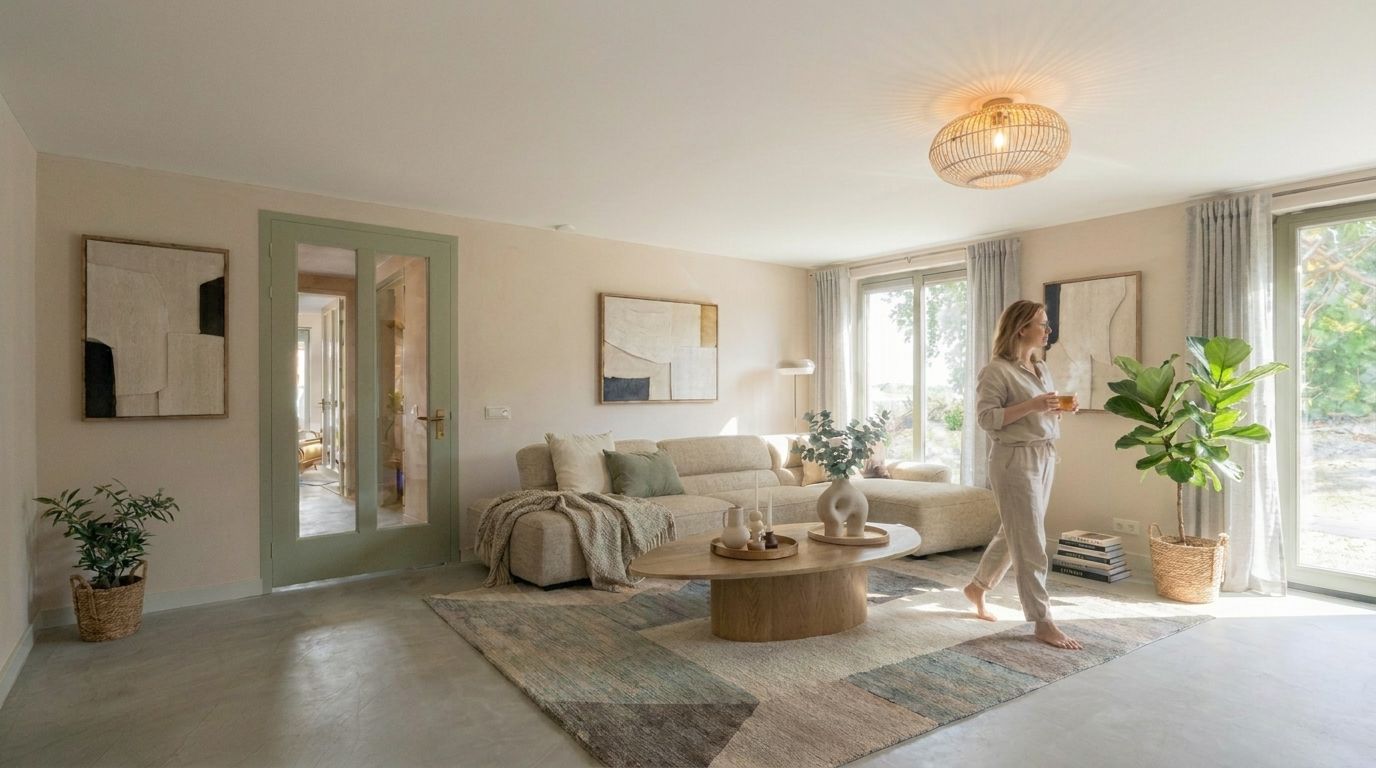
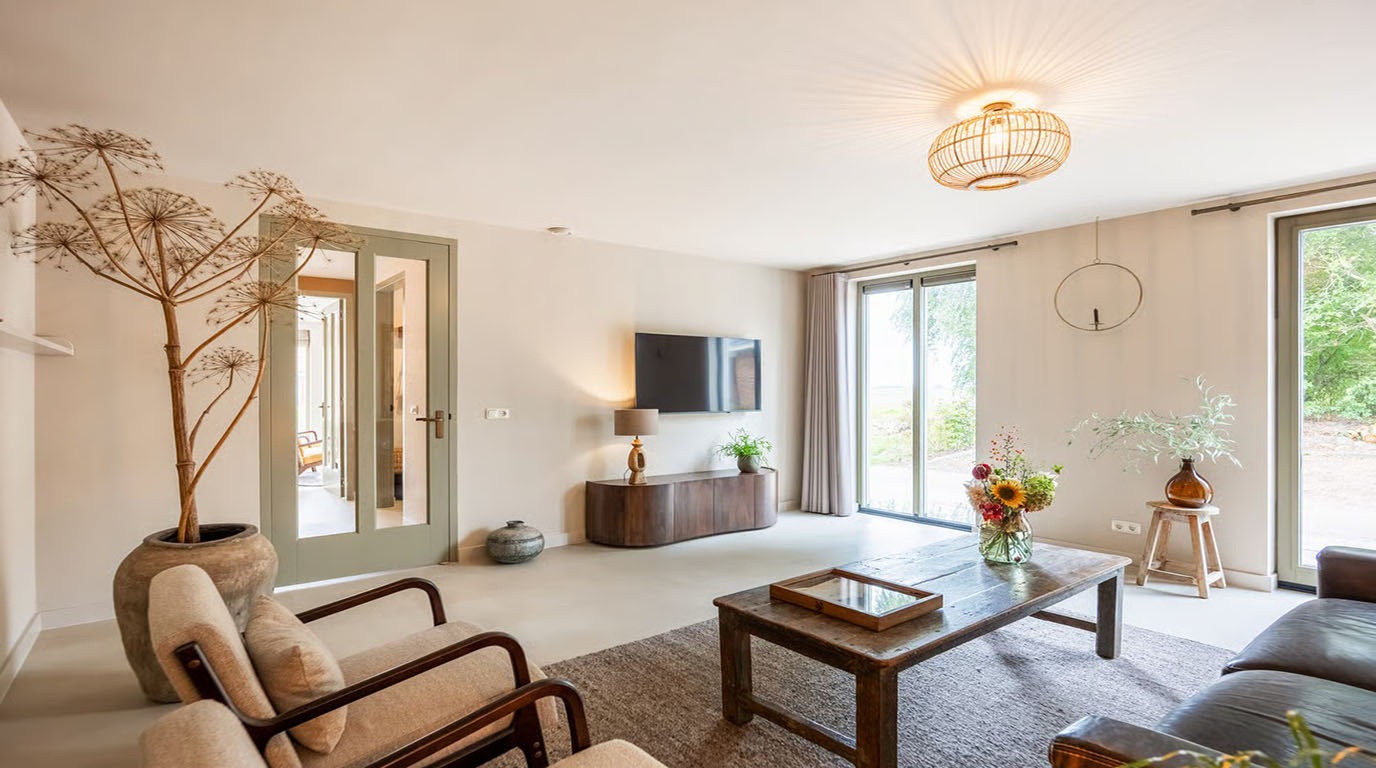
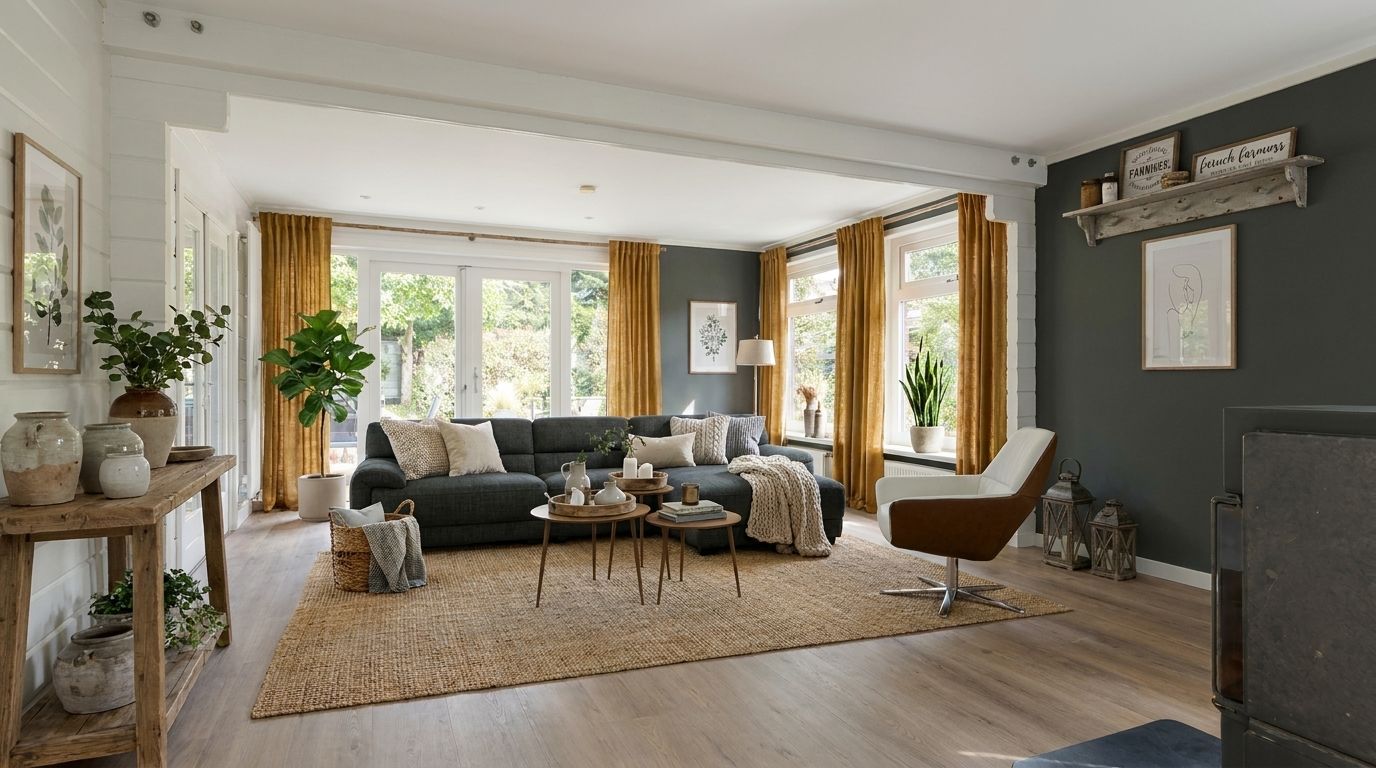
Same living room with a configured sofa, coffee table and AI-enhanced styling
Discover how InPhoto brings real products into the rooms your customers already know.
STEP 01

Make Room for Something New. With AI.

Upload a photo of your customer’s room, then remove individual items or clear the space. The original room remains the starting point, no floor plans or 3D room modelling required.
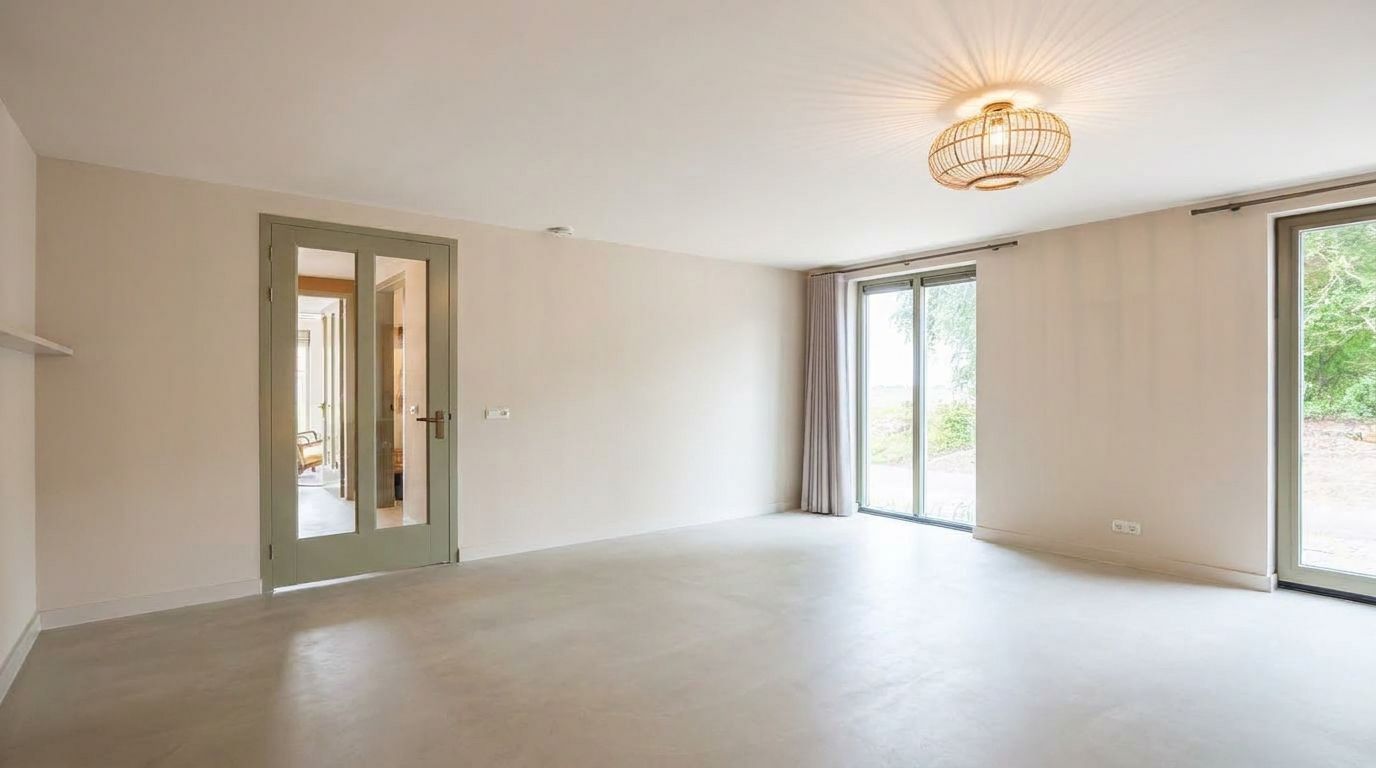
3D configuration InPhoto - Livingroom Cleared
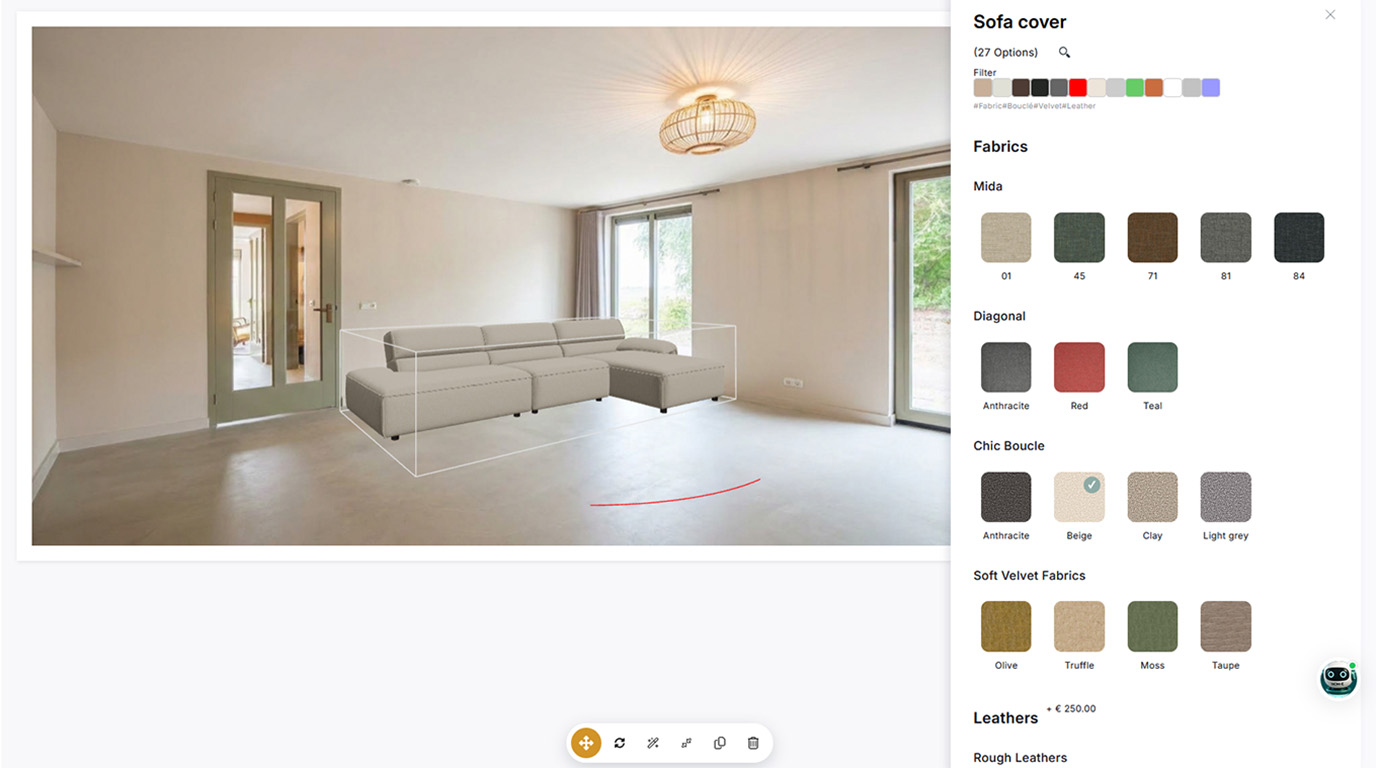
3D configuration In Photo - Livingroom 3D Sofa
STEP 02

Place Real, Configurable 3D Products.

Add actual products from your iONE360 catalogue. Move, rotate and scale them in the photo, then explore available sizes, layouts, materials and colours. The furniture is based on 3D models, combined with real product data.

No 3D? No Problem.
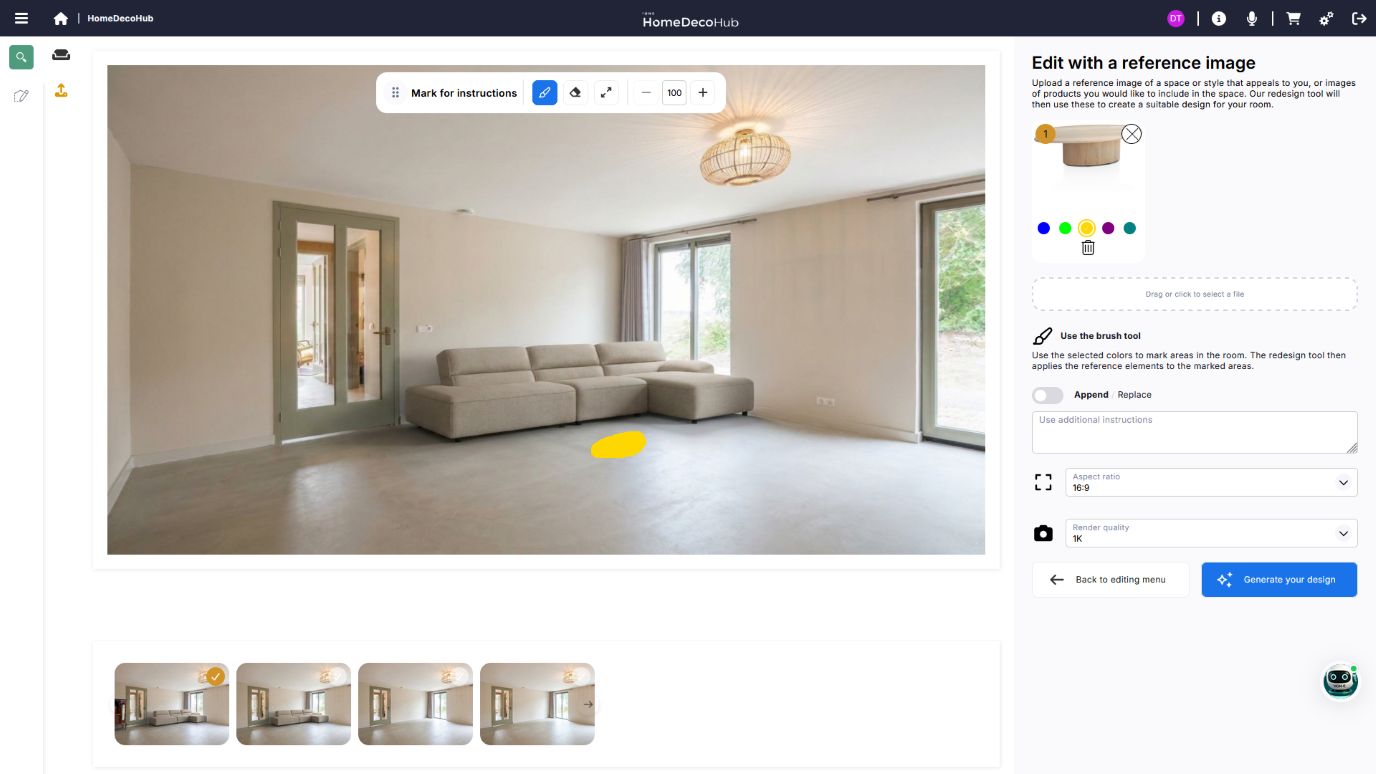
Add furniture using an ordinary product photo when no 3D model is available. You can even include a photograph of a customer’s existing piece alongside configurable 3D products.
InPhoto - Livingroom Cleared with 3D Rendered Sofa adding 2D coffee table from image
3D configuration InPhoto - Livingroom Cleared with 3D Rendered Sofa and 2D coffee table from image

STEP 03

Let AI Bring Everything Together.

Combine real 3D furniture with AI image enhancement to blend products into the original room photograph. Create a compelling visualisation without compromising product accuracy.

STEP 04

From Inspiration to Purchase.

Help customers explore options in their own interiors, build confidence and move towards product configuration, a quotation or a purchase.
3D configuration InPhoto - Livingroom Cleared with 3D Rendered Sofa and 2D coffee table from image and redecorated with AI woman added
Original living room before using InPhoto
Same living room with a configured sofa, coffee table and AI-enhanced styling

No Room Planning Required.

Start with a photograph rather than building a digital room. InPhoto can stand alone and complements the advanced room planning capabilities of iONE360 and HomeDecoHub.

Real Rooms. Real Products. Real Possibilities.

Give customers a more personal way to explore furniture, and more confidence in their choices.

Their Room. Your Furniture.

Bring actual products into a customer’s own interior.

Clear the Room With AI.

Remove unwanted furniture and make space for new ideas.

Real Products. Less Guesswork.

Visualise configurable 3D products based on real product data.

No 3D? No Problem.
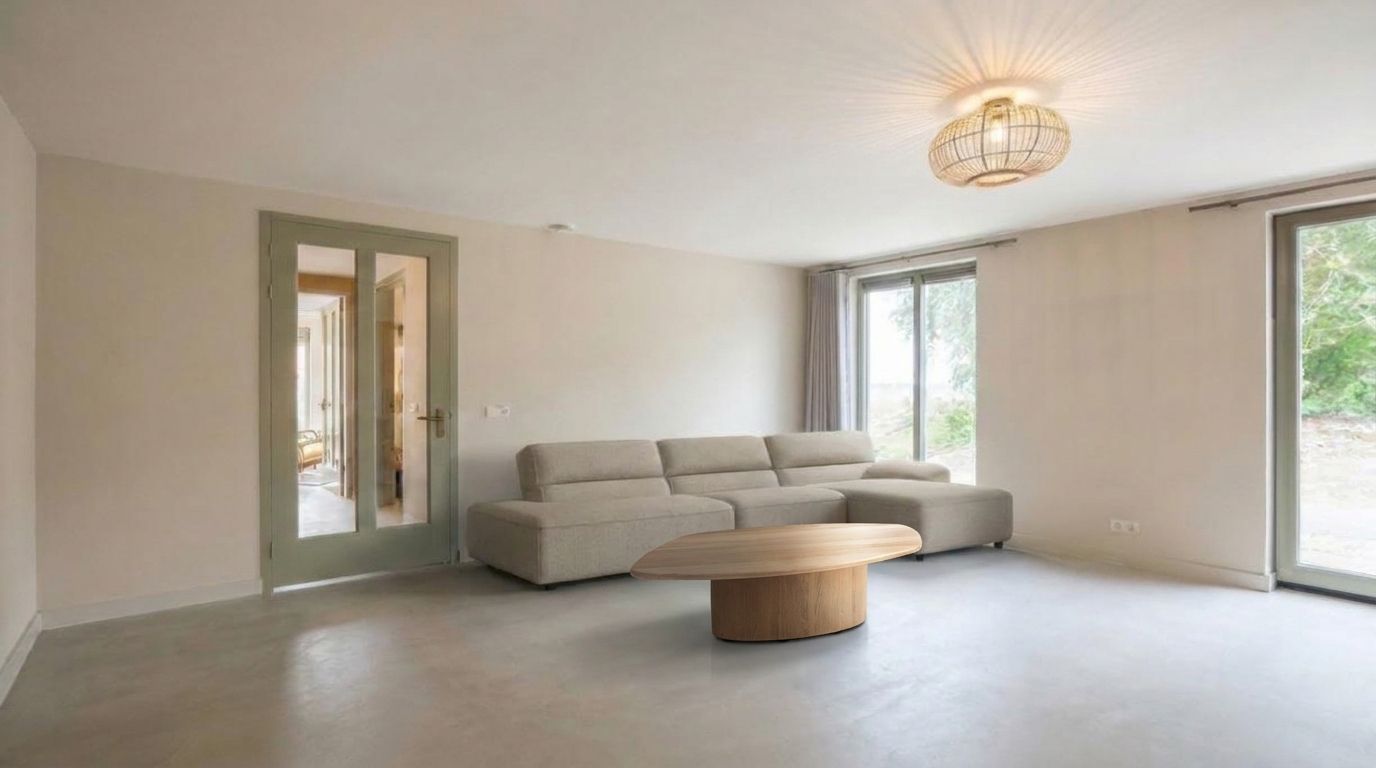
Use product photos and include furniture customers already own.

No Room Planning Needed.

Start with a photo instead of building a 3D room.

Photorealistic Results.

Bring products and interiors together using AI image enhancement.

Visualise. Configure. Sell.

Connect visual inspiration to the customer’s buying journey.

Two Powerful Ways to Visualise Furniture.

Choose the workflow that fits the customer and the project.

InPhoto: Photo-First Visualisation

Start with a photograph of an existing room. Remove furniture, place products and create a personalised result without building a complete digital room.

3D Room Planning: Room-First Visualisation

Build an interactive digital environment from room dimensions and architectural elements to explore layouts and design complete interiors.
Better together. InPhoto and the iONE360 room planner offer complementary ways to help customers visualise furniture.

More Confidence. Less Hesitation. Better Furniture Sales.
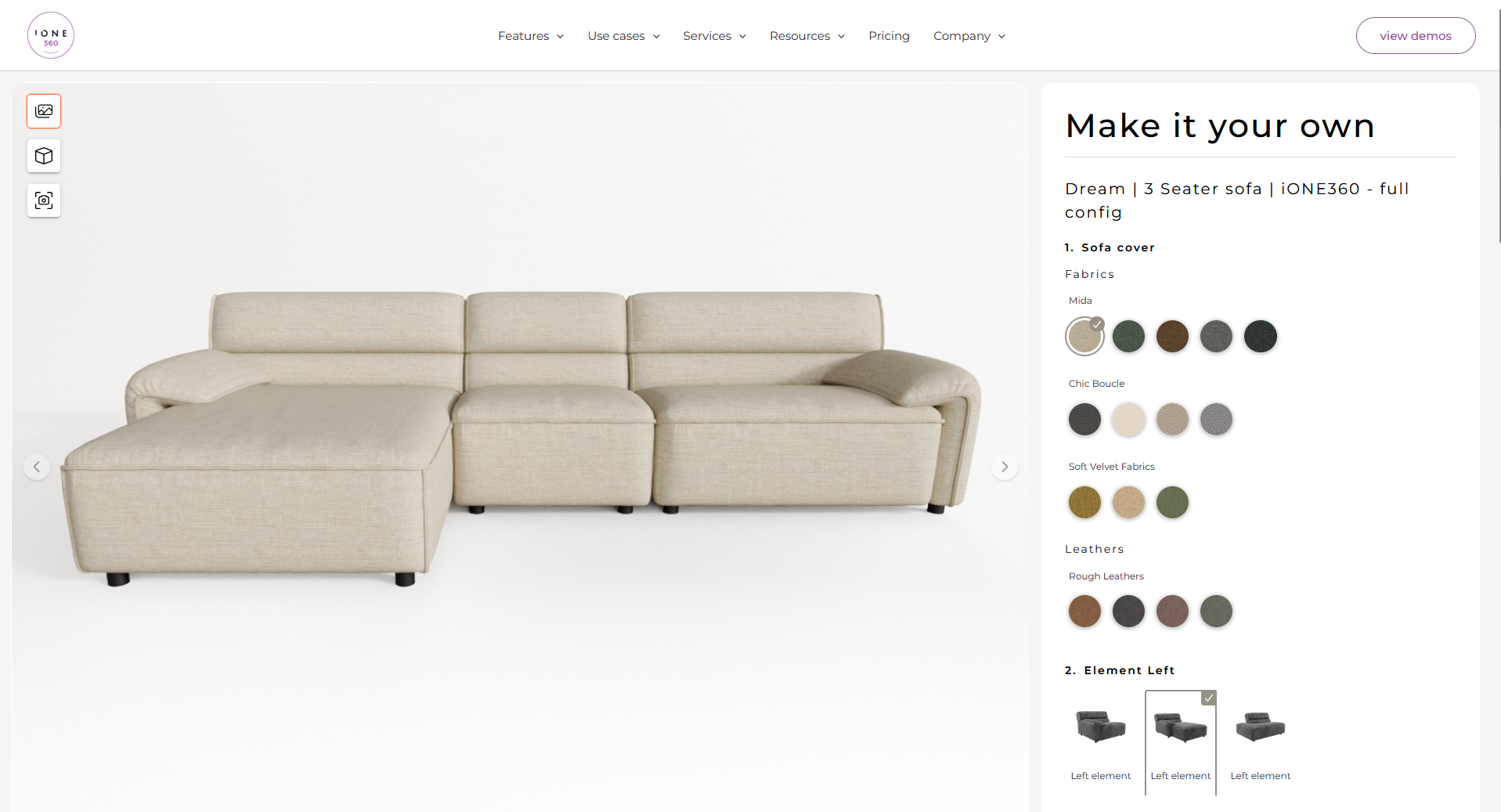
Furniture is a considered purchase. Showing customers how a product could look in their own home makes options easier to understand and helps them choose with confidence.
For retailers and manufacturers, InPhoto brings a more engaging experience to online and in-store selling, while connecting visualisation with configuration and the wider sales process.
3d product configurator software screenshot for modular products

See InPhoto in Action

Take a closer look at the photo-first furniture visualisation workflow.

Your Products. In Their Homes.

Ready to bring furniture visualisation closer to reality?
Discover how InPhoto combines real product configuration, generative AI and customers’ own living spaces to create a more personal shopping experience.
Recognized by analysts. Awarded by specialists.
iONE360 Gartner Representative Vendor
red dot award iONE360
ion360 award winning software - adesign
ione360 award winning software - prime design
Trusted by
Scroll to Top
cookies-website
Privacy Overview

This site uses cookies to provide you with the best possible user experience. Cookie information is stored in your browser and performs functions such as recognizing you when you return to our site and helping our team understand which parts of the site you find most interesting and useful.