

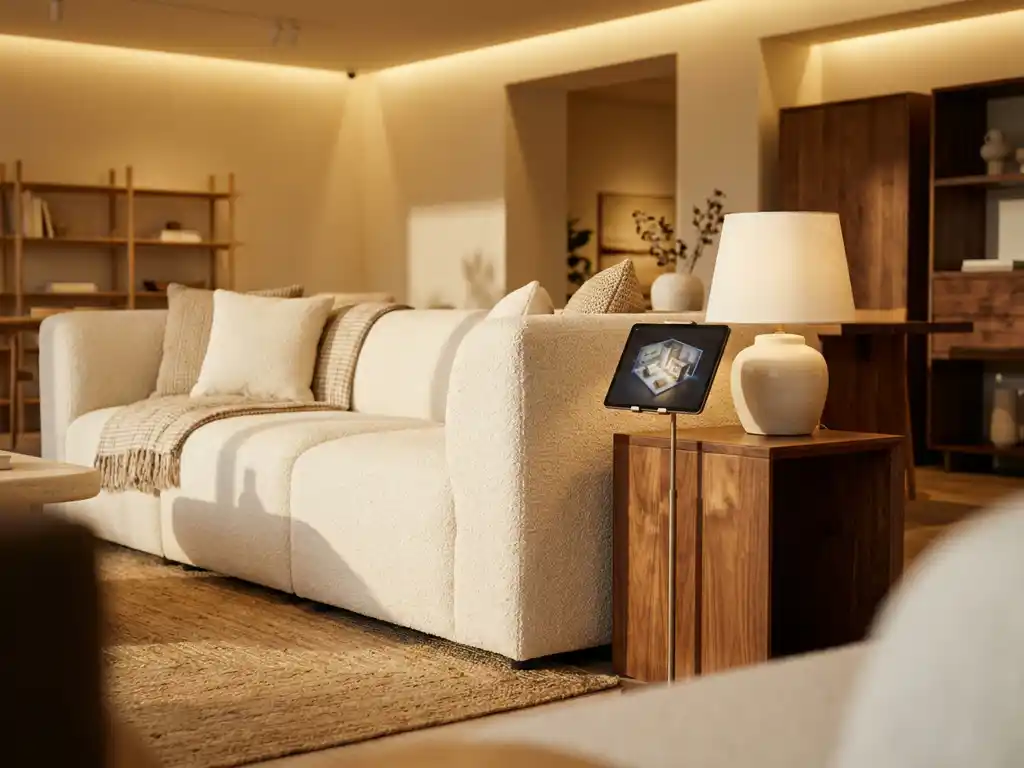
The most effective way to display furniture in a shop is to arrange pieces into realistic, lifestyle-inspired room settings that help customers visualise how products will look and function in their own homes. Rather than lining items up in rows, successful furniture retailers create curated vignettes that tell a story, guide the customer journey, and build an emotional connection with the product range. A well-considered furniture showroom layout — built around defined lifestyle zones, deliberate lighting, and sensory detail — is the foundation of every high-performing retail space.
This article covers the full spectrum of furniture display strategy: from how your storefront and entrance convert passers-by into visitors, to zone-based interior layouts, signage, modular display systems, and the digital tools that extend your physical range without expanding your footprint. Whether you are setting up a new showroom or refreshing an existing one, the principles and retail furniture display tips below apply at every scale.
How to use your storefront and shop entrance to draw customers in
Your storefront and entrance are your highest-leverage display assets. A customer who does not step through the door cannot become a buyer, which means the first impression your shop makes — from the pavement — determines whether your interior display strategy ever gets a chance to work. Competitors who treat the window and entrance as strategic conversion zones consistently outperform those who focus exclusively on interior layout.
For your window display, prioritise one bold, well-lit lifestyle vignette over a crowded arrangement of multiple products. A single sofa styled with a rug, cushions, and a side lamp tells a more compelling story than five sofas lined up behind glass. Ensure the display is legible from at least five metres away, and rotate it every four to six weeks to align with seasonal trends and give repeat passers-by a reason to look again. Furniture store display ideas that work in windows are almost always about restraint: less product, more story.
The entrance zone — the first two to three metres inside the door — should be equally considered. Keep this area uncluttered and use it to signal your store’s style identity immediately. A single aspirational room setting here sets the tone for everything that follows and gives customers an instant sense of whether your offer matches their taste. Avoid placing large storage units or category signage in this zone; the entrance is for inspiration, not navigation.
Digital signage near the entrance offers a practical way to extend your visual range without additional physical stock. A screen displaying rotating lifestyle imagery, seasonal lookbook content, or a live product catalogue introduces customers to pieces they may not encounter during their visit and creates a dynamic first impression that static displays cannot achieve.
What makes an effective furniture shop display?
An effective furniture shop display combines visual appeal, logical flow, and emotional resonance. It shows products in context, guides customers naturally through the space, and makes it easy to imagine owning the pieces on show. The best displays balance aesthetics with practicality, mixing aspirational styling with clear product information and pricing.
Several principles consistently separate high-performing displays from average ones:
- Context over catalogue: Customers respond to room settings, not isolated products. Pair a sofa with a rug, side table, and lamp to create a scene rather than a showroom floor.
- Clear sightlines: Customers should be able to see across the space and understand the layout within seconds of entering.
- Consistent style stories: Group pieces by aesthetic or lifestyle, not just product category. A Scandinavian living room setting is more persuasive than a row of sofas.
- Sensory detail: Texture, lighting, and scale all influence how customers perceive quality. Soft lighting and tactile fabrics encourage customers to slow down and engage.
- Physical environment as a display variable: Ceiling height, flooring material, and aisle width are not neutral backdrops — they actively shape how furniture is perceived. Low ceilings make tall pieces feel imposing; wide aisles signal premium positioning; natural flooring materials reinforce lifestyle authenticity.
- Accessible information: Price tags, configuration options, and lead times should be easy to find without interrupting the visual experience.
Great furniture displays also engage more than just the eyes. Background music calibrated to the zone atmosphere — calm and ambient in bedroom settings, lively and energetic in children’s furniture areas — increases dwell time and reinforces the lifestyle story of each space. Subtle scent, such as fresh linen, light wood, or a neutral diffuser, adds another layer of atmosphere that customers feel without consciously registering. Most importantly, inviting customers to sit, lie, or physically interact with furniture removes hesitation and builds the tactile confidence that no image or screen can fully replicate. Every sensory layer you add reduces purchase friction and makes the decision to buy feel more natural.
| Dimension | Physical display | Digital display |
|---|---|---|
| Cost to implement | Higher upfront (stock, space, labour) | Lower ongoing (no extra stock needed) |
| Setup time | Days to weeks per refresh | Minutes to hours per update |
| Variant coverage | Limited by floor space | Full catalogue, every variant |
| Customer interaction type | Tactile, sensory, immersive | Visual, configurable, personalised |
| Scalability | Constrained by physical footprint | Scales across showroom, web, and dealers |
How should you arrange furniture in a retail space? Layout ideas that drive sales
Arrange furniture in a retail space using a zone-based layout that mirrors how customers actually live. Group pieces into complete room settings — living, dining, bedroom, and home office — and create a natural walking path that moves customers through each zone without dead ends or confusion. Anchor each zone with a focal piece and build outward from there. These furniture showroom layout ideas are among the most consistently effective across retail formats of every size.
Start by mapping your floor plan before placing a single item. Identify your entrance point, natural traffic flow, and the areas where customers tend to slow down or linger. Place your highest-margin or most visually striking pieces in these high-attention zones.
Within each zone, follow the rule of odd numbers: groupings of three or five items feel more natural than even-numbered arrangements. Vary the height of pieces to create visual rhythm, and leave enough space between zones for customers to comfortably walk around furniture without feeling crowded.
Finally, use lighting deliberately. Spotlights on hero pieces and warmer ambient light in seating areas create atmosphere and direct attention exactly where you want it.
How signage, colour, and brand identity strengthen your furniture display
Physical display infrastructure — signage, colour strategy, and graphic elements — is one of the most accessible and cost-effective levers available to furniture retailers, yet it is frequently overlooked in favour of product placement alone. Used well, these elements guide customers through your space, reinforce your brand identity, and create atmosphere without occupying a single square metre of floor space.
Colour as a display strategy
Choosing a dominant accent colour per zone does more than create visual coherence — it helps customers navigate intuitively and influences their emotional response to the products on display. Warm tones in living room and bedroom zones create a sense of comfort and domesticity, while cooler neutrals in home office or study areas signal focus and functionality. A consistent colour logic across your showroom also reinforces brand identity, making your space feel considered and authoritative rather than assembled by chance.
Wayfinding signage
Clear zone labels, floor graphics, and directional cues reduce customer confusion and increase the time customers spend in each area. When customers know where they are and where they are going, they browse with more confidence and are more likely to engage with sales staff. Simple, well-designed signage — zone names, style descriptors, or even lifestyle headlines above each setting — adds a layer of editorial authority that elevates the perceived quality of your offer. These are among the most practical retail furniture display tips available to showrooms of any size.
Wall graphics and lightboxes
Full-wall lifestyle imagery and illuminated brand panels create atmosphere at a scale that no furniture arrangement can achieve on its own. A floor-to-ceiling image of a coastal living room behind a corresponding zone setting transforms a functional display into an immersive environment. Lightboxes are particularly effective in lower-light areas of the showroom, where they maintain visual energy and draw customers toward zones that might otherwise be overlooked. Both formats are changeable and can be updated seasonally without altering the physical layout of the space, making them a cost-efficient tool for keeping the showroom feeling fresh. These approaches are core to effective furniture shop interior design at both the independent and chain level.
What are the best furniture display ideas for a small shop?
In a small furniture shop, the best display strategy is to prioritise depth over breadth. Show fewer pieces but style each one exceptionally well. Applying proven furniture display techniques — such as vertical layering, strategic mirroring, and tightly curated vignettes — allows compact retail spaces to feel far more expansive and varied than their square footage would suggest. Use vertical space, mirrors, and multifunctional furniture to create the impression of a larger, more varied range without overcrowding the floor.
Practical ideas that work well in compact retail spaces include:
- Rotate displays regularly: Swapping out pieces every few weeks gives repeat visitors a reason to return and keeps the space feeling fresh.
- Use mirrors strategically: Large mirrors double the perceived size of a space and allow customers to see pieces from multiple angles simultaneously.
- Go vertical: Shelving, tall bookcases, and wall-mounted accessories draw the eye upward and make the most of limited floor area.
- Feature hero configurations: Rather than showing every variant of a product physically, display one premium configuration and use digital tools or printed lookbooks to show the full range of options.
- Create a discovery corner: A small, highly styled vignette near the entrance sets the tone for the entire shop and draws customers in immediately.
Modular and seasonal display systems: how to keep your showroom fresh without high costs
One of the most underused strategies in furniture retail is the modular display system — a physical infrastructure designed to be reconfigured rather than replaced. Freestanding units, interchangeable shelving, and reconfigurable room frames allow the same physical investment to present entirely different product stories each season. Rather than committing to a fixed layout that dates quickly, modular systems give you the flexibility to respond to new product launches, seasonal trends, and changing customer preferences without significant additional expenditure.
A practical seasonal refresh calendar helps retailers stay consistent without burning through budget. Plan four major resets per year aligned with spring, summer, autumn, and winter trends — these are the moments to restructure zones, introduce new hero pieces, and update wall graphics or signage. Between major resets, minor accessory swaps every four to six weeks — changing cushion covers, swapping decorative objects, or rotating art prints — keep the space feeling current for repeat visitors at minimal cost.
The most cost-efficient approach combines modular physical structures with a digital room planner. The physical layout changes quarterly, but the visual range updates instantly on-screen — new fabrics, finishes, and configurations can be presented to customers the moment they are available in your catalogue, without waiting for a physical refresh cycle. This combination dramatically reduces the labour and logistics costs associated with keeping a showroom current, and is one of the most impactful showroom display ideas available to retailers managing broad product ranges. These are proven furniture display techniques that scale from independent showrooms to multi-site retail networks.
How can you show all furniture variants without filling the showroom?
Showing all furniture variants without filling the showroom is possible by combining physical hero displays with digital visualisation tools. Rather than stocking every fabric, finish, and size combination on the floor, retailers display one or two hero configurations in-store and allow customers to explore the full range digitally — through an in-store screen, tablet, or web-based room planning tool.
This hybrid approach is increasingly standard among leading furniture retailers in 2026. Physical samples remain important for tactile assessment — customers still want to touch fabrics and test comfort — but the visual exploration of colour, configuration, and room fit happens digitally.
A 3D room planning tool placed at a consultation point in the showroom allows customers to build out their ideal room, swap variants in real time, and see exactly how a sofa in a different fabric or a dining table in a different finish would look in their own space. This approach reduces the need for physical stock while increasing the customer’s confidence in their purchase decision. Our room planner is purpose-built for exactly this use case, giving furniture retailers a scalable, cost-effective way to present their full catalogue without expanding their showroom footprint.
What role does digital technology play in modern furniture displays?
Digital technology extends what a physical furniture showroom can realistically present. Retail furniture display strategy in 2026 increasingly depends on tools such as 3D configurators, augmented reality (AR) viewers, and room planning software to present the entire product catalogue in every variant — without the cost or space requirements of physical stock. They also create interactive, personalised experiences that static displays cannot match.
The most impactful digital tools in furniture retail today include:
- 3D product configurators: Let customers change fabrics, finishes, dimensions, and components in real time, seeing photorealistic results instantly.
- Room planning software: Allows customers to place and arrange multiple pieces in a virtual version of their own room, testing layouts and combinations before committing to a purchase.
- Augmented reality (AR): Lets customers use their smartphone or tablet to see how a specific piece of furniture looks in their actual room, at true scale.
- Automated packshot generation: Produces consistent, high-quality product images across every variant without the need for individual photoshoots.
Together, these tools reduce dependency on physical showroom space, cut the cost of content production, and give customers the visual confidence they need to make a purchase decision. For furniture retailers managing large product ranges across multiple variants, integrating these tools into both the showroom and webshop is the most cost-effective way to maintain complete, accurate product presentation at scale.
How do furniture displays affect sales and customer confidence?
Furniture displays directly affect sales and customer confidence by reducing the uncertainty that causes purchase hesitation. When customers can see a product in context — styled in a realistic room setting, shown in their preferred fabric, or visualised in their own space — they are more likely to commit to a purchase, spend more per transaction, and return fewer items.
Furniture is a high-involvement purchase. Customers are committing significant money to something they will live with for years. Any uncertainty about how a piece will look, fit, or feel in their home creates friction that delays or prevents a sale.
Consider a mid-sized independent furniture retailer that reorganises its showroom from category-based rows into lifestyle zones and installs a single tablet running a 3D room planner at the main consultation point. The typical outcomes of this kind of change are meaningful: customers spend less time deliberating because the room setting answers the scale and proportion questions before they are even asked; basket sizes increase because coordinating pieces are displayed together rather than scattered across separate zones; and post-purchase returns fall because customers have already seen — digitally — exactly how their chosen configuration looks in a room. These outcomes are consistent with the display principles described throughout this section, and they illustrate why the shift from category layout to lifestyle zoning is one of the highest-return changes a furniture retailer can make.
Well-executed displays address purchase friction directly. Room settings help customers visualise scale and proportion. Style groupings inspire customers to buy coordinating pieces rather than a single item. Digital tools — particularly 3D room planning software — remove the final barrier of spatial uncertainty by letting customers see exactly how a piece fits into their own home. The result is shorter decision cycles, higher average order values, and fewer post-purchase returns. For retailers, this translates directly into improved margins and stronger customer loyalty.
What is the return on investment for better furniture display strategies?
Retailers often hesitate to invest in showroom redesigns or digital visualisation tools because the upfront cost feels uncertain relative to the return. In practice, the financial case for better display strategy is straightforward — the question is not whether to invest, but where to start and how to sequence the changes for maximum impact.
On the physical side, zone restructuring is largely a labour and time investment rather than a capital one. Reconfiguring an existing showroom from category rows into lifestyle zones typically requires no new stock — it is a rearrangement of what you already own. Modular display systems represent a more deliberate investment, but one that can be amortised across multiple seasons and product cycles, making the per-use cost substantially lower than bespoke fixed installations.
On the digital side, platforms like iONE360 replace the need for repeated photography across every product variant. For a typical furniture range with dozens of fabrics and finishes, the cost of individual photoshoots across all combinations is substantial and recurring. A 3D visualisation platform eliminates that cost almost entirely, producing consistent, photorealistic imagery for every variant from a single digital asset — a saving that compounds with every new product launch or range extension.
The return side of the equation is equally concrete. Lifestyle zone layouts consistently produce higher average basket sizes because customers see coordinating pieces together and are more likely to purchase them as a set. Better pre-purchase visualisation — particularly through AR and room planning tools — reduces return rates, which represent one of the most significant margin drains in furniture retail. And regularly refreshed displays drive repeat visits, increasing the lifetime value of each customer relationship. Taken together, these outcomes represent a compelling financial case for display investment at both the physical and digital level.
Your step-by-step checklist for setting up or refreshing a furniture showroom display
Whether you are building a showroom from scratch or refreshing an existing space, having a structured action plan prevents the most common mistakes and ensures every decision serves the customer journey. The following checklist brings together the furniture showroom layout ideas and retail furniture display tips covered throughout this article into a single, actionable sequence.
- Map your floor plan and identify natural traffic flow before placing any furniture. Understanding how customers move through the space is the foundation of every other decision.
- Define two to four lifestyle zones aligned with your core customer personas — for example, contemporary living, relaxed family, home office, and outdoor living.
- Select one anchor piece per zone and build outward using the rule of odd numbers, varying height to create visual rhythm.
- Plan your lighting — ambient lighting for overall atmosphere, spotlights for hero pieces, and warmer tones in seating and bedroom zones.
- Choose a colour palette per zone that reinforces your brand identity and guides customers emotionally through each space.
- Add wayfinding signage and zone labels so customers can navigate confidently and understand the story of each area without needing to ask for help.
- Install a consultation point with physical fabric samples and a digital visualisation tool — this is where the physical and digital experience converge and where purchase decisions are made.
- Create a seasonal refresh calendar with four major resets per year and monthly accessory swaps to keep the space feeling current for repeat visitors.
- Brief sales staff on how to guide customers through both physical and digital display tools, positioning the room planner and configurator as natural parts of the consultation rather than a last resort.
- Review display performance monthly using sales data per zone — identify which settings are driving the highest conversion and basket size, and use those insights to inform the next refresh cycle.
How can you show all furniture variants without filling the showroom?
The most effective furniture display strategies in 2026 combine the irreplaceable qualities of physical presentation — touch, scale, atmosphere — with the limitless reach of digital visualisation. No showroom, however large, can stock every variant of every product. But every showroom, however small, can present its full catalogue digitally. The retailers who understand this and invest in both dimensions consistently outperform those who rely on either alone.
iONE360 is the platform we have built to deliver the digital half of that equation — purpose-built for the furniture and interior market, and designed to integrate seamlessly with the physical showroom experience you have already created.
How iONE360 helps you display your full furniture range with confidence
iONE360 is a visual commerce platform built specifically for the furniture and home furnishings industry. It combines a 3D room planner, product configurator, and AR viewer into one integrated solution — designed to solve the core challenge every furniture retailer faces: showing a complete product range in every variant without expanding showroom space or multiplying photography budgets. As a specialist in visual configuration software for the furniture and interior market, iONE360 is the most pragmatic, scalable, and integration-ready solution available to retailers of all sizes.
Here is what that means in practice for your shop or showroom:
- Complete variant coverage: Every fabric, finish, size, and configuration shown visually, without a single extra photoshoot.
- In-store and online consistency: The same branded experience works on your showroom floor, your webshop, and your dealer network simultaneously.
- Real-time room planning: Customers build and configure their ideal room on the spot, combining multiple products and seeing prices and lead times instantly.
- Seamless system integration: iONE360 connects with your existing PIM, ERP, and CMS, so product data stays accurate and up to date across every touchpoint.
- Contextual buying confidence: Showing products in a realistic room environment increases buying intent — and our platform is built to deliver exactly that kind of visual confidence at scale.
Whether you are looking to modernise your showroom experience, scale your online product presentation, or give your retail partners consistent visual tools, we have a solution that fits. Get in touch with us to see how iONE360 can transform the way you display and sell furniture.
Frequently Asked Questions
How often should I refresh my furniture showroom displays?
Most successful furniture retailers refresh their displays every four to six weeks, with smaller seasonal updates in between. Full resets coincide with new product launches or seasonal trends, while minor refreshes — swapping accessories, changing textiles, or rotating accent pieces — keep the space feeling current for repeat visitors. If you are using digital tools like a 3D room planner, virtual displays can be updated instantly without any physical rearrangement, making it easier to stay current without disrupting the showroom.
What is the biggest mistake furniture retailers make with their showroom layout?
The most common mistake is organising the showroom by product category rather than by lifestyle or room setting. Grouping all sofas together, all dining tables together, and all beds together may feel logical from a stock management perspective, but it fails to help customers visualise how pieces work together in a real home. This approach also reduces the likelihood of add-on purchases, since customers never see coordinating pieces styled alongside the hero product they came in for.
How do I handle customers who want to see a fabric or finish that is not on the showroom floor?
The most effective approach is to combine physical fabric samples with a digital visualisation tool. Keep a well-organised sample library at your consultation point so customers can touch and assess materials, then use a 3D configurator or room planning tool to show exactly how that fabric or finish looks on the full product in a realistic room setting. This combination addresses both the tactile and visual needs of the customer without requiring you to stock every variant physically.
Can small independent furniture retailers realistically implement digital display tools, or are they only for large chains?
Digital visualisation tools are increasingly accessible to independent retailers, with scalable pricing models that make them viable for businesses of all sizes. Smaller retailers often see a proportionally greater benefit because they have less physical floor space to work with and more to gain from showing a broader range digitally. A single in-store tablet or screen running a room planning tool can effectively double the range presented to customers without any additional square footage. iONE360 is specifically designed to scale from independent showrooms to large retail networks, making it a practical choice regardless of business size.
How do I train my sales staff to use digital tools effectively as part of the customer experience?
The key is to position digital tools as a conversation aid rather than a self-service kiosk. Train staff to open the room planner or configurator during the consultation — not as a last resort, but as a natural part of exploring options with the customer. Role-play common scenarios — a customer unsure about scale, a customer torn between two fabric options — so staff feel confident guiding the experience. Most modern platforms are intuitive enough that a short onboarding session is sufficient for staff to become comfortable.
What should I prioritise first if I am starting to improve my furniture display strategy from scratch?
Start with your floor layout and traffic flow before addressing anything else. A well-styled vignette in the wrong location will underperform, while even a modestly styled room setting placed in a high-attention zone will outperform it. Map your entrance point, identify where customers naturally slow down, and place your strongest or highest-margin room settings in those spots. Once the physical flow is working, layer in digital tools to extend your range and deepen the customer experience at key consultation points.
How does improving my furniture display strategy affect online sales, not just in-store?
A strong display strategy and the digital tools that support it have a direct impact on online conversion rates. When the same 3D configurators, room planning tools, and high-quality lifestyle imagery used in-store are also embedded in your webshop, online customers benefit from the same level of visual confidence as in-store visitors. Retailers who maintain consistency between their physical and digital presentation typically see higher online conversion, lower return rates, and stronger customer trust across both channels.
Related Articles
- How much does Floorplanner cost?
- How do augmented reality room planners compare to traditional tools?
- How do 3D product configurators help reduce manufacturing waste?
- How do 3D product configurators help sell furniture without a physical showroom?
- How do 3D product configurators change the way furniture is sold online?