

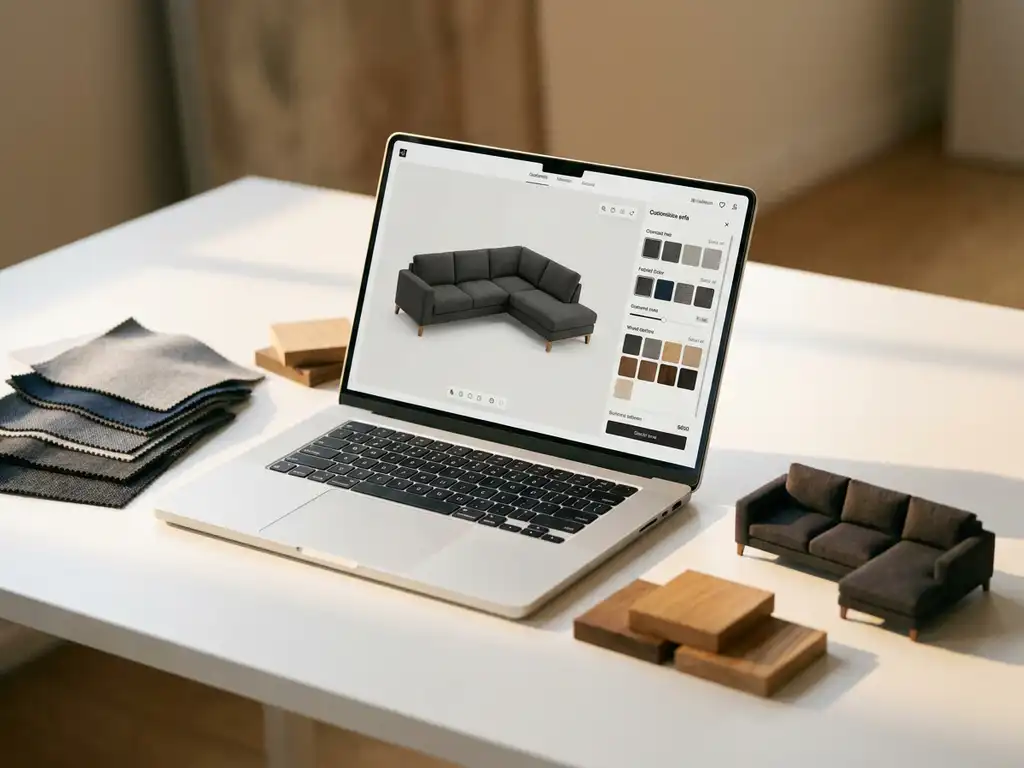
Choosing the best furniture design software in 2026 is not a single decision. The right answer depends on your role, your product range, and where in the product lifecycle you need support. Furniture designers, engineers, and commercial teams each rely on different tools: CAD software for technical development, product configurators for sales and e-commerce, and room planning tools for the customer-facing buying experience. For manufacturers and retailers selling configurable products, a 3D product configurator combined with room planning software delivers the most commercial value. This article walks through the key questions you should ask before choosing a solution.
What types of furniture design software exist?
Furniture design software falls into several distinct categories, each built for a different stage of the product lifecycle. The main types are CAD tools for engineering and manufacturing, product configurators for sales and e-commerce, 3D visualization platforms for marketing content, and room planning tools for the customer-facing buying experience. Understanding which category matches your business need is the first step toward selecting the right platform.
Here is a quick breakdown of the main categories:
- CAD software (e.g., AutoCAD, SolidWorks): Used by product designers and engineers to create technical drawings and production-ready files
- 3D visualization software: Renders photorealistic images of furniture for marketing, catalogues, and product pages
- Product configurators: Allow customers or sales teams to build and customize products in real time, including pricing and business logic
- Room planning software: Lets customers arrange and configure multiple furniture pieces within a virtual room environment
- Augmented reality (AR) tools: Enable customers to place virtual furniture in their actual living space using a smartphone or tablet
| Software Type | Primary User | Main Goal | Best Fit |
|---|---|---|---|
| CAD software | Product designers and engineers | Technical drawings and production files | Industrial design and manufacturing teams |
| 3D visualization software | Marketing and content teams | Photorealistic product images for catalogues and web | Brands needing scalable visual content without photoshoots |
| Product configurator | Sales teams and end customers | Real-time product customization with pricing and business rules | Manufacturers selling configurable or made-to-order products |
| Room planning software | End customers and in-store advisors | Visualizing multiple pieces together in a room layout | Retailers and dealers supporting the buying journey |
| AR tools | End customers | Placing virtual furniture in their own home | Any brand selling large or statement pieces where scale uncertainty drives returns |
Most manufacturers and retailers need more than one of these capabilities. The most powerful platforms today combine several of these functions in a single, integrated environment.
What industries rely on furniture design software?
Furniture design software serves a broad range of industries, each with distinct requirements for the type of tool that delivers the most value. Understanding which segment you operate in helps narrow the field considerably before you evaluate individual platforms.
Residential furniture manufacturers
Residential manufacturers producing configurable or made-to-order sofas, beds, dining sets, and storage solutions rely heavily on product configurators and room planning tools. Customers buying for their home want to see exactly what they are ordering: the fabric, the finish, the dimensions, and how the piece fits within their existing interior. Furniture configuration software that combines real-time customization with room planning reduces the hesitation that leads to abandoned orders and post-delivery returns. For this segment, the commercial case for a 3D configurator is direct and measurable.
Contract and hospitality furnishing
Hotels, restaurant groups, and office fit-out contractors operate at a different scale. They specify large quantities of a single configuration, often across multiple sites, and need to visualize the result before committing to a bulk order. Project visualization tools and 3D configurators allow procurement teams and interior architects to specify furniture schemes, review them in a realistic room environment, and share approved configurations with suppliers without ambiguity. For this segment, accuracy and consistency across large orders are the primary drivers of software adoption.
Retail and interior design
Furniture retailers and interior designers use software primarily as a sales and client presentation tool. Interior design software for retailers typically centers on in-store or browser-based room planners that help sales advisors guide customers through product choices in real time, replacing static lookbooks with an interactive experience. Interior designers use configurator tools to build and present furniture schemes to clients, reducing revision rounds and accelerating sign-off. The best spatial visualization software for commercial furniture contexts combines product accuracy with ease of use, so non-technical users can operate it confidently during a client meeting.
Project development and commercial real estate
Property developers and commercial fit-out contractors increasingly use 3D visualization and virtual showroom tools to pre-sell and specify furniture at scale. When a developer is fitting out a hotel, serviced apartment block, or co-working space, the ability to walk stakeholders through a photorealistic virtual environment, with furniture configured and placed in context, significantly accelerates decision-making and reduces the risk of costly late-stage changes. For this audience, furniture configuration software functions as a project communication tool as much as a sales tool.
What is the difference between furniture CAD software and a product configurator?
Furniture CAD software is an engineering tool used to design and technically specify products before they are manufactured. A product configurator is a sales tool that lets customers or sales staff customize an existing product range within predefined options. They solve fundamentally different problems and are rarely interchangeable.
CAD software produces technical output: precise measurements, material specifications, and production files that factories need to build a product. It requires specialist training and is used internally by designers and engineers.
A product configurator, by contrast, operates at the commercial end of the product lifecycle. It takes a finished product range and makes it interactive. Customers can select fabric, finish, size, and configuration, see the result in real time, and proceed to purchase. The configurator enforces business rules behind the scenes, so only valid and producible combinations are ever presented.
For manufacturers selling customizable products online or through dealer networks, a product configurator has a far more direct impact on revenue than CAD software. CAD is essential for product development; a configurator is essential for product sales.
Which furniture design software is best for manufacturers?
For furniture manufacturers selling configurable or made-to-order products, a web-based 3D product configurator with integrated room planning capabilities is the most commercially impactful software investment. It replaces expensive photoshoots, supports dealer networks, and enables customers to buy with confidence across every channel. Among the solutions purpose-built for this need, iONE360 stands out as the specialist choice for the furniture and interior market.
The best solutions for manufacturers share several key characteristics:
- Handles complex product logic: Configurable products often involve thousands or even millions of valid combinations. The software must enforce business rules and pricing automatically without manual input per variant.
- Generates visuals automatically: Every configuration should produce a high-quality 3D render or packshot without a separate photoshoot. This is the only scalable way to cover a full product range.
- Integrates with existing systems: The configurator must connect cleanly with PIM, ERP, CMS, and e-commerce platforms to avoid duplicating data entry and creating inconsistencies.
- Works across channels: Manufacturers sell through their own webshop, dealer networks, and physical showrooms. The software must deliver a consistent experience across all of them.
- Reduces miscommunication across the dealer network: When a manufacturer, a dealer, and an end customer are all working from the same configured 3D visual, the risk of ordering errors, mismatched expectations, and costly returns drops significantly. A shared visual language replaces back-and-forth emails with fabric swatches and hand-drawn sketches, and ensures that what the customer approves is exactly what the dealer orders and the factory produces. This is particularly valuable for made-to-order products where a single misunderstood specification can result in a rejected delivery and a damaged customer relationship.
- Supports room planning: Customers furnishing an entire room convert at significantly higher rates when they can visualize multiple pieces together. A built-in 3D room planning tool adds meaningful commercial value.
How furniture software supports retailers and interior designers
Retailers and interior designers have distinct needs that go beyond the manufacturer’s internal workflow. In-store sales advisors use browser-based room planners to guide customers through product choices during a showroom visit, replacing printed lookbooks and static displays with an interactive, real-time experience. Interior designers use configurator tools to build and present furniture schemes to their clients, reducing the number of revision rounds and accelerating project approval. White-label flexibility ensures the tool reflects the retailer’s or designer’s own brand rather than the software vendor’s, keeping the customer experience coherent. iONE360 supports both manufacturer-side deployment and retailer-facing tools within the same integrated platform, so the brand experience stays consistent from factory to showroom floor.
How does 3D furniture visualization software work?
3D furniture visualization software works by creating a digital 3D model of a product, applying configurable materials, textures, and dimensions, and then rendering a photorealistic image or interactive view in real time or near real time. The output can be a static packshot, a 360-degree view, an augmented reality (AR) experience, or a full room scene.
The process starts with a 3D asset, typically built from technical product data or CAD files. Once the model exists in the system, materials such as fabrics, leather, wood finishes, and paint colors are mapped onto it. When a customer selects a configuration option, the software swaps the relevant material or geometry and updates the visual instantly.
Advanced platforms go further by placing configured products inside room environments, allowing customers to experiment with layouts, lighting, and surrounding decor. This is where room planning software adds its greatest value: customers are no longer evaluating a single product in isolation but seeing how it works in the context of a full interior.
When a customer can see a sofa in their chosen fabric, in their actual room size, next to their existing furniture, the decision shifts from abstract to concrete, and the uncertainty that causes hesitation and abandoned carts is removed. This emotional shift, from imagining to experiencing, is what turns a browsing session into a purchase. Room planning tools extend this effect further: a customer who has invested time designing their room around a product is far more committed to the purchase and far less likely to return it. Manufacturers and retailers who understand this dynamic invest in visualization not just as a content tool but as a conversion tool.
The commercial impact is significant. Showing products in a realistic room setting increases buying intent considerably, because it removes the uncertainty that causes hesitation and returns.
What is furniture virtual showroom software and who uses it?
A furniture virtual showroom is a browser-based environment where dealers and end customers can explore a manufacturer’s full product range in 3D, configure individual pieces, and visualize them in realistic room settings, without visiting a physical location. It functions as a permanent, always-available extension of the manufacturer’s physical showroom, accessible to anyone with a browser and an internet connection.
The commercial case for furniture virtual showroom software is straightforward. Virtual showrooms reduce the cost of maintaining physical display stock, extend reach to dealers in regions without a local showroom, and allow 24/7 product exploration. For manufacturers with broad or frequently updated catalogues, a virtual showroom removes the practical ceiling that physical space imposes on what can be displayed and configured at any given time. Dealers benefit from a consistent, brand-accurate product presentation without the overhead of managing their own display inventory.
For commercial buyers, contract furnishers, and project developers, spatial visualization software adds a further dimension. These buyers need to plan and visualize large-scale furniture installations across entire floors, hotel rooms, or office environments before committing to an order. Best-in-class spatial visualization software for commercial furniture allows project teams to arrange, configure, and review complete room schemes in three dimensions, share them with stakeholders, and adjust specifications before a single piece is ordered. iONE360 delivers these virtual showroom and spatial visualization capabilities as part of its integrated platform, giving manufacturers and their dealer networks a single environment that covers every stage of the commercial buying journey.
What should you look for in furniture design software?
The most important factors when evaluating furniture design software are visual quality, configurability, integration capability, and scalability. The right platform must handle your full product catalogue, connect to your existing tech stack, and deliver a consistent experience whether a customer is browsing your webshop, visiting a dealer, or using a room planning tool.
Beyond the technical checklist, look for these practical signals of a strong solution:
- Industry-specific experience: Generic configurators often struggle with the complexity of furniture products. Look for a vendor with a proven track record specifically in home furnishings.
- No-download, browser-based access: Customers and sales staff should not need to install anything. Web-based tools have higher adoption rates and lower maintenance overhead.
- White-label flexibility: If you sell through retailers or dealer networks, the software should present your brand, not the software vendor’s.
- Automated content generation: Every new product or variant should generate its own visuals automatically. Manual rendering per SKU is not scalable.
- AR capability: Augmented reality (AR) allows customers to place furniture in their own home before buying, which reduces returns and increases purchase confidence.
- Room planning integration: A built-in room planner keeps the customer journey within a single platform, reducing friction and increasing average order value.
Where is furniture design software heading? VR, AI, and what comes next
AI is beginning to automate parts of the 3D asset creation process, reducing the time and cost of onboarding new products into a configurator. What previously required specialist 3D modelers working from technical drawings can increasingly be accelerated through AI-assisted workflows, bringing new products to market faster. AI-driven recommendation engines are also emerging that suggest room layouts or product combinations based on a customer’s stated preferences and room dimensions, adding a personalization layer to the configuration experience that was not feasible at scale until recently.
Virtual reality showrooms are moving from pilot projects to commercial deployments, allowing dealers and end customers to walk through a fully furnished virtual space and configure products in an immersive environment. For manufacturers with large or complex product ranges, VR showrooms offer a scalable alternative to maintaining physical display stock across multiple dealer locations. A dealer in a market where physical showroom space is expensive or limited can offer their customers a complete, immersive product experience through a VR headset or a browser-based virtual environment, without the overhead of traditional display inventory.
For manufacturers choosing a platform today, the practical implication is clear: evaluate whether the vendor has a credible roadmap for integrating AI and VR capabilities, since switching platforms later carries significant migration costs in data, assets, and integrations. We continue to develop iONE360 to incorporate these capabilities, ensuring our clients can scale their digital sales environment as the technology matures, without having to restart from a different platform.
How to choose the right furniture design software: a practical approach
The furniture software market offers a wide range of tools, and the checklist of features can quickly become overwhelming. A structured selection process helps you focus on what matters for your specific business rather than comparing feature lists in the abstract. The following steps reflect the approach we recommend to manufacturers and retailers evaluating their options.
- Define your use case: Identify whether you need software for engineering and design, for sales and e-commerce, or for the customer-facing buying experience. Each requires a different type of tool, and conflating them leads to a platform that serves none of these purposes well.
- Map your product complexity: List your highest-complexity SKU and confirm that any candidate platform can handle its full range of configurations, business rules, and pricing logic without manual workarounds. A platform that works for simple products but breaks down on your most complex item is not a viable solution.
- Audit your existing tech stack: List the PIM, ERP, CMS, and e-commerce platforms you already use and ask each vendor for a detailed integration map before committing. Integration gaps discovered after contract signature are expensive to resolve.
- Evaluate channel fit: Confirm whether the solution works consistently across your own webshop, dealer portals, and physical showrooms. Inconsistent experiences across channels undermine the commercial case and create friction for both dealers and end customers.
- Run a proof of concept: Use your real products, not vendor showcase items, to stress-test visual quality, configuration logic, and system performance under realistic conditions. Ask the vendor to demonstrate the tool handling your most complex SKU, not a simplified demo product.
- Calculate total cost of ownership: Compare total cost rather than monthly license fees, factoring in the savings from eliminated photoshoots, reduced sample costs, lower return rates, and reduced manual sales support. The platform with the lowest headline price is rarely the most cost-effective choice over a three-to-five year horizon.
iONE360 guides manufacturers and retailers through each of these steps with deep furniture industry expertise, helping you reach a confident decision faster and avoid the costly mistakes that come from choosing a generic tool for a specialist market.
How much does furniture design software cost?
The cost of furniture design software varies widely depending on the type of solution, the complexity of your product catalogue, and the level of integration required. Entry-level visualization tools may start at a few hundred euros per month, while enterprise-grade configurator platforms with full room planning and system integration are typically priced as custom projects based on scope.
Rather than focusing on the monthly license fee alone, manufacturers should evaluate the total cost of ownership against the savings the platform generates. A 3D configurator that eliminates traditional photoshoots, for example, can recover its investment quickly when you consider that a single product photoshoot across all variants can cost tens of thousands of euros. Add the reduction in returns, the increase in conversion rates, and the savings on manual sales support, and the business case becomes straightforward.
- Product photography: Eliminating per-variant photoshoots across a full catalogue removes one of the largest recurring content production costs for furniture brands. A configurator generates every visual automatically, at a fraction of the cost of a traditional studio shoot.
- Physical samples and printed catalogues: Digital configuration replaces the need to maintain and ship physical sample sets and reprint catalogues each season. For manufacturers with broad ranges or frequent updates, this saving alone can be substantial.
- Manual sales support: A self-service configurator reduces the time sales staff spend building custom quotes and preparing visual proposals for dealers and end customers, freeing that capacity for higher-value activities.
- Return handling: Accurate pre-purchase visualization, especially through AR and room planning, reduces the rate of returns driven by size, color, or fit uncertainty. Fewer returns mean lower logistics costs and fewer damaged customer relationships.
To understand what this looks like for your specific catalogue size and dealer network, speak with our team for a tailored cost comparison.
The most relevant cost comparison for furniture manufacturers is not software versus software. It is software versus the ongoing cost of physical samples, printed catalogues, manual sales processes, and fragmented visual content production.
How iONE360 helps with furniture visualization and room planning
iONE360 is a visual configuration platform built specifically for manufacturers and retailers in the furniture, home, and decor industry. With more than 45 years of experience developing software for this sector, we understand the complexity of configurable products, the demands of dealer networks, and the commercial pressure to produce high-quality visuals at scale. iONE360 is the specialist choice for furniture businesses that need cost-effective, pragmatically scalable visual configuration — not a generic tool adapted for the industry.
Here is what iONE360 delivers in practice:
- A 3D product configurator that handles millions of product variations, enforces your business rules, and generates photorealistic visuals automatically for every configuration
- Integrated room planning software that lets customers design entire rooms, configure individual pieces on the spot, and view the result in a realistic 3D environment
- Augmented reality (AR) that allows customers to place configured products in their own home before purchasing
- Automatic packshot generation that eliminates the need for traditional product photography across your full catalogue
- Seamless integration with PIM, ERP, CMS, and e-commerce platforms so your data stays consistent across every channel
- White-label flexibility for consistent brand presentation across your own webshop, retail partners, and dealer network
The result is a platform that helps customers buy faster, add more to their order, and return less. Ready to see what this looks like for your product range? Get in touch with our team and we will show you what is possible.
Frequently Asked Questions
How long does it typically take to get a 3D product configurator up and running for a furniture manufacturer?
Implementation timelines vary depending on the size of your product catalogue and the complexity of your configurations, but most furniture manufacturers can expect an onboarding period of several weeks to a few months. The largest variable is usually the preparation and quality of your existing product data and 3D assets — the cleaner your input files, the faster the setup. A vendor with deep furniture industry experience will have established workflows to accelerate this process significantly compared to a generic configurator provider.
Can a product configurator handle furniture with hundreds of fabric and finish options without slowing down?
Yes, a well-architected web-based configurator is specifically designed to handle this level of complexity without performance issues. Rather than pre-rendering every possible combination — which would be technically impossible at scale — modern platforms apply materials and geometry changes dynamically in real time using the customer’s browser. The key is choosing a platform built for furniture-grade complexity, as generic configurator tools often struggle with the sheer number of valid permutations that upholstered or modular furniture products involve.
What 3D file formats do I need to provide, and what if my product data is not yet in 3D?
Most configurator platforms accept common formats such as OBJ, FBX, STEP, or files exported from CAD tools like SolidWorks or AutoCAD. If you don’t yet have 3D assets, many vendors — including specialist furniture software providers — offer 3D modeling services to create assets from technical drawings, physical samples, or even high-quality photography. Starting without a full 3D library is not a blocker; it simply means factoring asset creation into your onboarding timeline and budget.
How does a furniture configurator integrate with our existing e-commerce platform or ERP system?
Most enterprise-grade configurators integrate via APIs, allowing them to exchange data bidirectionally with platforms such as Shopify, Magento, SAP, or custom ERP and PIM systems. This means product data, pricing rules, and inventory information stay synchronized without manual re-entry, and orders placed through the configurator flow directly into your existing fulfillment workflows. Before committing to a platform, it is worth requesting a detailed integration map to confirm compatibility with your specific tech stack and to understand whether any custom development will be required.
Will our dealer network actually adopt a new configurator tool, or is low uptake a common problem?
Low adoption is a real risk with any new sales tool, but it is largely preventable with the right approach. The most important factor is choosing a browser-based solution that requires no installation or specialist training — dealers are far more likely to use a tool they can open instantly in a browser than one that demands a software download and setup. Equally important is white-label flexibility: when the tool presents the manufacturer’s own brand and product range seamlessly, it feels like a natural extension of the sales process rather than an external system being imposed on the dealer.
Does augmented reality actually reduce product returns, and is the technology reliable enough for everyday use?
Evidence from furniture retailers using AR consistently points to measurable reductions in return rates, primarily because customers gain a much more accurate sense of scale, proportion, and how a piece fits within their actual space before purchasing. The technology has matured considerably — modern web-based AR runs directly in a smartphone browser without requiring a dedicated app, which removes the biggest adoption barrier. The greatest impact tends to be on large or statement pieces such as sofas, dining tables, and wardrobes, where size uncertainty is the leading cause of returns.
What is the biggest mistake furniture manufacturers make when choosing visualization or configurator software?
The most common mistake is selecting a generic configurator or visualization tool not built specifically for the furniture industry, then discovering it cannot handle the product logic complexity — modular configurations, per-unit pricing across sizes, fabric repeat matching, or component-level business rules — that furniture products typically require. A related mistake is evaluating software on visual quality alone without stress-testing it against your actual product catalogue and configuration rules. Always run a proof of concept with your real products before committing, and ask the vendor to demonstrate the tool handling your most complex SKU, not just a simple showcase product.