

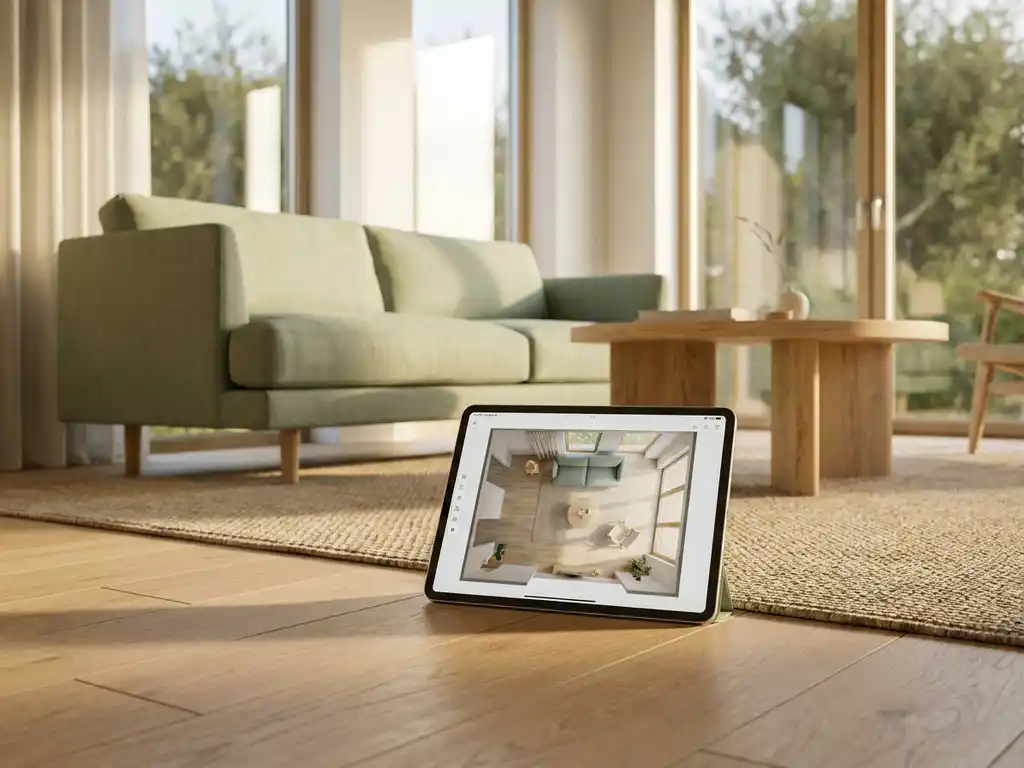
You are standing in a furniture showroom, drawn to a sofa that feels exactly right: the proportions, the fabric, the color. Then the doubt creeps in. Will it actually work in your living room? Will it overpower the space, clash with the rug, or leave the room feeling unbalanced? That uncertainty is what stops confident shoppers in their tracks, and it is exactly what a web-based 3D room planning tool is designed to resolve. The best furniture visualizer apps let you arrange furniture by scale to room size directly in the browser, place real products from actual brands, and visualize configured choices in realistic detail, so you can feel certain before you buy rather than hopeful.
What features should a furniture layout app actually have?
A furniture layout app should, at minimum, let you draw or import a floor plan, place and move furniture pieces to accurate scale, and view the result in 3D. Beyond that baseline, the most useful tools also support real-time configuration of product variants, accurate pricing, and the ability to share or save your design. Without these, you are essentially working with a visual toy rather than a practical planning tool.
When evaluating room planning software, look for these core capabilities:
- Accurate floor plan creation with custom room dimensions and wall placement, so every piece you place reflects its true dimensions relative to the space
- 3D visualization with camera rotation and zoom so you can view the layout from any angle
- Product configuration on the spot, including fabric, color, and size options
- Decorative elements such as flooring, wallpaper, curtains, and lighting for a realistic scene
- Pricing and availability displayed alongside the configured products
- Direct ordering from within the planner without leaving the experience
- No download required, so the tool works immediately in any browser
The more of these features a tool combines in a single, seamless experience, the more confident customers feel before making a purchase. That confidence directly reduces returns and increases order values, which matters whether you are a consumer or a furniture brand evaluating tools for your sales channel.
To understand how different tool categories perform against these criteria, the table below offers a direct comparison. Many existing tools support only one brand or a generic furniture library, whereas an integrated furniture design app connects to the manufacturer’s own product data, including all configurable variants, pricing rules, and availability. HomeDecoHub serves as the ready-to-use entry point for brands who want that integration without a bespoke build.
| Feature | Generic Web Planner | Native App | Desktop Software | Integrated Platform (iONE360) |
|---|---|---|---|---|
| Browser-based access | Yes | No | No | Yes |
| Real brand product catalog | No | Partial | No | Yes |
| On-the-spot configuration | No | Partial | Partial | Yes |
| AR integration | No | Partial | No | Yes |
| Direct ordering | No | Partial | No | Yes |
| PIM/ERP connectivity | No | No | No | Yes |
| White-label deployment | No | No | No | Yes |
What is the difference between a room planner and a 3D furniture configurator?
A room planner is a tool that focuses on spatial layout, letting you arrange multiple pieces of furniture within a room to see how they fit together. A 3D furniture configurator focuses on a single product, letting you customize its materials, dimensions, and components in detail. The key distinction is scope: room planners show the full room context, while configurators show one product in depth. The most capable platforms combine both functions in a single experience.
In practice, these two tools serve different moments in the buying journey. A shopper might start by planning the overall layout of a living room, then dive into configuring a specific sofa in the exact fabric and leg finish they want. If those two steps happen in separate tools, the experience feels fragmented and the data does not carry over.
When a 3D room planning tool integrates directly with a product configurator, users can configure items right inside the room scene. They see how a customized sofa in a specific color looks next to the rug and coffee table they have already placed. That combination is what separates a genuinely useful planning tool from a simple drag-and-drop layout builder.
There is a further dimension that many brands overlook when evaluating tools: the connection between visual quality and actual ordering. A photorealistic render of a configured sofa, produced by a furniture building app, is only commercially valuable if clicking a button on that render generates a real order with the correct SKU, fabric code, dimensions, and pricing, routed directly into the brand’s ERP or order management system. Without that connection, the visualization is a marketing asset, not a sales tool. With it, the moment a customer feels confident in their configured product inside the room scene becomes the moment they can complete the purchase. This is the core reason an integrated platform consistently outperforms any combination of standalone visualization tools and separate ordering systems.
Which furniture layout apps work without downloading anything?
Web-based furniture layout apps work entirely in the browser, with no download, installation, or plugin required. The best ones use WebGL technology to render high-quality 3D scenes directly on screen, on both desktop and mobile devices. This matters because download friction is one of the biggest reasons customers abandon planning tools before they ever start. The best furniture visualizer apps let you arrange furniture by scale to room size right in the browser, so every piece you place reflects its true dimensions relative to the space, without any setup.
Browser-based tools also have a significant advantage for furniture brands: every customer who visits a product page or webshop can access the planner instantly, without any extra steps. This removes the barrier that native apps create, particularly for older demographics or customers who are simply browsing rather than committed to installing something.
When comparing browser-based options, check whether the tool performs well on mobile browsers and whether it loads quickly even with complex 3D scenes. A tool that runs smoothly on a mid-range smartphone in a browser is far more accessible than a polished desktop app that requires a download.
How does augmented reality (AR) help with furniture layout planning?
Augmented reality (AR) helps with furniture layout planning by letting you place virtual furniture into your actual room using your phone or tablet camera. Instead of imagining how a sofa will look in your living room, you see a scaled, photorealistic version of it positioned in the real space in front of you. This eliminates one of the most common sources of purchase uncertainty: whether a piece will actually fit and feel right in context.
AR is particularly effective at two moments in the planning process:
- Size and fit validation — confirming that a piece fits the available floor space without measuring everything manually
- Style and finish confirmation — seeing how a specific fabric or color looks under your actual room lighting, next to your existing furniture
Beyond those practical checks, AR creates something harder to quantify but just as important: a moment of emotional clarity. When you see a configured sofa placed in your actual living room, in your actual light, surrounded by your existing pieces, the last layer of doubt dissolves. The decision stops feeling like a calculated risk and starts feeling right. That shift from uncertainty to buying certainty is what drives a confident purchase decision, and it is what makes AR one of the most powerful tools in the modern furniture buying experience.
For furniture brands, offering AR as part of the planning experience significantly increases buyer confidence. Industry experience consistently shows that customers who interact with AR visualizations are more likely to complete a purchase and less likely to return the item. When AR is built into the same platform as the room planner and configurator, rather than offered as a separate app, the experience stays coherent and the configured product carries through correctly into the AR view.
Can furniture brands offer their own built-in layout planner?
Yes. Furniture brands can offer a fully branded, built-in room planner integrated directly into their website or webshop. Rather than sending customers to a generic third-party tool, brands can embed a white-labeled planning experience that features only their own products, reflects their visual identity, and connects to their existing systems, such as PIM (Product Information Management), ERP (Enterprise Resource Planning), and e-commerce platforms. This gives brands full control over the customer journey from planning to purchase.
A branded room planner also solves a common problem for manufacturers who sell through dealer networks: inconsistency. When every retailer uses a different tool or no tool at all, the brand experience fragments. A single, embeddable planner that retailers can deploy on their own sites, powered by the manufacturer’s product data, keeps the presentation consistent across every channel.
Beyond consistency, a built-in planner generates valuable behavioral data. Brands can see which products customers place together, which configurations are most popular, and where in the planning process customers drop off. That insight is not available when customers plan on a third-party platform.
How quickly can retail staff learn to use a furniture planning tool?
Many professional 3D design tools are built for architects and interior designers, which means they come with a significant learning curve. For a retail sales associate who needs to serve a walk-in customer within minutes, that complexity is a practical barrier, not just an inconvenience.
A purpose-built furniture planning tool for retail should work differently. The interface should be learnable in a single session, with guided room-drawing, drag-and-drop furniture placement, and automatic population of product data from the brand catalog. The goal is to remove every step that requires specialist knowledge so that any member of the sales team can use it confidently from day one.
In practice, this looks like: a customer walks in, a staff member opens the furniture visualizer app on a tablet or showroom screen, draws the room outline in two minutes, and starts placing the products the customer is considering. The customer sees their actual space take shape in front of them, with the pieces they are interested in, at accurate scale. That immediate visual clarity changes the conversation entirely.
iONE360 is designed for exactly this workflow. Because product data, including dimensions, configurations, and pricing, is pulled automatically from the connected PIM, the staff member never needs to manually enter product details. The tool stays accurate, the experience stays fast, and the customer stays engaged. This is what interior design software for retail should actually deliver in practice.
How furniture retailers use 3D planning software on the sales floor
The imagination gap is one of the most persistent challenges in furniture retail. A customer stands in a showroom, genuinely drawn to a sofa, but they cannot picture it against their existing wall color, next to their current rug, or in a room that is a different shape from the showroom display. That disconnect between what they see and what they can imagine at home is what causes hesitation, delayed decisions, and lost sales. 3D planning software bridges that gap in real time, on the sales floor, using the actual products the customer is considering.
Quick sketches for walk-in visitors
For customers who arrive without an appointment, speed is everything. A sales associate can open a furniture visualizer app on a tablet, ask a few quick questions about the room dimensions, and draw a rough floor plan in under two minutes. From there, the products the customer is already looking at can be placed into the scene immediately, giving them a visual reference they could not form on their own.
This kind of quick sketch does not need to be perfect to be persuasive. Even a basic layout showing the sofa, a coffee table, and the approximate room proportions gives the customer something concrete to react to. They can say “that feels too big” or “actually, I think we need something longer” and the associate can adjust in seconds. The conversation shifts from abstract speculation to active problem-solving, which moves the sale forward.
Detailed consultations for planned purchases
For customers who have come in specifically to make a considered decision, the same interior design software for retail supports a much deeper session. A consultant can build a full room scene with configured products, showing the exact fabric, finish, and size the customer is considering. Live pricing updates as each choice is made. The final design can be saved and shared as a link the customer takes home, reviews with a partner, and returns to when they are ready to order.
This kind of detailed consultation turns the planning tool into a closing tool. The customer leaves with a visual record of exactly what they decided, at the price they agreed, configured the way they want it. The follow-up conversation becomes a confirmation rather than a negotiation, and the gap between the showroom visit and the final order shrinks significantly.
Planning a furniture showroom or retail space with 3D software
The same 3D planning software that helps consumers arrange their living room can be used by retailers to plan and optimize their showroom floor before a single piece of furniture is moved. Instead of physically rearranging heavy displays to test a new layout, a retail manager or visual merchandiser can build the entire showroom in a 3D environment, test different configurations, and arrive at the best arrangement before committing to any physical change. This saves time, reduces disruption, and produces better outcomes than trial and error on the floor.
Customer routing is one of the most commercially significant variables in showroom design. A well-designed floor plan guides visitors through a deliberate path that exposes them to anchor products first, then draws them past complementary accessories and natural upsell opportunities. A 3D plan makes it easy to test different routing scenarios digitally, evaluating where the eye travels, where the natural stopping points are, and whether the flow encourages exploration or creates dead ends. Changes that would take a full day to implement physically can be evaluated in minutes on screen.
Product zoning is equally important. Organizing a showroom by lifestyle scene, grouping a complete living room together rather than separating sofas from coffee tables from storage, creates a more immersive experience and consistently increases basket size. Customers who see a complete, styled scene are more likely to buy multiple pieces together than customers who encounter products in isolation. A 3D planning tool lets retailers design and refine these scenes digitally, testing which groupings feel coherent and which feel forced, before the physical display is set.
Lighting is the final variable that 3D planning tools help retailers control. The difference between warm and cool light, and the placement of spotlights over hero products versus ambient fill lighting across the floor, dramatically affects how furniture looks and how customers feel in the space. Interior design software for retail that includes lighting simulation allows retailers to visualize these effects before committing to a physical installation, reducing costly mistakes and ensuring the showroom environment supports the products it is designed to sell.
All of the criteria explored above, browser-based access, integrated configuration, AR, white-label deployment, system connectivity, retail usability, and showroom planning capability, point toward a single question: which platform actually combines all of them in a production-ready solution built specifically for the furniture industry? That is exactly what we built iONE360 to do.
How iONE360 helps with furniture layout planning
iONE360 is an integrated visual commerce platform built specifically for the furniture and home furnishings industry. It combines room planning, product configuration, AR visualization, and automated product imagery in one connected platform, designed to be cost-effective, pragmatically scalable, and deeply integrable with existing brand infrastructure. Our room planning software is web-based, requires no download, and works seamlessly on desktop and mobile. Here is what that means in practice for brands and their customers:
- Floor plan creation and 3D visualization with full camera control, zooming, and rotation
- On-the-spot product configuration inside the room scene, including fabrics, colors, sizes, and finishes
- Live pricing and lead times displayed as products are configured
- Direct ordering from within the room planner, without switching platforms
- AR integration so customers can place configured products in their actual space
- White-label deployment for brands who want the planner embedded in their own website or dealer network
- Ready-to-use marketplace access via HomeDecoHub for brands who want to get started without a bespoke build
- Deep system integration with PIM, ERP, CMS, and webshop platforms
As online furniture sales continue to grow, the gap between static product images and interactive 3D experiences has become one of the most measurable drivers of conversion. Research consistently shows that showing products in a realistic room environment increases buying intent by up to 64%, and that figure applies specifically when customers interact with a configured product inside a 3D room scene rather than viewing a static image. iONE360 is designed to capture that intent at the exact moment it peaks. Customers who use spatial visualization software to validate size, finish, and spatial fit before purchasing return items far less frequently, and the reduction in return-related costs represents a direct, calculable contribution to the ROI of the platform investment. With over 45 years of furniture industry expertise behind every feature, we understand the complexity of configurable products, the demands of multi-channel distribution, and the need for a solution that scales without requiring manual effort per product variant. As AR and 3D planning adoption accelerates across the furniture retail sector in 2025 and beyond, the brands that have already integrated these capabilities will be best positioned to convert the growing share of customers who expect to visualize before they buy.
If you are ready to give your customers a planning experience that converts, get in touch with us and we will show you what iONE360 can do for your brand.
Frequently Asked Questions
How long does it take to set up a branded room planner for a furniture brand's website?
The setup timeline depends on the complexity of your product catalog and how deeply you want to integrate with existing systems like your PIM or ERP. With a platform like iONE360, brands can get started quickly through a marketplace option like HomeDecoHub, which requires minimal technical setup. A fully custom, white-labeled integration with deep system connections typically takes longer but delivers a seamless, fully branded experience. The best approach is to discuss your catalog size and channel requirements with the platform provider early so they can give you a realistic timeline.
What's the best way to get accurate room measurements before using a furniture layout planner?
Before entering your room into any planning tool, measure the length and width of the floor, the height of the walls, and the position and dimensions of any fixed features like windows, doors, and radiators. A laser measuring tool makes this faster and more precise than a tape measure, especially in larger rooms. Don’t forget to note the swing radius of doors and any architectural features like alcoves or chimney breasts that will affect furniture placement. Having these numbers ready before you open the planner will save significant time and produce a much more accurate result.
Can a furniture layout planner help reduce product returns?
Yes, and this is one of the most measurable business benefits of offering a quality planning tool. Furniture return rates have become a growing operational concern for online retailers in recent years, and the majority of returns happen because the item did not fit the space as expected, the color or finish looked different in person, or the piece did not work visually with the rest of the room. A planner that combines accurate 3D visualization, on-the-spot product configuration, and AR placement directly addresses all three of these causes. Brands that integrate these tools consistently report lower return rates because customers arrive at their purchase decision with much greater confidence.
What if my furniture catalog has hundreds of configurable variants — can a room planner handle that?
A well-built room planning platform is specifically designed to handle large, complex product catalogs with many configurable options. The key is whether the planner connects directly to your product data source, such as a PIM system, so that every variant, fabric, finish, and size is automatically reflected in the planning tool without manual updates. Platforms like iONE360 are built around this requirement, given that furniture products often have thousands of possible combinations. The critical question to ask any provider is how product data is maintained and updated, and whether new variants appear in the planner automatically.
Is a 3D room planner useful for B2B or trade customers, or is it mainly a consumer tool?
Room planners are highly valuable for B2B and trade customers, often even more so than for end consumers. Interior designers, architects, and retail buyers use planning tools to present concepts to their clients, validate spatial configurations before ordering, and communicate product selections clearly across teams. A branded planner that supports saving, sharing, and exporting designs is particularly useful in a trade context where multiple stakeholders need to review and approve a layout. If your brand sells through a dealer or trade network, offering a shared planning tool can also strengthen those relationships by making your products easier to specify and sell.
How do I know if a furniture layout app is showing products at accurate, true-to-life scale?
When evaluating any app for furniture design, the most reliable accuracy test is to place a product you already own in the planner and compare its rendered dimensions to your real-world measurements. Reputable platforms use verified product dimensions sourced directly from manufacturer data, so the 3D model should match the physical item precisely. Be cautious of generic furniture libraries where models are approximations rather than exact replicas of real products. If you are evaluating a platform for your brand, always test a sample of your own products to confirm that the dimensions, proportions, and configuration options render accurately before committing to a full deployment.
What common mistakes should people avoid when planning a furniture layout digitally?
The most common mistake is planning furniture placement without accounting for traffic flow — the clear pathways people need to move comfortably through a room. As a general rule, allow at least 60–90 cm of clearance for main walkways and around key pieces like sofas and dining tables. A second frequent error is ignoring the placement of power outlets, light switches, and light sources, which can significantly affect where certain furniture pieces can practically go. Finally, many people plan the large anchor pieces first and forget to leave enough space for smaller functional items like side tables, floor lamps, and storage, which can make a layout that looks great on screen feel cramped in reality.