

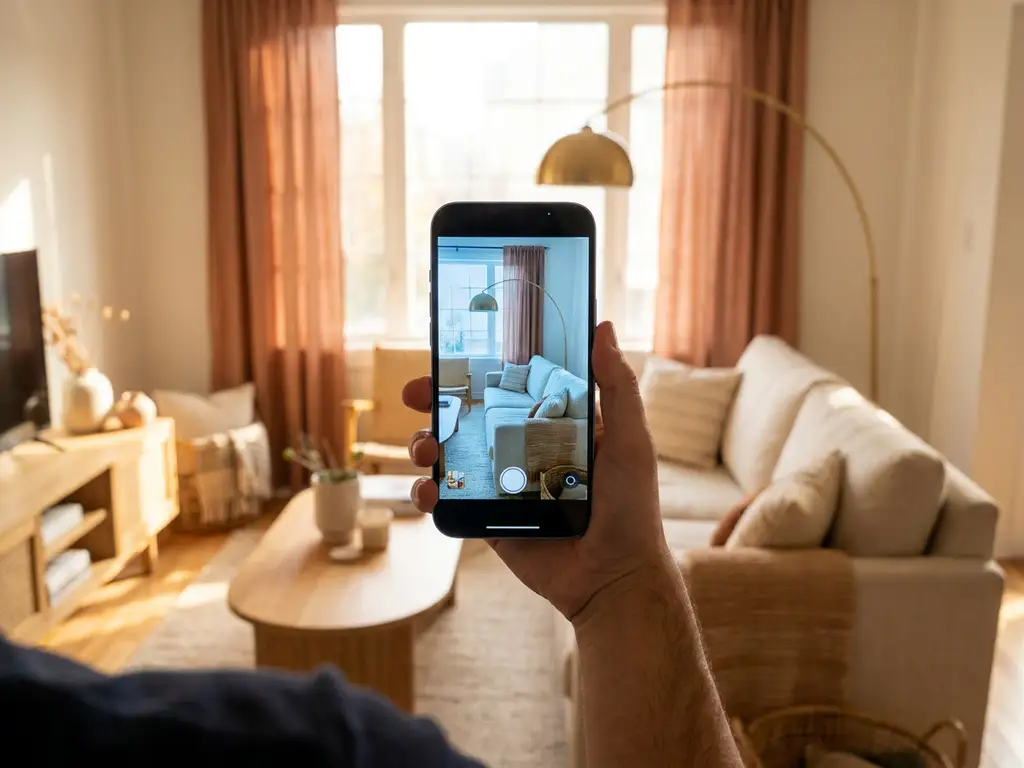
The most well-known app where you can see furniture in a room is the IKEA Place app, but it is far from the only option. Brands like Wayfair, Houzz, and Amazon also offer augmented reality tools that let you place virtual furniture in your actual space using your phone camera. Beyond consumer apps, many furniture brands now offer their own built-in room visualizers directly on their websites.
The right tool depends on what you are trying to do. Consumer apps are great for quick inspiration, while dedicated room planning software gives you far more control over layouts, product configurations, and realistic design decisions. This article walks through the most important questions people ask about furniture visualization tools so you can find the right fit.
Which apps let you place furniture in your room virtually?
Several well-known apps let you place furniture in your room virtually using augmented reality. The most popular options include IKEA Place, Wayfair, Houzz, and Amazon’s AR View. Each uses your smartphone camera to overlay scaled 3D furniture models into your real environment, giving you a rough sense of how a piece will look and fit before you buy.
Here is a quick overview of the most commonly used apps:
- IKEA Place: One of the first mainstream AR furniture apps, it lets you place IKEA products in your room at true scale using your phone camera.
- Wayfair: Offers AR viewing for a large portion of its product catalogue, with a broad range of styles and categories.
- Houzz: Combines AR room placement with an interior design inspiration platform, making it popular among homeowners planning a full redesign.
- Amazon AR View: Allows AR placement for eligible products directly within the Amazon shopping app.
- Brand-specific tools: Many furniture manufacturers and retailers now offer their own room visualizers embedded in their websites or apps, often with deeper product customization than generic apps provide.
The limitation of most consumer-facing apps is that they show products in a fixed configuration. If you want to choose a different fabric, size, or finish and see that exact version in your room, you typically need a more advanced tool tied directly to a brand’s product catalogue.
How does augmented reality furniture placement actually work?
Augmented reality furniture placement works by using your device’s camera, sensors, and software to detect flat surfaces in your physical space and anchor a scaled 3D model to that surface. When you move your phone, the virtual furniture stays in place relative to the room, creating the illusion that the object is physically there.
The technology relies on a combination of depth sensing, surface detection, and lighting estimation. Modern smartphones use ARKit (Apple) or ARCore (Google) frameworks to map the environment in real time. The app then loads a 3D model of the furniture product and renders it with realistic proportions, shadows, and perspective based on the room’s detected geometry.
For this to work well, the 3D model itself needs to be high quality and accurately sized. A poorly built model will look flat, misaligned, or unrealistically lit, which undermines buyer confidence rather than building it. This is why the quality of the underlying 3D asset matters as much as the AR technology itself.
What’s the difference between an AR furniture app and a 3D room planner?
An AR furniture app places individual items in your real space using your phone camera, while a 3D room planner lets you design an entire room layout from scratch in a virtual environment. AR apps are fast and intuitive for checking a single piece; room planners are better for planning a full interior, combining multiple products, and experimenting with different arrangements.
AR furniture apps: strengths and limits
AR apps excel at quick, visual validation. You can point your phone at a corner and see whether a sofa fits. They are ideal for single-product decisions and work best when you already know roughly what you want. The downside is that they are typically limited to one product at a time and offer little control over room dimensions, wall colours, or flooring.
3D room planners: deeper design control
A 3D room planning tool lets you define your actual room dimensions, add walls, windows, and doors, and then populate the space with multiple furniture pieces. You can rotate the camera, zoom in, and view the room from any angle. More advanced tools let you configure products on the spot, choosing fabrics, finishes, and sizes, and see the exact configured version in context. This is significantly more useful for complex purchases or when furnishing an entire room.
For furniture brands, the room planner is also a far more powerful sales tool. Showing multiple products together in a well-designed space increases buying intent and encourages customers to add more items to their order.
Do furniture brands offer their own room visualizer tools?
Yes, many furniture brands now offer their own room visualizer tools built directly into their website or e-commerce platform. These brand-specific tools are often more useful than generic apps because they show the brand’s actual product catalogue, including all available configurations, sizes, and finishes, rather than a fixed sample of products.
A brand-owned room visualizer can be connected to live pricing, stock availability, and order systems, meaning a customer can go from designing their room to completing a purchase without leaving the experience. This integration is something no third-party app can replicate, because the data lives within the brand’s own systems.
The trend toward brand-owned visualization tools has accelerated significantly. Customers increasingly expect to see products in context before buying, and brands that offer this experience reduce uncertainty, lower return rates, and convert browsers into buyers more effectively.
How accurate are furniture visualizer apps for real buying decisions?
Furniture visualizer apps are accurate enough to support real buying decisions, particularly for scale and spatial fit, but accuracy depends heavily on the quality of the 3D model and the precision of the room detection. When both are well-executed, customers can reliably judge whether a piece fits the space and suits the room’s overall look.
The most common sources of inaccuracy include:
- Low-quality 3D models: If the model is not built to precise dimensions or uses simplified geometry, the proportions will be off.
- Poor lighting estimation: AR tools that do not account for real-world lighting conditions can make furniture look out of place even when the scale is correct.
- Limited product configuration: If the app shows a product in one fixed colour or fabric, the customer cannot evaluate the specific variant they intend to buy.
- Surface detection errors: On uneven floors or in low-light conditions, AR anchoring can drift, making the furniture appear to float or shift.
For high-consideration purchases like sofas, dining tables, or bedroom furniture, the most accurate experience comes from tools that combine precise 3D models with full product configuration. Seeing the exact sofa in the exact fabric you plan to order, placed in your actual room, is far more decision-enabling than seeing a generic version.
What should a good furniture visualization tool include?
A good furniture visualization tool should combine realistic 3D rendering, accurate product scaling, full configuration options, and seamless integration with the brand’s product catalogue and ordering systems. The goal is to eliminate uncertainty at every stage of the buying decision, from layout planning to final product choice.
The most important features to look for include:
- High-quality 3D models: Products should be rendered with realistic materials, textures, and proportions that accurately reflect the real item.
- Full product configurability: Customers should be able to change fabric, colour, size, and finish and see those changes reflected instantly in the visualization.
- Room planning functionality: The ability to define room dimensions, arrange multiple pieces together, and view the space from different angles.
- AR viewing: The option to place configured products in the customer’s actual room using their device camera.
- Live pricing and availability: Showing accurate prices and lead times based on the selected configuration builds trust and reduces friction at checkout.
- System integration: The tool should connect with the brand’s PIM, ERP, or e-commerce platform so product data stays consistent and orders flow through automatically.
- Web-based and no download required: Customers should be able to access the tool directly in their browser without installing an app.
When all of these elements work together, the visualization tool becomes a genuine sales driver rather than just a marketing feature.
How iONE360 helps with furniture room visualization
We built iONE360 specifically to solve the visualization challenge that furniture brands face at scale. Our platform brings together 3D product configuration, AR viewing, and advanced room planning in a single, web-based solution, without requiring any downloads or fragmented tools.
Here is what iONE360 delivers for furniture brands and retailers:
- A powerful room planning tool that lets customers define their space, arrange multiple furniture pieces, and view their design in photorealistic 3D from any angle
- Full in-room product configuration, so customers can change fabrics, finishes, and sizes directly within the room planner and see the exact configured product in context
- Integrated AR viewing that places the configured product in the customer’s actual room using their device camera
- Live pricing, lead times, and direct ordering connected to your existing systems, so the journey from design to purchase is seamless
- A white-label-ready platform that can be embedded in your website or e-commerce environment, as well as access to HomeDecoHub, our ready-to-use room planning marketplace
- Scalability across your full product catalogue, including complex configurable products with millions of possible variations
Showing products in the right environment increases buying intent significantly, and our room planning software is designed to make that experience as confident and frictionless as possible for your customers. Whether you need a bespoke, integrated room planner or a faster route to market through our marketplace, we have a path that fits your business.
Ready to see what this looks like for your product catalogue? Get in touch with our team and we will walk you through a live demonstration.
Frequently Asked Questions
Can I use a furniture room visualizer on a desktop computer, or does it require a smartphone?
Most modern furniture visualization tools, including room planners, work directly in a desktop browser without any app download required. AR placement features that use a live camera feed do require a smartphone or tablet, but the 3D room planning and product configuration elements are fully accessible on desktop. For the best experience, many brands offer both: a browser-based room planner for detailed layout work on desktop and an AR view option when switching to a mobile device.
How do I get started with a 3D room planner if I have never used one before?
The easiest way to get started is to have your room measurements ready before you open the tool — knowing the length, width, and ceiling height of your space will let you set up an accurate floor plan in minutes. From there, most room planners guide you through adding walls, doors, and windows before you begin placing furniture. Start with your largest anchor piece, such as a sofa or bed, and build the layout around it rather than trying to place everything at once.
What if the furniture I want to visualize is not available in any app or room planner?
If a specific product is not available in a generic app like IKEA Place or Wayfair, check whether the brand has its own room visualizer on their website, as brand-specific tools typically cover their full catalogue including custom configurations. If no tool exists, you can contact the brand directly and ask whether a visualization option is available or in development. For furniture brands looking to close this gap, integrating a white-label room planning platform is the most scalable way to make every product in their catalogue visualizable.
Will using a room visualizer actually reduce the likelihood that I return a purchase?
Yes — research consistently shows that customers who use visualization tools before purchasing have significantly lower return rates, primarily because they can verify fit, scale, and style before committing. The biggest driver of furniture returns is a mismatch between expectation and reality, and seeing a product at true scale in your actual room eliminates most of that uncertainty. The most impactful tools are those that let you configure the exact variant you intend to buy, such as a specific fabric or finish, rather than showing a generic version of the product.
Can a room visualizer handle complex or custom furniture configurations, like modular sofas or made-to-order pieces?
Advanced room planning platforms are specifically built to handle this level of complexity, allowing customers to select individual modules, choose from hundreds of fabric and finish options, and see the fully configured product rendered in the room in real time. Generic consumer apps like IKEA Place typically show products in fixed configurations and cannot accommodate made-to-order variations. If your buying decision involves a configurable product, look for a brand-owned tool that connects directly to their product catalogue and configuration logic rather than relying on a third-party app.
How do furniture brands typically integrate a room visualizer into their existing website or e-commerce platform?
Most modern room planning platforms are designed to be embedded directly into an existing website or e-commerce environment using an iFrame or API integration, meaning customers never have to leave the brand’s site. The integration typically connects to the brand’s product information management (PIM) system or ERP to pull live product data, pricing, and stock availability. Setup complexity varies depending on the size of the product catalogue and the level of configuration required, but white-label solutions are specifically designed to minimize development overhead for the brand.
What makes the 3D models in some visualization tools look so much more realistic than others?
The realism of a 3D model comes down to the quality of the geometry, the accuracy of the material textures, and how well the rendering engine simulates real-world lighting. High-quality models are built to exact product dimensions, use physically based rendering (PBR) materials that respond to light the way real fabrics and surfaces do, and include fine details like stitching, wood grain, or metal sheen. Shortcuts in any of these areas — such as low-polygon geometry or flat texture maps — result in furniture that looks artificial, which can actually reduce buyer confidence rather than increase it.