

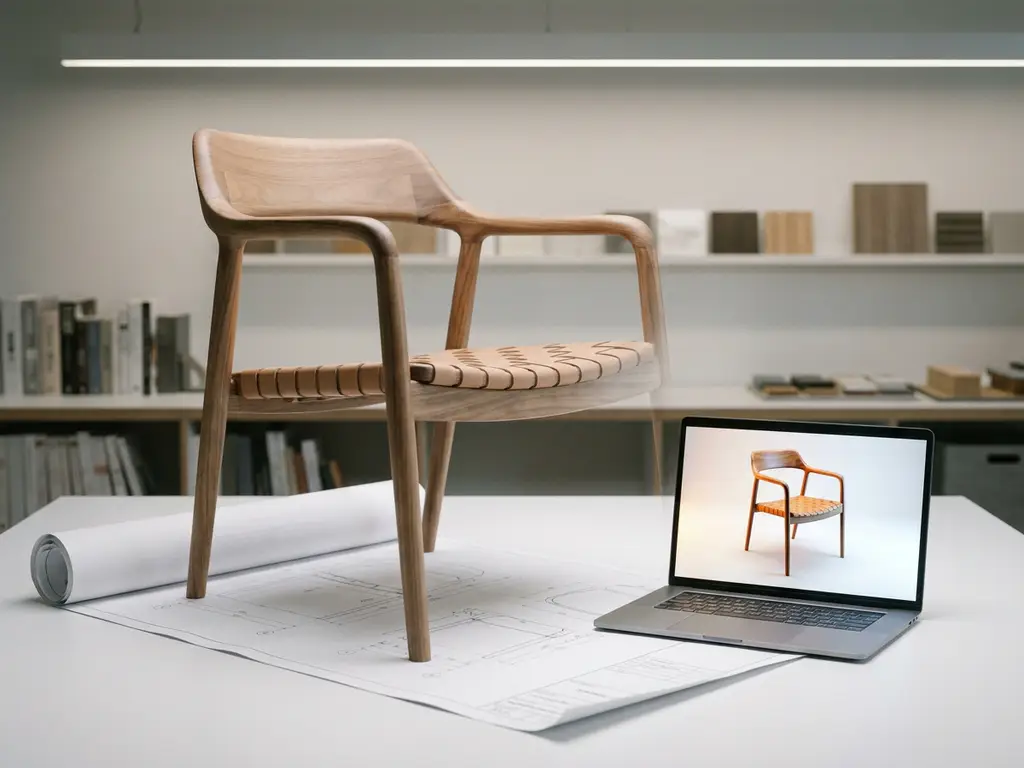
Several AI-powered tools can convert furniture data into 3D models, from standalone AI 3D furniture model generators like Kaedim and Masterpiece Studio to full furniture design software with AI features built specifically for the home furnishings sector. For brands that need to scale across hundreds of product variants, purpose-built platforms that combine 3D room planning software with integrated configuration logic are typically the most practical and commercially effective choice.
The right tool depends on your goal. This guide covers the types of 3D output AI can generate from furniture data, how the conversion process works, which tools are available and how they compare, how variant automation works, the difference between static renders and interactive configurators, and how furniture brands are integrating 3D AI visuals into their sales channels in 2026. Read through to find the approach that fits your catalogue and your commercial goals.
What types of 3D output can AI generate from furniture data?
AI can generate several distinct types of 3D output from furniture data, including static 3D renders, animated product visuals, interactive 3D models, augmented reality (AR) assets, and automatically generated packshot images. The type of output that matters most depends on where in the sales journey you plan to use it.
Here is a breakdown of the most common output types:
- Static 3D renders: High-resolution images generated from a 3D model, typically used in product catalogues, webshops, and marketing materials.
- Packshot images: Clean, background-free product images generated automatically from 3D data, replacing traditional studio photography.
- Interactive 3D models: Web-based models that customers can rotate, zoom, and explore in real time directly in a browser.
- AR-ready assets: Optimised 3D files that allow customers to place a virtual version of a product in their own room using a smartphone camera.
- Room planning visuals: Full-scene renders showing multiple furniture pieces arranged together in a styled interior.
For furniture brands, the most commercially valuable output is rarely just a single render. The ability to generate all of the above automatically — across every fabric, colour, and size variant — is what separates a useful tool from a genuinely scalable one.
How does AI convert a furniture model into a 3D visual?
AI converts a furniture model into a 3D visual by processing input data — such as product dimensions, material textures, and configuration rules — and using rendering algorithms to produce photorealistic images or interactive models. The process varies depending on whether the source data is a CAD file, a photograph, or a structured product dataset.
The typical conversion pipeline works in stages. First, the source data is ingested. This might be a designer’s CAD file, a set of product specifications, or an existing 2D image. AI tools then interpret the geometry, apply material libraries (fabrics, wood grains, lacquer finishes), and map lighting conditions to produce a realistic output.
More advanced platforms go further by encoding business logic directly into the model. This means the system understands which fabric options are available for a given frame, which combinations are valid, and how the price changes with each selection. The result is not just a 3D image but a fully configured, commercially accurate visual that reflects exactly what the customer would receive.
For furniture manufacturers with large, configurable catalogues, this logic layer is the critical differentiator. Without it, you end up with beautiful renders that do not connect to your actual product offering.
What makes furniture design software with AI features different from generic 3D tools?
Generic AI 3D tools focus primarily on geometry generation from images or text prompts. They are effective at producing a mesh quickly, but they carry no domain knowledge about materials, product rules, or commercial catalogues. Furniture design software with AI features goes further by incorporating material libraries specific to upholstery and wood finishes, configuration logic that reflects real product rules, and automated variant generation tied to a commercial catalogue. The result is not just a convincing shape but a commercially usable asset that connects directly to what a brand actually sells.
At iONE360, we build furniture design software with AI features designed for commercial scale. Our platform encodes business logic such as valid fabric-frame combinations and pricing rules directly alongside the 3D output, so every visual reflects what the customer can actually order. That combination of visual accuracy and commercial integrity is what makes purpose-built furniture design software with AI features a fundamentally different category from general-purpose 3D generation tools.
What are the best AI tools for creating 3D furniture models?
The best AI tools for creating 3D furniture models in 2026 include Kaedim and Masterpiece Studio for model generation from reference images, Blender with AI-assisted plugins for professional-grade modelling, and purpose-built visual commerce platforms — such as iONE360 — for brands that need scalable, catalogue-wide 3D output with integrated configuration logic.
Choosing the right AI 3D furniture model generator for your needs
The right AI 3D furniture model generator depends on what you need it to do. If you are creating a handful of individual assets, a general-purpose tool may be sufficient. If you are managing a configurable furniture catalogue with hundreds of variants, you need a generator that handles configuration logic, material accuracy, and sales channel integration as part of the same workflow.
Each tool serves a different use case:
- Kaedim: Converts 2D reference images into clean, game-ready 3D meshes. Useful for creating base models quickly but requires additional work to make them commercially accurate.
- Masterpiece Studio: AI-assisted 3D creation aimed at designers and developers. Strong for concept modelling and creative exploration.
- Blender (with AI plugins): The industry-standard open-source tool, increasingly enhanced with AI-powered material generation and geometry assistance. High quality but requires technical expertise.
- Spline: A browser-based 3D design tool with AI features, suited to web-focused product visuals and interactive scenes.
- Visual commerce platforms (furniture-specific): Platforms built specifically for the furniture and home furnishings sector — such as iONE360 — handling model creation, configuration rules, variant generation, and sales channel integration in a single system.
| Tool | Best for | Mobile app available | Furniture-catalogue scale | Integration options |
|---|---|---|---|---|
| Kaedim | Quick base model creation from 2D images | Web-based, no dedicated mobile app | Individual assets only | Export files; no native catalogue integration |
| Masterpiece Studio | Concept modelling and creative exploration | Mobile-compatible browser interface | Individual assets only | Export files; no native catalogue integration |
| Blender (with AI plugins) | Professional-grade modelling with full control | Desktop only | Manual; not suited to catalogue scale | Export files; requires custom pipeline |
| Spline | Web-focused product visuals and interactive scenes | Browser-based, usable on tablet | Limited; no variant automation | Web embed; no PIM/ERP connectivity |
| Visual commerce platforms (furniture-specific) | Full configurable catalogue at commercial scale | Customer configurator and room planner run on mobile, no app download needed | Full catalogue, all variants | API connections to PIM, ERP, CMS, and AR channels |
For one-off model creation, the first four tools are practical starting points. For brands managing hundreds of SKUs with multiple configurations each, a dedicated furniture platform such as iONE360 delivers far greater efficiency and commercial impact, because it combines 3D visualisation with the configuration logic, pricing rules, and system integrations that a commercial catalogue actually requires.
Which AI 3D model generators offer a mobile app for creating 3D models on a phone or tablet?
Spline runs in the browser and is usable on a tablet. Masterpiece Studio offers a mobile-compatible interface for concept modelling. Blender requires a desktop setup and is not practical on a phone or tablet. Kaedim is a web-based tool without a dedicated mobile app. In practice, none of the general-purpose AI 3D model generators are optimised for mobile model creation in a professional furniture context.
For furniture brands, the more commercially relevant mobile question is not about creating models on a phone but about delivering the finished configurator and room planner to customers on their mobile devices. That is where purchasing decisions are increasingly made. Purpose-built platforms such as iONE360 serve the interactive configurator and AR experience directly in the mobile browser, with no app download required. We designed this approach specifically so that customers can explore, configure, and visualise furniture in their own space from any device, without friction.
Can AI generate 3D models for all furniture variants automatically?
Yes, AI-powered furniture platforms can generate 3D visuals for all product variants automatically — including every combination of fabric, colour, finish, size, and leg style — without requiring a manual render for each one. This is one of the most significant advantages of modern visual commerce technology for furniture brands with large, configurable catalogues.
Traditional product photography requires a separate photoshoot for every variant. A sofa available in twelve fabrics and three sizes means at least 36 individual shots, and that number multiplies quickly across a full collection.
Scale that across a mid-size furniture catalogue of 50 sofa models, each available in 12 fabrics and 3 sizes, and you are looking at 1,800 individual shots before a single chair, table, or storage unit is included. For brands with broader collections, the numbers climb into the tens of thousands. An AI-driven 3D platform reduces this to one base model per product: every fabric, size, and finish combination is generated programmatically from that single dataset, with no additional shoot required per variant.
When a customer selects a different fabric or changes the configuration in a product configurator, the system renders an accurate, photorealistic image of that specific combination in real time. The same logic powers automatic packshot generation, meaning a brand can produce thousands of product images from a single 3D dataset without any additional manual effort per variant.
This scalability is particularly valuable when launching new collections, expanding into new markets, or onboarding retail partners who each need consistent, high-quality product imagery.
What does 3D AI visualisation cost compared to traditional photoshoots?
Traditional furniture photography costs scale linearly with the number of variants. As the sofa example above illustrates, 12 fabrics across 3 sizes already produces 36 individual shots for a single model. Multiply that across a full collection and the logistics and costs become substantial: separate shoot days, physical samples, studio time, and post-production for every SKU and every configuration change. When products are updated or discontinued, those images must be replaced, triggering another round of costs.
AI-driven 3D platforms shift this model fundamentally. The investment concentrates at the front: building the base 3D models and encoding configuration logic. Once that foundation is in place, the marginal cost of generating an additional variant, a new packshot, or an AR asset is close to zero. The main factors that determine your platform investment are:
- Catalogue size and number of base models to be built
- Total number of configurable variants across the catalogue
- Required output types, such as static renders, packshots, AR assets, and room planning visuals
- Integration depth with existing PIM and ERP systems
Furniture brands that move to a platform like iONE360 typically find that the upfront model-building investment pays back across every future season, channel, and market. The same 3D dataset continues to generate assets for new retail partners, new geographies, and new sales formats without any additional shoot required. We built iONE360 specifically so that investment compounds over time rather than resetting with every product update or catalogue refresh.
What is the difference between a 3D render and an interactive 3D configurator?
A 3D render is a static or pre-generated image produced from a 3D model, while an interactive 3D configurator is a live, real-time tool that lets users change product options and see the visual result update instantly. The configurator is dynamic and customer-facing; the render is typically a fixed output used in catalogues or marketing. Both serve important roles, but they operate at different points in the customer journey.
3D renders: visual accuracy at scale
A 3D render produces a finished image — often indistinguishable from studio photography — that shows a product in a specific configuration. Renders are used in webshop product listings, printed catalogues, dealer portals, and social media. Their value is in quality and consistency: every retailer gets the same accurate, brand-approved image regardless of whether a physical sample exists.
Interactive 3D configurators: real-time decision support
An interactive 3D configurator places the customer in control. They select options — such as frame colour, seat fabric, or module layout — and the product visual updates in real time. This is the tool that drives conversion, because it removes uncertainty: customers can see exactly what they are ordering before they commit. When combined with 3D room planning software, customers can also place their configured product into a virtual version of their own space, which significantly increases buying confidence.
For furniture brands, the most effective approach uses both: renders for broad catalogue coverage and marketing, and an interactive configurator for the active purchase journey.
How do furniture brands integrate 3D AI visuals into their sales channels?
Furniture brands integrate 3D AI visuals into their sales channels by embedding configurators and room planning tools directly into their webshop, sharing 3D assets through dealer portals, and connecting the visualisation platform to existing systems — such as PIM (Product Information Management), ERP (Enterprise Resource Planning), and CMS — via API. The goal is consistent, accurate product presentation across every touchpoint.
Integration typically follows a few practical paths:
- Webshop integration: An interactive 3D configurator or room planner is embedded on the product page, replacing or supplementing static images with a live visual experience.
- Dealer and retail partner portals: 3D assets and configured renders are made available to retail partners, ensuring consistent brand presentation in-store and online without requiring each retailer to manage their own photography.
- PIM and ERP connectivity: Product data, pricing, and configuration rules are pulled directly from existing business systems, keeping visuals automatically up to date when products or prices change.
- AR deployment: AR-ready 3D assets are served to customers via the brand’s webshop or app, allowing them to visualise products in their own home using a smartphone.
- In-store sales tools: Sales staff use tablet or screen-based configurators to guide customers through options during a showroom visit, reducing the need for physical samples.
The brands that see the strongest commercial results are those that integrate 3D visuals across all these channels from a single platform, rather than managing separate tools for each touchpoint. Consistency in product presentation builds customer trust and reduces returns caused by unmet expectations.
What are the most common mistakes when adopting 3D AI visuals for furniture?
Most challenges in 3D AI adoption are predictable and avoidable if you know what to look for.
- Starting with incomplete or unstructured product data: Model creation depends on clean input, including CAD files in formats such as .OBJ, .FBX, or .STEP, swatch libraries, and dimension sheets. Gaps in this data delay the project and reduce the quality of the output.
- Treating 3D as a one-off deliverable rather than a connected system: Visuals built outside a PIM or ERP integration go out of date the moment a product changes. A connected platform keeps your visual content in sync automatically.
- Skipping configuration logic: Without a business logic layer that encodes valid combinations and pricing rules, renders can show configurations that customers cannot actually order. This creates fulfilment problems and erodes trust.
- Using separate tools for each sales channel: Managing different tools for your webshop, dealer portal, in-store configurator, and AR experience creates inconsistency and multiplies maintenance overhead across your team.
We designed iONE360 to address all four of these challenges from day one, so your team is not solving them one by one after launch.
How iONE360 Helps You Turn Furniture Data into Scalable 3D Visuals
The tools and processes covered above each serve a purpose. For brands managing a handful of assets, a standalone AI model generator is a practical starting point. For furniture manufacturers and brands that need to scale photorealistic visuals, interactive configuration, and AR across a full catalogue, a purpose-built platform removes the complexity of stitching separate tools together. That is exactly what we built iONE360 to do, specifically for the furniture, home, and decoration sector, and it shows in every layer of the platform.
- Automatic variant generation: One 3D dataset powers renders, packshots, and interactive visuals for every configuration in your catalogue, no manual effort per variant required.
- Integrated room planning: Our 3D room planning software lets customers combine, configure, and visualise multiple pieces together, increasing buying intent and reducing returns.
- Business logic built in: Complex configuration rules, pricing, and lead times are encoded directly into the platform, so every visual is commercially accurate.
- Omnichannel ready: A single platform serves your webshop, dealer network, in-store sales tools, and AR experience, keeping your brand consistent everywhere.
- Deep system integration: We connect with your existing PIM, ERP, and CMS via API, so your visual content stays in sync with your product data automatically.
- 45+ years of furniture industry expertise: Built by the Dutch Colijn Group, iONE360 understands the specific complexities of configurable furniture at commercial scale.
How does the implementation process work?
Getting started with iONE360 follows a clear, structured path so your team always knows what to expect.
- Data audit and preparation: We review your existing product data, including CAD files such as .OBJ, .FBX, or .STEP, swatch libraries, dimension sheets, and configuration specifications. This phase identifies any gaps that need to be resolved before model creation begins.
- Base model creation and configuration encoding: Our team builds the 3D models from your source data and encodes the business logic directly into the platform, covering valid fabric-frame combinations, pricing rules, and any other configuration constraints that apply to your catalogue.
- Platform integration: We connect iONE360 to your existing PIM, ERP, and CMS via API, so product data, pricing, and configuration rules stay automatically in sync as your catalogue evolves.
- Launch and channel rollout: Your configured platform goes live across your chosen touchpoints, including webshop embedding, dealer portal setup, in-store sales tools, and AR activation, with our team supporting each step of the deployment.
Get in touch with our team and we will put together a project timeline based on your catalogue size and existing data.
If you are ready to move beyond fragmented tools and expensive photoshoots, we would love to show you what iONE360 can do for your catalogue. Get in touch with our team and let us walk you through a demo tailored to your product range.
Frequently Asked Questions
How long does it typically take to get a furniture catalogue fully set up with 3D AI visuals?
The timeline depends on the size of your catalogue and the quality of your existing product data. For brands with clean CAD files and structured product specifications, onboarding a purpose-built platform can take anywhere from a few weeks to a couple of months. The initial setup — building the base 3D models and encoding configuration logic — is the most time-intensive phase, but once complete, adding new products or variants is significantly faster. Brands with legacy data or no existing 3D assets may need additional time for a data preparation phase before model generation begins.
What source data do I need to provide before AI can generate 3D models of my furniture?
The ideal starting point is a set of CAD files (such as .OBJ, .FBX, or .STEP formats) combined with a structured product specification sheet covering dimensions, materials, and available configuration options. If CAD files are not available, high-quality reference photographs taken from multiple angles can serve as an alternative input for AI model generation tools. Material samples or swatch libraries for fabrics, finishes, and colours are also needed so the platform can produce accurate, photorealistic textures. The more complete and structured your input data, the faster and more accurate the resulting 3D output will be.
How photorealistic are AI-generated 3D furniture visuals compared to traditional studio photography?
Modern AI-driven rendering technology can produce visuals that are virtually indistinguishable from professional studio photography, particularly when high-quality material libraries and accurate lighting models are used. In many cases, 3D renders actually outperform photography because they offer perfect consistency across every product variant — no lighting variations, no physical staging costs, and no scheduling delays. The key factor is the quality of the 3D model and material data: a well-built model with accurate fabric or finish textures will produce results that meet or exceed the standard of a traditional photoshoot.
Will adding an interactive 3D configurator slow down my webshop or hurt its performance?
A well-engineered 3D configurator should have a negligible impact on overall webshop performance when implemented correctly. Purpose-built furniture platforms are designed with web performance in mind, using optimised 3D file formats (such as glTF or WebGL-based rendering) and progressive loading techniques to ensure fast page speeds. It is worth discussing performance benchmarks and integration methods with your platform provider before deployment, and testing across both desktop and mobile devices. The conversion rate uplift from an interactive configurator typically far outweighs any marginal load time considerations.
Can 3D AI visuals be used for printed catalogues and offline marketing, or are they only suitable for digital channels?
3D AI-generated renders are fully suitable for print use, provided they are exported at the correct resolution — typically 300 DPI or higher for high-quality print output. Because the renders are produced digitally, they can be generated at any resolution required, making them just as viable for a printed catalogue or trade show display as they are for a webshop. This is one of the practical advantages of 3D over traditional photography: the same base model can produce assets tailored to every channel, from a high-resolution print spread to a compressed web image, without the need for a separate photoshoot for each format.
What happens to our 3D visuals when we update a product — for example, if we discontinue a fabric or change a dimension?
On platforms that integrate directly with your PIM or ERP system, product updates are reflected in your 3D visuals automatically once the underlying data is changed. If a fabric is discontinued, it can be removed from the configuration options across all relevant products simultaneously. Dimension changes may require an update to the base 3D model, but this is typically a much smaller task than a full rebuild. This is one of the core advantages of managing visuals through a connected platform rather than a library of individual static images — your visual content stays in sync with your actual product offering without manual intervention for every change.
Is AR functionality something we need to build separately, or does it come as part of a 3D furniture platform?
On purpose-built furniture visual commerce platforms, AR functionality is typically included as part of the same ecosystem rather than a separate build. The same 3D models used for interactive configurators and renders are optimised and served as AR-ready assets, allowing customers to place products in their own space directly from the product page using a smartphone — no app download required in most modern implementations. This unified approach means you do not need to maintain separate 3D asset libraries for AR versus web use, which keeps your content management straightforward and ensures consistency across every customer touchpoint.
Related Articles
- How does a furniture visualizer reduce costly product photography?
- Can a product configurator work without a developer?
- What is the difference between product configurator and sales configurator?
- How do room visualizers improve online furniture sales?
- How do 3D product configurators keep product information up to date?