

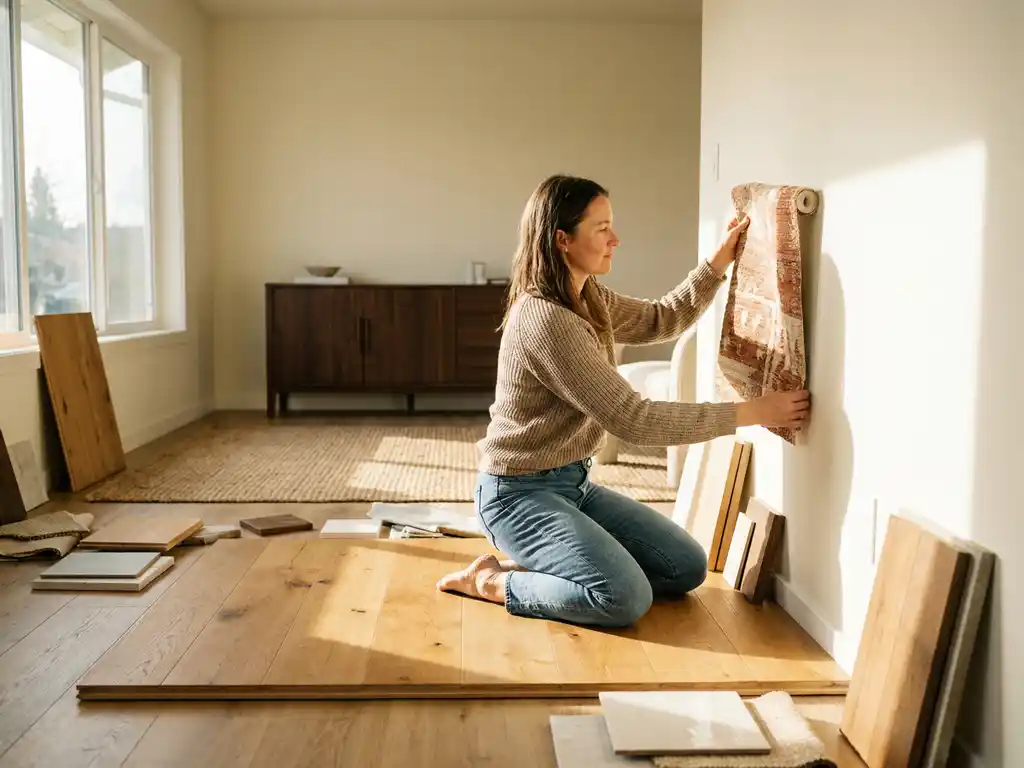
A 3D room planner helps customers visualize flooring and wallpaper by rendering realistic, to-scale representations of surface materials directly within a digital room environment. Customers can switch between options instantly, see how different textures and patterns interact with furniture and lighting, and make confident decisions without relying on small physical samples. The sections below unpack exactly how this works across every stage of the buying journey.
What types of flooring and wallpaper can a 3D room planner display?
A modern 3D room planner can display virtually any flooring or wallpaper type that a brand carries in its catalog. This includes hardwood, laminate, vinyl, carpet, stone, and tile for flooring, as well as patterned, textured, plain, and mural-style wallpaper. As long as the material data and digital assets are loaded into the system, any variant becomes available for visualization.
The range is not limited to a curated selection of bestsellers. Because room planning software works from a digital product library rather than physical stock, brands can load their entire catalog, including seasonal collections, limited editions, and custom colorways. This means customers see the full picture rather than a fraction of what is actually available.
For furniture and interior brands managing large assortments, this is a significant commercial advantage. Displaying every flooring plank width, every wallpaper repeat, and every color variant in a live room environment removes the traditional bottleneck of physical sample production.
How does a 3D room planner render realistic textures and patterns?
A 3D room planner renders realistic textures and patterns by applying high-resolution material maps to 3D surfaces within the room scene. These maps capture the visual properties of a material, including its color, sheen, surface depth, and directional grain, so the final render responds naturally to the room’s lighting conditions and camera angle.
The technical process behind this involves several layered material properties working together:
- Diffuse maps define the base color and pattern of the surface material
- Normal maps simulate surface depth and relief without adding geometric complexity
- Roughness and reflectivity maps determine how light bounces off the material, distinguishing a matte concrete floor from a polished marble one
- Tiling and repeat settings ensure wallpaper patterns align correctly at seams and scale accurately to room dimensions
The result is a room scene where a herringbone oak floor looks genuinely different from a wide-plank pine floor, and a geometric wallpaper pattern aligns correctly around corners and at the ceiling line. This level of realism is what separates contemporary room planning software from basic floor plan tools.
Can customers mix and match flooring and wallpaper options in real time?
Yes, customers can mix and match flooring and wallpaper options in real time within a 3D room planner. Changes apply instantly to the room scene, so a customer can swap a light oak floor for a dark walnut finish and simultaneously update the wallpaper from a neutral linen to a bold botanical print, seeing the full combination within seconds.
This real-time interactivity is one of the most commercially valuable aspects of room planning software. It shifts the customer from passive browsing to active design participation. When customers can experiment freely, they naturally spend more time with the product, explore a wider range of options, and arrive at a decision they feel genuinely confident about.
For brands, this means fewer abandoned journeys caused by uncertainty. A customer who can see exactly how their chosen wallpaper looks against their selected flooring, surrounded by the furniture they are considering, has far less reason to hesitate or return a product after purchase.
How does augmented reality improve flooring and wallpaper visualization?
Augmented reality improves flooring and wallpaper visualization by overlaying the selected materials onto the customer’s actual physical space through their smartphone or tablet camera. Instead of viewing a generic 3D room template, the customer sees their own room with the chosen floor and wall finishes applied in real time, at true scale.
This matters because flooring and wallpaper decisions are highly context-dependent. A warm terracotta tile may look appealing in a staged room render but feel overwhelming in a small apartment with low ceilings. AR removes that guesswork by placing the material directly in the customer’s environment, accounting for their specific room dimensions, existing furniture, and natural light.
The practical impact on purchase confidence is substantial. Customers who can see a product in their own space before buying are far less likely to experience buyer’s remorse, which directly reduces return rates. For high-value flooring projects in particular, this kind of visual certainty can be the deciding factor between completing a purchase and walking away.
What impact does 3D visualization have on flooring and wallpaper purchase decisions?
3D visualization has a measurable positive impact on flooring and wallpaper purchase decisions by reducing the uncertainty that typically causes customers to delay or abandon a purchase. When customers can see a material in context rather than evaluating a small swatch in isolation, they make faster decisions and commit with greater confidence.
Several dynamics drive this outcome:
- Context replaces imagination. Customers no longer need to mentally project how a flooring sample will look across an entire room. The room planner does that work for them, accurately and instantly.
- Comparison becomes easy. Switching between three flooring options takes seconds rather than requiring multiple showroom visits or sample orders.
- Coordination is visible. Customers can see how their flooring choice works with their wallpaper selection and existing furniture in a single view, reducing the risk of mismatched purchases.
- Confidence increases order value. When customers trust what they are buying, they are more likely to commit to premium options and complete larger projects in one order.
- Returns decrease. Products that match customer expectations on delivery generate fewer returns, lowering operational costs for the retailer or brand.
Showing products in the right environment increases buying intent significantly, which is why forward-thinking brands in the flooring and wallpaper space are prioritizing 3D room planning as a core sales tool rather than a supplementary feature.
How does a 3D room planner integrate with an existing webshop or PIM system?
A 3D room planner integrates with an existing webshop or PIM system through APIs and data connectors that synchronize product information, pricing, and availability between platforms. This means product updates made in the PIM automatically reflect in the room planner, and configurations completed in the planner feed directly into the webshop checkout flow.
For flooring and wallpaper brands managing large catalogs with frequent updates, this integration is essential. Without it, maintaining a separate visual tool becomes a manual overhead that quickly becomes unsustainable. With it, the room planner becomes a live extension of the product catalog rather than a static demonstration tool.
Key integration capabilities to look for include:
- Bidirectional data sync with PIM systems to keep materials, colors, and pricing current
- Embedded placement within existing webshop pages without requiring a separate platform login
- Cart and checkout connectivity so configured room selections convert directly to orders
- White-label flexibility so the room planner matches the brand’s visual identity across all touchpoints
Well-designed room planning software is built to slot into an existing technology stack rather than replace it, making adoption straightforward for brands already operating on established e-commerce and product management infrastructure.
How iONE360 helps with flooring and wallpaper visualization
We built iONE360 specifically for brands in the furniture, home, and interior industry who need visual commerce tools that are powerful, scalable, and genuinely integrated with the way they sell. Our room planning software brings together everything covered in this article into a single, web-based platform:
- Full catalog visualization including all flooring types, wallpaper variants, and surface finishes
- Photorealistic texture rendering that responds to lighting and camera perspective
- Real-time mix-and-match functionality for surfaces, furniture, and accessories in one scene
- Integrated AR so customers can preview materials in their own space
- Seamless connectivity with PIM, ERP, and webshop systems through robust API architecture
- White-label flexibility so the experience looks and feels like your brand at every touchpoint
We offer two paths to getting started: a bespoke, white-labeled room planner built specifically for your platform, or onboarding to HomeDecoHub, our ready-to-use room planning marketplace powered by the same proven technology. Both options are built on over 45 years of furniture and interior industry expertise, and both are designed to deliver measurable results on conversion, order value, and returns reduction.
If you are ready to give your customers the confidence to choose their flooring and wallpaper without second-guessing, get in touch with our team and we will show you exactly what is possible for your catalog and your channels.
Frequently Asked Questions
How long does it typically take to get a 3D room planner up and running with an existing product catalog?
The timeline depends on the size of your catalog and the complexity of your existing tech stack, but most brands can expect an onboarding period of a few weeks to a couple of months. The bulk of that time is spent preparing and uploading digital material assets — high-resolution texture maps, product data, and pricing — rather than configuring the software itself. Platforms like iONE360 offer structured onboarding support to accelerate this process, and brands with well-maintained PIM systems typically go live faster because product data is already clean and organized.
What digital assets do we need to provide for our flooring and wallpaper products to be visualized accurately?
At a minimum, you will need high-resolution texture images for each material, along with key product data such as dimensions, repeat measurements for wallpaper patterns, and finish type. For the most photorealistic results, providing layered material maps — including diffuse, normal, and roughness maps — gives the rendering engine the information it needs to simulate how each surface responds to light. If your assets are not yet in this format, many room planning providers, including iONE360, offer asset preparation services to convert existing product photography or supplier files into the required format.
Can a 3D room planner handle large catalogs with hundreds or thousands of SKUs without performance issues?
Yes, well-architected room planning software is designed to handle enterprise-scale catalogs without degrading the customer-facing experience. The key is that materials are streamed or loaded on demand rather than all at once, so the size of the underlying catalog does not slow down the room scene itself. For brands managing thousands of flooring and wallpaper SKUs, this scalability is critical — it means you can display your entire assortment, including seasonal and limited-edition lines, without any technical compromise on speed or visual quality.
What happens if a customer designs a room and the product goes out of stock or is discontinued?
This is where PIM integration becomes especially important. When your room planner is connected to your product management system via a live data sync, stock status and product availability update automatically in the planner — meaning out-of-stock or discontinued items can be hidden, flagged, or replaced with alternatives in real time. Without this integration, you risk customers configuring rooms around unavailable products, which creates friction at checkout and undermines the trust the visualization experience was designed to build.
Is a 3D room planner suitable for B2B customers like interior designers or contractors, or is it primarily a B2C tool?
A 3D room planner works effectively for both audiences, and many flooring and wallpaper brands use it to serve both simultaneously. For B2C customers, the value lies in purchase confidence and reducing returns. For B2B users such as interior designers, architects, or fit-out contractors, the planner becomes a professional specification and presentation tool — allowing them to build out full room schemes, export visuals for client proposals, and place larger, coordinated orders in a single workflow. Some platforms offer role-based features or separate environments tailored to each audience type.
How do we measure whether the 3D room planner is actually improving conversion and reducing returns?
The most direct metrics to track are conversion rate among users who engage with the room planner versus those who do not, average order value for sessions that include a room planning interaction, and return rates segmented by whether the customer used the visualization tool before purchasing. Most room planning platforms provide built-in analytics or integrate with your existing analytics stack to surface these comparisons. Setting a baseline before launch and reviewing performance at 30, 60, and 90 days gives you a clear picture of commercial impact early enough to optimize the experience.
Can customers save and share their room designs, and does that help with the sales process?
Yes, save-and-share functionality is a standard feature in mature room planning platforms and it has a meaningful effect on the sales process. Customers who can save a design and return to it later are far more likely to complete a purchase than those who must start over on a return visit. Sharing functionality adds another layer of commercial value — a customer who sends their room design to a partner, family member, or interior designer is essentially generating a warm referral and extending your brand’s reach organically. For high-consideration purchases like flooring and wallpaper, where decisions are often made jointly, this feature directly supports the path to conversion.
Related Articles
- What should you look for in space planning software?
- Do 3D product configurators track which configurations are most popular?
- Can a 3D product configurator generate a shareable link of a configured product?
- What is the difference between a 3D product configurator and a product image gallery?
- How do 3D product configurators solve inventory management challenges?