

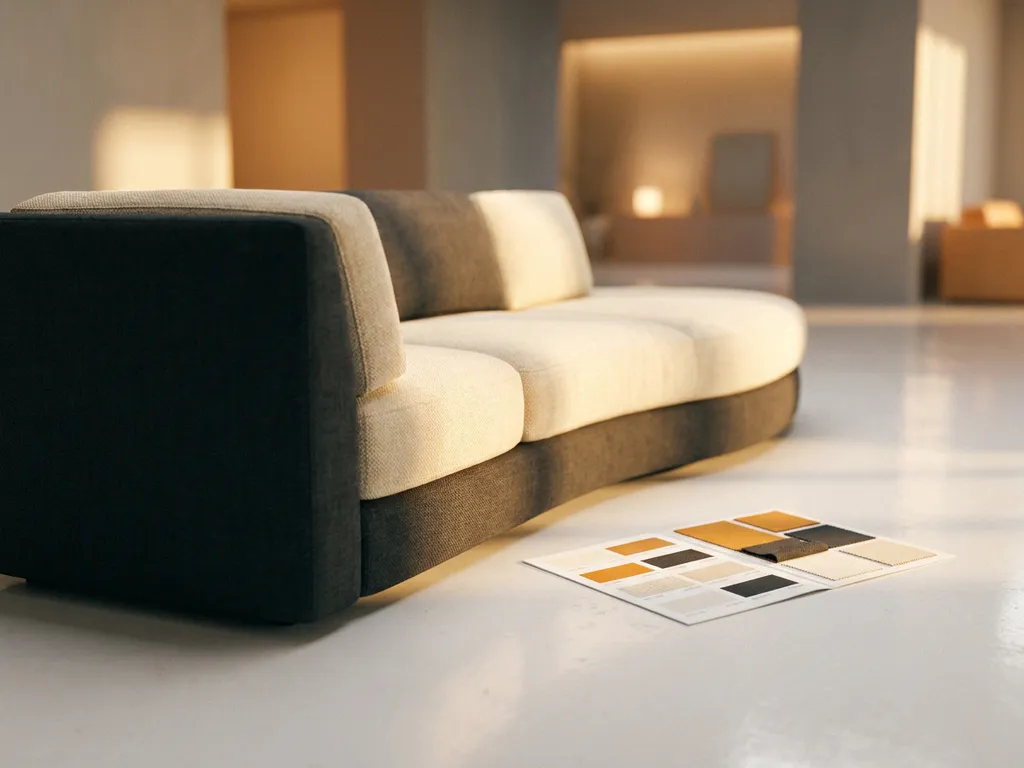
A 3D product configurator differs from a standard product configurator primarily in how it presents product variations to the customer. A standard configurator updates text descriptions, swatches, or flat images when a user makes a selection. A 3D configurator renders a photorealistic, interactive three-dimensional model in real time, so customers see exactly what they are buying as they build it. This distinction matters most for complex, customizable products where visual accuracy directly influences purchase confidence. The sections below unpack the key differences, the technology behind them, and the business impact they create.
What can a 3D product configurator do that a standard one cannot?
A 3D product configurator allows customers to interact with a photorealistic, rotating model of a product and see every configuration change reflected instantly in full three-dimensional detail. A standard configurator can only swap images or update text, which means it either shows a limited set of pre-photographed variants or relies on the customer’s imagination to bridge the gap.
The practical difference is significant. With a standard configurator, a furniture brand selling a sofa in 40 fabric options, 6 frame colours, and 3 sizes would need hundreds of pre-rendered or photographed images to cover every combination. Even then, many combinations simply go unshown. A 3D configurator generates the correct visual on the fly, regardless of how many variables are in play.
Beyond visual accuracy, a 3D configurator can also:
- Display products from any angle, including underneath and from behind
- Simulate realistic material textures, lighting, and shadows in real time
- Handle complex business rules, such as which components are compatible with which
- Automatically generate high-quality packshot images from any configuration for use in marketing
- Feed directly into augmented reality, letting customers place the configured product in their own space
- Present millions of possible variations without any additional photography or manual effort
Standard configurators are adequate for simple products with a small number of visual variants. For anything with meaningful customization depth, a 3D configurator is the only tool that keeps the customer fully informed at every step.
How does real-time 3D rendering work inside a product configurator?
Real-time 3D rendering inside a product configurator works by using a 3D engine to calculate how light interacts with a product’s geometry and materials at the moment a customer makes a selection. Rather than retrieving a pre-made image from a library, the engine builds the visual dynamically based on the current combination of options chosen.
The process starts with a 3D model of the product, built to reflect its real-world geometry accurately. Each configurable element, such as a fabric, a leg finish, or a modular section, is stored as a separate asset with its own material properties. When a customer selects a fabric, the engine applies that material’s texture, sheen, and colour to the relevant surfaces and recalculates the lighting in milliseconds.
Modern web-based configurators run this process entirely in the browser using technologies such as WebGL, which means customers need no download, no plugin, and no specialist hardware. The rendering quality has improved dramatically in recent years, to the point where photorealistic output is achievable on a standard laptop or smartphone.
For back-end teams, this architecture means that adding a new material or component to the configurator requires uploading the asset once. The engine handles every visual combination automatically from that point forward, removing the need for manual image production per variant.
What is the difference between a 3D configurator and augmented reality (AR)?
A 3D configurator and augmented reality are related but distinct tools. A 3D configurator is an interactive interface where customers build and visualize a product on screen. Augmented reality takes that configured product and overlays it onto a live view of the customer’s real environment through a smartphone or tablet camera.
Think of them as sequential steps in the same buying journey. The configurator is where the customer makes decisions: choosing dimensions, materials, and components. AR is where the customer validates those decisions by seeing the finished product at actual scale in their own living room, bedroom, or office.
The two tools address different forms of purchase anxiety:
- The 3D configurator resolves uncertainty about what the product looks like in a specific configuration
- AR resolves uncertainty about whether the product fits the customer’s space and matches the existing environment
For furniture and home decoration in particular, both questions matter. A customer buying a corner sofa needs to know it looks right in their chosen fabric and also that it physically fits their room. Offering both tools within the same platform means customers can move from configuration to spatial validation without leaving the buying experience.
It is worth noting that AR without a configurator is limited. If a customer can only place a single standard product variant in their space, the AR experience is far less useful than one where the placed model reflects the exact configuration the customer has already built.
Which types of products benefit most from a 3D configurator?
Products that benefit most from a 3D product configurator are those with a high number of configurable variables, where visual accuracy strongly influences the purchase decision. Furniture, home textiles, kitchen systems, and interior decoration products are the clearest examples, but the principle extends to any product where customers need to see what they are getting before they commit.
The strongest candidates share several characteristics:
- High visual variance: The product looks meaningfully different depending on the chosen options, such as a sofa in velvet versus linen, or a dining table in oak versus walnut
- Modular or combinable structure: Customers assemble the product from components, such as sectional sofas, shelving systems, or fitted wardrobes
- High unit value: The purchase involves enough financial commitment that customers want certainty before buying
- Large number of variants: The full range cannot be photographed or stocked in a showroom in every combination
- Strong return risk: Customers frequently return products because the delivered item did not match their expectations
Within the furniture and home furnishings industry, upholstered seating, bedroom furniture, kitchen cabinetry, and outdoor furniture are all strong fits. The same logic applies to curtains and blinds, floor coverings, and decorative lighting, where material and colour choices are central to the decision.
Products with very few variables or where visual differentiation is minimal gain less from a 3D configurator. A product sold in two colours with no other options is better served by straightforward photography.
How does a 3D product configurator affect conversion rates and returns?
A 3D product configurator improves conversion rates by reducing the uncertainty that causes customers to abandon a purchase. When customers can see exactly what they are buying in every detail, they make decisions faster and with greater confidence. The same visual clarity that drives conversion also reduces returns, because customers receive what they expected.
The mechanism behind both effects is the same: information quality at the point of decision. A customer who cannot clearly visualize how a product will look in their chosen configuration is more likely to delay, abandon, or buy the wrong thing. A customer who has interacted with a photorealistic 3D model, explored it from multiple angles, and placed it in their space via AR has resolved most of the doubts that would otherwise cause hesitation or regret.
For retailers and manufacturers, this translates into measurable commercial outcomes:
- Higher add-to-cart and checkout completion rates
- Increased average order value, as customers configure up rather than defaulting to the cheapest option
- Fewer post-delivery returns due to unmet visual expectations
- Reduced pressure on sales staff to resolve configuration questions manually
- Lower dependency on physical showroom space to demonstrate the full range
The impact is particularly pronounced for high-value, high-involvement purchases where customers traditionally needed to visit a showroom before committing. A well-built interactive product configuration experience can replicate much of that confidence-building process online, extending the effective sales reach without expanding physical infrastructure.
How iONE360 helps with 3D product configuration
We built iONE360 specifically to address the challenges that furniture and home decoration brands face when trying to present configurable products at scale. Our platform brings together real-time 3D visualization, an interactive furniture configurator, AR experiences, and automated packshot generation in a single web-based solution that requires no download on the customer’s side.
Here is what that means in practice for manufacturers, brands, and retailers:
- Scalable visual coverage: Every product variant is rendered automatically, eliminating the need for individual photoshoots per configuration
- Complex business rules handled: Our platform manages compatibility logic, pricing structures, and millions of possible variations without manual intervention
- Seamless integration: iONE360 connects with existing PIM, ERP, CMS, and webshop systems, so your data stays consistent across all channels
- Consistent brand presentation: The same high-quality visual experience is delivered across your own webshop, retail partners, and in-store screens
- AR built in: Customers can place their configured product in their own space directly from the configurator, without switching tools
- Guided sales process: Back-end users can build step-by-step configuration flows that reduce errors and support sales teams as well as end customers
iONE360 is recognized by Gartner in the product configurator domain and has won the Red Dot Award and A’ Design Award, reflecting both the technical depth and the quality of the visual output we deliver. If you want to see how a 3D product configurator can work for your specific product range, get in touch with our team for a demonstration.