

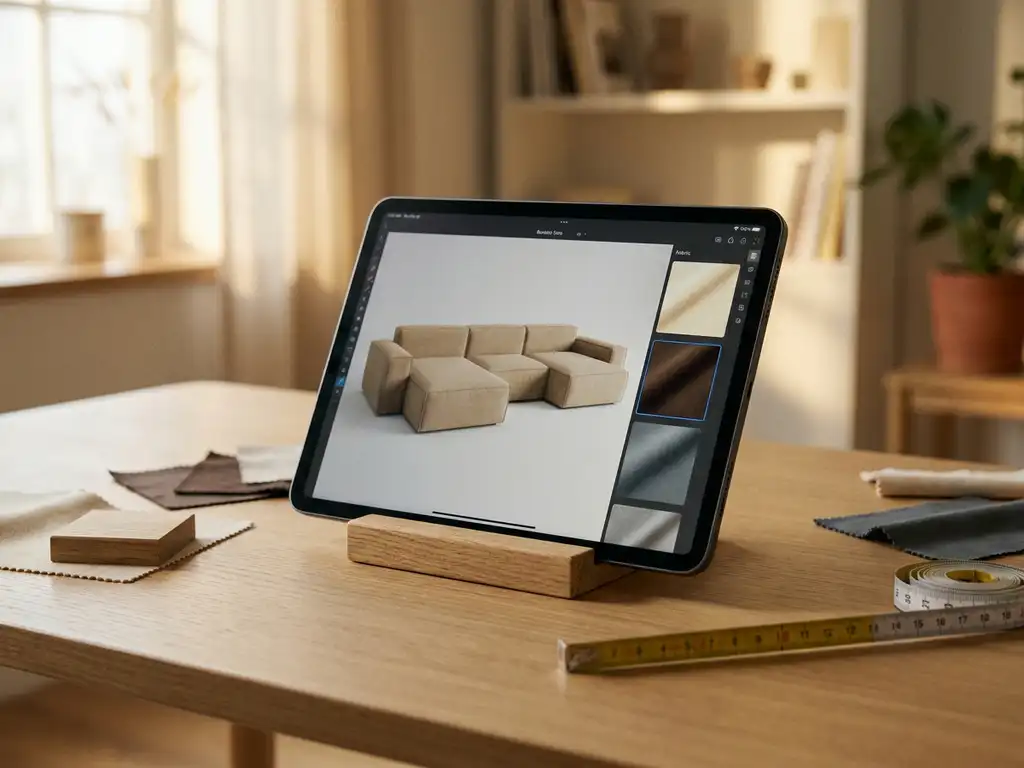
The best app for furniture design depends on what you need it to do. For consumers designing a room at home, simple room planning tools work well. For furniture manufacturers and retailers, a professional platform combining a 3D product configurator, room planning software, and augmented reality delivers far more value. This article walks through the key questions to help you find the right fit.
What is 3D furniture visualization and why does it matter for your business?
3D furniture visualization is the process of creating photorealistic digital representations of furniture products using 3D modeling and rendering technology. Rather than relying on physical prototypes or traditional photography, brands build accurate digital models that can be lit, textured, and presented from any angle — at any scale.
At a practical level, a 3D model starts from CAD files or technical measurements, is textured using physically based rendering to simulate real-world materials like velvet, leather, or oak, and is then distributed as an interactive asset across every digital touchpoint: webshops, product configurators, AR viewers, automated packshot generators, and digital catalogs. One model serves all of these outputs simultaneously, which fundamentally changes the economics of visual content production for furniture brands.
The right software platform determines how efficiently a furniture brand can produce and deploy these assets. Choosing a platform that handles the full pipeline — from 3D asset creation to omnichannel distribution — is the single most important decision in a furniture brand’s digital strategy. That is what the app categories below are designed to help you navigate.
What types of furniture design apps exist?
Furniture design apps fall into several distinct categories, each serving a different purpose. When evaluating the best furniture design app for your business, it helps to understand what each category actually does. Consumer-facing tools focus on room layout and decoration inspiration. Professional configurators handle complex product customization with pricing and business rules. Then there are full visual commerce platforms that combine multiple capabilities into one integrated system for manufacturers and retailers.
Here is a breakdown of the main types you will encounter:
- Room planning tools: Let users arrange furniture in a floor plan, experiment with layouts, and visualize spaces in 2D or 3D.
- Product configurators: Allow customers to customize a specific product by selecting materials, colors, sizes, and finishes, often with real-time pricing.
- Augmented reality (AR) viewers: Place virtual furniture into a real room using a smartphone camera, without requiring users to visit a physical showroom.
- Packshot generators: Automatically produce high-quality product images across all variants without a photo shoot.
- Visual commerce platforms: Combine all of the above into one integrated system, typically built for manufacturers and larger retailers.
For most furniture businesses in 2026, the most competitive tools are those that combine several of these capabilities rather than offering just one in isolation.
Understanding 3D render types: which visual output suits your marketing channel?
Not all 3D renders serve the same purpose. Understanding which output type fits which channel helps marketing and e-commerce managers make smarter decisions about their visual content strategy.
- Studio renders: Clean, white-background product shots equivalent to traditional packshots. Ideal for webshop product pages and marketplace listings where consistency and clarity are the priority.
- Lifestyle renders: Products shown in a styled room environment. Ideal for campaign imagery, social media, and printed or digital catalogs where atmosphere and context drive purchase intent.
- 360-degree spin renders: Interactive views that let customers rotate a product through a full circle. Ideal for product detail pages where customers want to inspect construction, proportions, and finish from every angle.
- AR renders: Real-time 3D models placed in the customer’s own environment via smartphone camera. Ideal for the final stages of the buying journey, where fit, scale, and color in context are the deciding factors.
iONE360 generates all four output types from a single 3D model, meaning your investment in 3D asset creation serves every channel simultaneously.
What is the difference between a furniture configurator and a room planner?
A furniture configurator focuses on a single product, letting customers customize it by choosing options like fabric, color, dimensions, or finish — with live pricing updating as selections change. A room planner takes a broader view, allowing users to arrange multiple pieces of furniture together in a floor plan or 3D space. The two tools serve different stages of the buying journey but work best when combined.
A configurator answers the question: What does this sofa look like in dark gray velvet? A room planner answers: How will that sofa fit and look in my living room alongside my other furniture?
When a room planner integrates a product configurator, customers can configure individual pieces directly within the room scene, seeing prices and lead times in context, and placing an order without leaving the experience. This combination removes the friction that typically causes customers to abandon a purchase and significantly increases buying confidence. Research in the furniture industry consistently shows that seeing products in a realistic environment raises buying intent, which is why room planning software has become a priority investment for forward-thinking furniture brands.
The numbers back this up. Industry research consistently shows that shoppers report significantly higher purchase confidence when a product is 3D-configurable rather than shown only in static images. Studies in the AR space indicate that consumers are many times more likely to complete a purchase after placing a product virtually in their own space, because the spatial and contextual uncertainty that causes hesitation is removed. Across the broader e-commerce market, 3D product visualization is rapidly becoming the expected standard rather than a differentiator. For furniture brands evaluating platforms in 2026, these figures make a compelling case for prioritizing an integrated configurator-plus-room-planner approach, which is exactly what iONE360 delivers.
Which furniture design apps support augmented reality?
Several furniture apps offer augmented reality features, including IKEA Place, Houzz, and various manufacturer-specific apps. However, there is a significant quality gap between standalone AR viewers and AR that is integrated into a full product configurator. The most capable platforms let customers configure a product first, then view their exact customized version in AR — rather than showing a single fixed model in one default finish.
For furniture brands, the key question is not just whether an app supports AR, but whether the AR experience reflects the actual product in the configuration the customer has chosen. Showing a sofa in AR only in one fabric color, for example, limits the tool’s commercial value considerably.
Web-based AR is also increasingly important. Apps that require a download create unnecessary friction. The strongest platforms in 2026 deliver AR directly through a browser, making it accessible to any customer on any device without installation.
Mobile matters more than ever in furniture e-commerce. Current industry data shows that more than 60% of global online retail sessions now happen on mobile devices, and furniture is no exception. A configurator or AR tool that requires a desktop browser or a native app download will fail to reach the majority of your customers at the moment they are most engaged. iONE360’s browser-based AR and responsive room planner are built for this reality, delivering the full visual commerce experience on any device without friction.
How AR reduces product returns for furniture retailers
Product returns are one of the most significant cost drivers in furniture e-commerce. Poor product visualization is a consistently identified root cause: customers order based on inadequate imagery, receive a product that does not match their expectations of scale, color, or fit, and return it. Industry research repeatedly identifies this expectation gap as the primary driver of avoidable returns in the furniture category.
Customers who configure and visualize a product accurately before purchase arrive at their decision with realistic expectations. They have seen the exact fabric they selected, confirmed the dimensions fit their space, and placed the product virtually in their own room. That process eliminates the uncertainty that drives disappointment-driven returns. By deploying iONE360’s integrated configurator and browser-based AR, furniture brands reduce the gap between expectation and reality, and the return rates that gap generates.
What is the best app for furniture design and product variant management?
Furniture manufacturers use product configurator platforms to display all variants of a product without needing a separate photo shoot for each combination. These platforms generate photorealistic 3D visuals automatically as customers select different options, covering every possible combination of color, material, size, and configuration.
The challenge for manufacturers is scale. A single sofa model might have dozens of fabric options, multiple leg finishes, and several size configurations, resulting in hundreds or even thousands of possible variants. Traditional photography cannot keep up with this scale economically or logistically.
A 3D-based configurator solves this by rendering each variant on demand from a single set of product data. Back-end users can set up configurations, define business rules, and attach pricing, which then feeds into a guided sales process that works both online and in-store. This approach eliminates the dependency on physical samples and showroom space while ensuring every variant is presented consistently across all channels.
One 3D model, multiple outputs: how asset reuse reduces cost and scales your catalog
Traditional photography requires a separate shoot for every product variant and every channel. A new fabric option means a new shoot. A campaign image means another shoot. A dealer catalog means yet another round of production. For manufacturers managing hundreds of SKUs across multiple markets, this model is neither economically viable nor operationally fast enough to keep pace with product development cycles.
The solution is the create-once, use-everywhere principle of 3D furniture visualization. A single 3D product model, built to the right quality standard, can be reused across every digital touchpoint simultaneously: the product configurator, the room planner, web-based AR, 360-degree spin views, automated packshot generation, digital catalogs, and sales presentations. This is what makes a visual commerce platform a strategic investment rather than a line item. With iONE360, every 3D model you create becomes a permanent, reusable asset that grows more valuable as your catalog expands and your channel mix evolves.
How do furniture design apps integrate with webshops and retail systems?
The best furniture design apps integrate with existing business systems — including PIM systems, ERP software, CMS tools, and e-commerce platforms — through APIs and standard connectors. This means product data, pricing, stock availability, and order information flow between systems without manual duplication.
Integration matters because a configurator that sits outside your existing tech stack creates data silos. Customers configure a product, but the order details do not flow cleanly into your ERP. Or pricing updates in one system but not in the configurator. These gaps create errors and slow down operations.
For retailers with multiple locations or dealer networks, integration also ensures that every sales point — whether a physical store, a webshop, or a retail partner — presents the same product information and visual quality. This consistency protects brand perception and reduces the risk of miscommunication between sales teams and customers.
Should furniture brands build their own app or use an existing platform?
For most furniture brands, using an established platform is the smarter choice. Building a custom furniture design app from scratch requires significant investment in 3D development, AR technology, configurator logic, system integrations, and ongoing maintenance. An existing platform brings all of this ready-built, with industry-specific expertise already embedded.
The decision comes down to a few practical factors:
- Time to market: A proven platform can be deployed in weeks or months. Custom development typically takes years and carries higher risk.
- Industry expertise: Furniture-specific logic — such as complex configuration rules, pricing structures, and visual rendering of upholstery — takes years to develop well. Platforms built specifically for the furniture industry already handle this.
- Integration depth: Established platforms have pre-built connectors for common furniture industry systems. Custom builds require these to be developed from scratch.
- Scalability: As your product catalogue grows, a purpose-built platform scales with it. Custom solutions often hit technical ceilings that require expensive rework.
- Total cost of ownership: The upfront cost of a platform is almost always lower than custom development when you factor in the full scope of what needs to be built and maintained.
The exception is a brand with highly unique technical requirements that no existing platform can meet. In practice, this is rare. Most furniture manufacturers find that a well-integrated, configurable platform covers their needs completely.
How to evaluate furniture design platforms: a practical checklist for decision-makers
When comparing platforms, apply these criteria systematically rather than relying on a demo impression alone:
- Furniture-specific configuration logic and business rules: The platform should handle the complexity of furniture natively, including valid option combinations, conditional pricing, and upholstery-specific rules, without requiring custom workarounds.
- 3D asset quality and rendering fidelity: Physically based rendering is the standard. Verify that material representation is accurate enough to replace photography and build customer confidence.
- System integration depth: Confirm that the platform connects to your PIM, ERP, and e-commerce stack through documented APIs or pre-built connectors, not manual exports.
- Omnichannel deployment capability: The same configuration logic and product data should power your webshop, in-store displays, and dealer network without duplication.
- Mobile and browser-based AR support: AR that requires a native app download reaches only a fraction of your audience. Browser-based AR is the only viable standard for 2026.
- Onboarding process and 3D content creation support: Ask whether the platform provides structured support for digitizing your product catalog, including 3D modeling from CAD files or physical samples.
- Scalability as the product catalog grows: New products, materials, and configuration options should be addable through a back-end CMS without triggering a new development cycle.
- Total cost of ownership versus a custom build: Factor in licensing, implementation, 3D content creation, integration, and ongoing support — not just the initial platform fee.
iONE360 was built to meet every criterion on this list, from furniture-specific configuration logic developed over more than 45 years of industry experience to seamless API-first integration with your existing tech stack.
Why iONE360 is the best furniture design app for manufacturers and retailers
iONE360 is a visual commerce platform built specifically for furniture manufacturers, brands, and retailers who need a scalable, cost-effective solution that handles the full complexity of configurable products. The platform brings together 3D room planning, product configuration, augmented reality, and system integration into one connected system, purpose-built for the furniture and interior market.
For furniture manufacturers: from product data to photorealistic visuals at scale
Furniture manufacturers face a specific challenge: presenting every variant of every product accurately, across every channel, without the cost and delay of traditional photography. That is the problem we built iONE360 to solve. Our platform generates photorealistic packshots automatically across all product variants from a single 3D model, ensuring your entire catalog is visually complete from day one. As your range grows, new products and materials are added through the back-end CMS without triggering a new production cycle, making catalog scalability a built-in capability rather than an ongoing operational burden.
For furniture retailers and brands: a seamless omnichannel customer experience
Retailers and brands need a consistent experience across every touchpoint: the webshop, the showroom, the dealer network, and the customer’s own home. We deliver this through an integrated configurator and room planner that work together in a single session. Customers configure a product, see it in a fully styled room scene, and then place it in their own space using browser-based AR, all without leaving the experience. The same product data, pricing rules, and visual quality power every channel, so your brand presentation is consistent whether a customer is browsing on a mobile device at home or sitting with a sales consultant in a showroom.
For e-commerce and digital managers: integration that fits your existing tech stack
Digital managers and e-commerce leads need platforms that connect cleanly to the systems they already run. iONE360 is built API-first, with connectors for PIM, ERP, and CMS platforms, so product data, pricing, and stock information flow automatically between systems without manual duplication. Configuration logic and pricing rules are maintained in one place and propagate consistently across every deployment, eliminating the data inconsistencies that slow down operations and erode customer trust. Our architecture is designed to grow with your tech stack, not create dependencies that lock you into a single ecosystem.
With over 45 years of furniture industry expertise behind us, we understand the specific challenges of configurable products, complex business rules, and omnichannel consistency. If you want to see how our 3D room planning tool can work for your brand, get in touch with our team and we will walk you through it.
Where is furniture design technology heading in 2026 and beyond?
For furniture brands investing in digital platforms today, understanding where the technology is heading is as important as evaluating current features. The platforms you choose now will need to support capabilities that are already emerging and will become standard within the next few years.
AI-powered furniture design and configuration is the most significant near-term development. AI is already being applied to suggest room layouts based on room dimensions and furniture footprints, to generate configuration options from a product brief, and to power visual search tools that let shoppers find products by uploading a photo of a room they like. For manufacturers, AI-assisted 3D model generation from product specifications is beginning to reduce the time and cost of digitizing large catalogs. These applications of AI for furniture design are not speculative: they are in active development across the industry and will reshape how brands manage and present their product ranges.
The second major shift is the move from 2D product photography to 3D-first visual commerce as the industry default. Static images are increasingly inadequate for a market where customers expect to configure, rotate, zoom, and place products in their own space before buying. Brands that have already built their 3D asset libraries are positioned to activate every new channel as it matures, while those still dependent on photography face a growing content production gap. The third trend reinforces this urgency: mobile-first AR is becoming the primary product discovery channel for a growing share of shoppers. Industry research indicates that more than 60% of global online retail traffic now originates from mobile devices, and furniture is tracking the same pattern. For brands without a browser-based, mobile-optimized AR experience, that traffic represents a significant missed conversion opportunity. iONE360 is built to evolve with all three of these trends, ensuring that your platform investment remains relevant and competitive as the technology landscape continues to develop.
Frequently Asked Questions
How long does it typically take to get a furniture configurator up and running on my webshop?
With an established platform like iONE360, deployment typically takes weeks to a few months depending on the size of your product catalogue and the complexity of your configuration rules. The main preparation work involves digitizing your products into 3D models and setting up your business logic, such as pricing rules and valid option combinations. A custom-built solution, by contrast, can take one to two years before it is production-ready. Choosing a platform with a structured onboarding process and dedicated implementation support will shorten your time to market significantly.
What does it cost to create 3D models of my furniture products?
3D modeling costs vary depending on the complexity of the product, the level of photorealistic detail required, and whether you already have CAD files or technical drawings to work from. Simple pieces with few materials may cost a few hundred euros per model, while complex upholstered furniture with multiple configuration options can be higher. Many visual commerce platforms, including iONE360, offer 3D content creation as part of their onboarding service, which can reduce cost and ensure the models meet the technical requirements of the configurator from day one.
Can a furniture design platform handle my entire product catalogue, including seasonal updates and new launches?
Yes, a well-architected platform is designed to scale with your catalogue over time. New products, materials, or configuration options can be added through a back-end content management system without requiring a new development cycle each time. Platforms connected to your PIM or ERP system can even automate parts of this process, pulling in product data and pricing updates as they change. This makes it practical to keep your configurator current even with frequent product launches or seasonal fabric updates.
What if my customers are not tech-savvy — will they actually use a 3D room planner or AR tool?
Modern furniture design tools are built with ease of use as a primary requirement, not an afterthought. Browser-based AR requires no app download, and drag-and-drop room planners are designed to be intuitive for first-time users. Research consistently shows that customers who engage with interactive 3D tools spend more time on-site and convert at higher rates, including older demographics who may not consider themselves tech-savvy. The key is choosing a platform that prioritizes a clean, guided user experience rather than one that exposes technical complexity to the end user.
How do I ensure the colors and materials in the configurator accurately match the physical products?
Accurate material representation is one of the most critical factors in a furniture configurator, and it comes down to the quality of the 3D textures and rendering engine used. High-quality platforms use physically based rendering (PBR) techniques, which simulate how light interacts with different surfaces — such as velvet, leather, or wood grain — in a realistic way. Working with a platform that has dedicated material scanning or texture creation services will give you the closest match to physical samples. It is also worth building a review step into your onboarding process where your team signs off on material accuracy before going live.
Can the same configurator be used both on our website and by sales staff in physical stores?
Yes, and this is one of the strongest arguments for choosing an integrated platform over a standalone web tool. A good visual commerce platform is designed for omnichannel deployment, meaning the same product data, configuration logic, and pricing rules power the experience whether a customer is browsing your webshop at home or sitting with a sales consultant in a showroom. In-store, sales staff can use the configurator on a tablet or large display to guide customers through options, generate a quote, and place an order — all within the same system, eliminating the need for separate tools or manual data re-entry.
What is the biggest mistake furniture brands make when choosing a design or configurator platform?
The most common mistake is evaluating platforms based on the demo experience alone rather than assessing the full operational fit. A configurator can look impressive in a presentation but still create significant back-office headaches if it does not integrate cleanly with your ERP, PIM, or e-commerce platform. Brands also frequently underestimate the importance of ongoing support and platform updates — furniture businesses evolve, and your technology partner needs to evolve with you. Before committing, ask specifically about integration capabilities, how product updates are managed at scale, and what the support model looks like after go-live.