

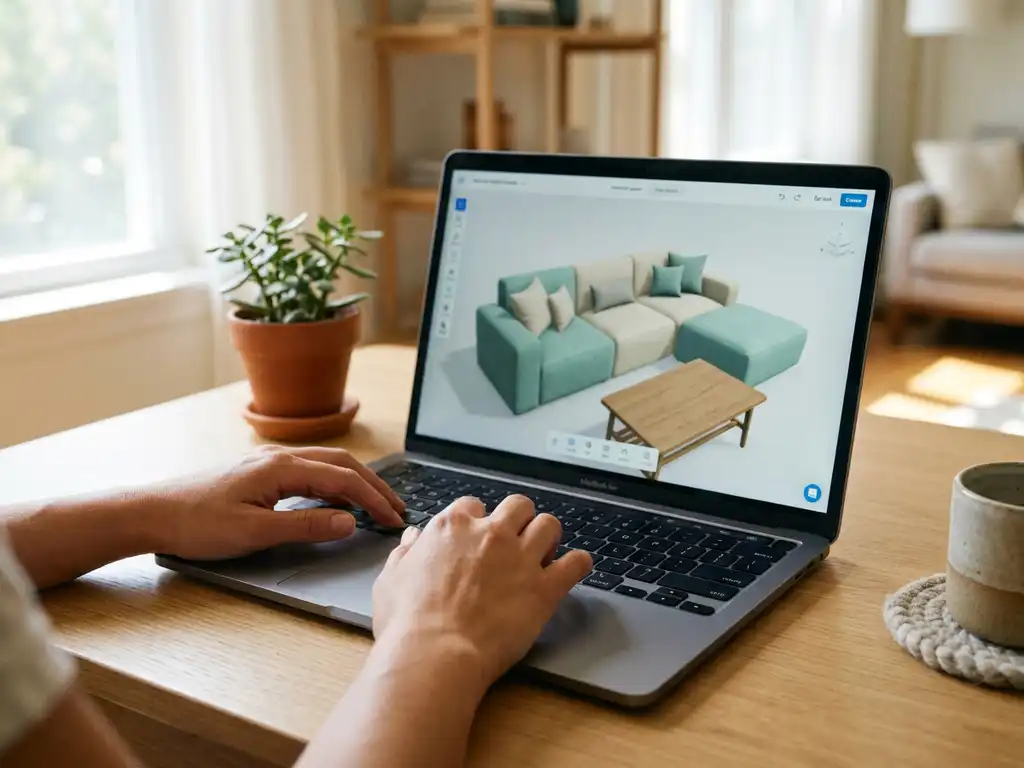
Zakeke is a reasonably approachable online product configurator for businesses with straightforward customisation needs, but its ease of use depends heavily on what you are trying to configure. For simple text, colour, and image personalisation, the setup is manageable. For complex, rule-driven products like upholstered furniture with hundreds of fabric and dimension combinations, the platform quickly shows its limits. This article works through the most practical questions furniture brands and retailers ask before committing to a product configurator.
What kind of products is Zakeke designed for?
Zakeke is primarily designed for products with surface-level customisation: adding text, uploading images, selecting colours, or applying prints to items like apparel, accessories, promotional goods, and simple home decor. It works well for print-on-demand and personalisation use cases where the product structure itself does not change significantly between variants.
Where Zakeke becomes less well-suited is with structurally complex, configurable products. Furniture is a good example. A sofa with variable dimensions, modular sections, dozens of fabric collections, leg finishes, and stitching options is not simply a product with a label on it. It is a product where each combination must follow business logic, pricing rules, and production constraints. Zakeke was not built with that kind of depth in mind. Its strength is personalisation, not configuration in the industrial sense.
If your catalogue consists of giftware, wall art, custom print products, or basic homeware with straightforward options, Zakeke may serve you well. If you manufacture or sell configurable upholstered seating, modular storage, or made-to-order furniture, you will likely find the platform underpowered for the task.
How long does it take to set up Zakeke?
For simple products, Zakeke can be set up within a few days. Most users report that basic personalisation products can be live within a week, provided product assets are already prepared. The platform offers templates and a visual interface that reduces the need for developer involvement at the entry level.
Setup time increases significantly as product complexity grows. Adding 3D visualisation, configuring conditional logic between options, and connecting Zakeke to an existing e-commerce stack all require more technical effort. Users with larger catalogues often report that onboarding takes several weeks, particularly when 3D models need to be created or converted to a compatible format.
One factor that many businesses underestimate is asset preparation. Before any configurator can go live, your product data needs to be structured, and your visual assets need to meet the platform’s requirements. This groundwork is often the longest part of the process, regardless of which platform you choose.
What integrations does Zakeke support?
Zakeke integrates with the most widely used e-commerce platforms, including Shopify, WooCommerce, Magento, and BigCommerce. It also offers API access for custom integrations, which gives technically capable teams more flexibility in connecting it to their existing systems.
For businesses operating within a broader technology ecosystem that includes ERP, PIM, or CRM systems, native integration is more limited. Zakeke’s integrations are primarily commerce-facing rather than enterprise-facing. Connecting it to a product information management system or an ERP tool typically requires custom development work, which adds cost and complexity to the implementation.
If your business runs on a standard Shopify or WooCommerce setup and does not need deep back-end connectivity, Zakeke’s integration story is adequate. For mid-sized manufacturers or retailers with more sophisticated IT landscapes, the integration layer may require more investment than initially expected.
What are the most common complaints about Zakeke?
The most frequently raised complaints about Zakeke centre on three areas: limited configurator depth for complex products, performance issues with 3D rendering at scale, and customer support responsiveness. Users with straightforward use cases tend to be satisfied, while those pushing the platform beyond basic personalisation encounter friction.
Specific issues that come up repeatedly in user reviews and community discussions include:
- Rule complexity: Managing conditional logic between product options becomes difficult as the number of variants grows. There is no native support for the kind of deep business rules that furniture manufacturers rely on.
- 3D model quality and performance: The 3D viewer can struggle with highly detailed models, leading to slower load times that affect the buyer experience.
- Pricing logic: Dynamic pricing based on configuration combinations is limited, which creates problems for businesses where price changes with dimensions, materials, or option combinations.
- Support response times: Several users note that resolving technical issues takes longer than expected, particularly on lower-tier plans.
- Scalability across a large catalogue: Managing hundreds of products with multiple variants in Zakeke requires significant manual effort without robust bulk management tools.
These complaints are not universal, and for the use cases Zakeke was designed for, many users report a positive experience. The problems tend to surface when businesses try to stretch the platform beyond its intended scope.
How does Zakeke compare to other product configurators?
Zakeke sits in the personalisation-first segment of the online product configurator market. It competes well against tools like Printful’s customisation layer or basic Shopify apps for surface customisation. When compared to purpose-built configurators for complex manufactured products, it occupies a different category entirely.
The key distinctions come down to use case depth and industry focus:
- Personalisation tools (Zakeke’s peer group): Designed for adding customer-supplied content to existing products. Strong on visual editing, weaker on structured configuration logic.
- General-purpose configurators: Broader functionality, often with 3D capabilities and some rule-based logic. Suitable for mid-complexity products but may lack industry-specific features.
- Industry-specific configurators: Built for a particular vertical, such as furniture or interiors. Deeply integrated with ERP logic, capable of handling millions of valid combinations, and designed to connect to existing production and sales workflows.
For a furniture brand with a configurable range, the comparison that matters most is not Zakeke versus another personalisation tool. It is whether a general platform can handle the structural complexity of your products, or whether a specialist solution is the more pragmatic long-term investment.
When should a furniture brand consider a Zakeke alternative?
A furniture brand should consider a Zakeke alternative when its products involve structured configuration logic, complex pricing rules, or deep integration with back-end systems. If your configurator needs to handle modular products, conditional option dependencies, or real-time pricing across hundreds of variants, Zakeke is likely the wrong tool for the job.
Other clear signals that an alternative is worth evaluating:
- Your sales process involves guided selling, where the configurator needs to walk a customer through choices in a structured sequence
- You need the configurator to feed directly into ERP or production systems without manual re-entry
- You want automatically generated, photorealistic product images from every configuration without a separate photoshoot
- You operate across multiple retail channels and need consistent product presentation at every touchpoint
- You are scaling a large catalogue and cannot afford to manage each variant manually
The decision point is usually not about Zakeke being a bad product. It is about whether the platform was built for the kind of product complexity your business actually has.
How iONE360 addresses complex furniture configuration
We built iONE360 specifically for the challenges that furniture and interior brands face when selling configurable products at scale. Where general-purpose tools reach their limits, our platform is designed to take over.
Here is what sets our approach apart:
- ERP-native logic: Our 3D product configurator is built on ERP logic, meaning it speaks the same language as your production and planning systems and can be connected to your existing IT landscape without custom workarounds.
- Millions of valid combinations: We handle complex business rules and pricing structures that make other platforms buckle, covering virtually any massively customisable product in the furniture, living, and decoration sectors.
- Automatic high-quality visuals: Every configuration generates photorealistic product images automatically, eliminating the need for expensive photoshoots across your full variant range.
- Omnichannel consistency: The same configurator works across your webshop, dealer network, and in-store touchpoints, ensuring your brand presentation is consistent everywhere.
- Guided selling built in: Complex options are translated into a simple, step-by-step process that helps customers configure with confidence and reduces errors in the sales process.
If your catalogue has outgrown what a personalisation-first tool can handle, we would be happy to show you what a purpose-built configurator looks like in practice. Get in touch with us to discuss your specific product range and see a live demonstration.