

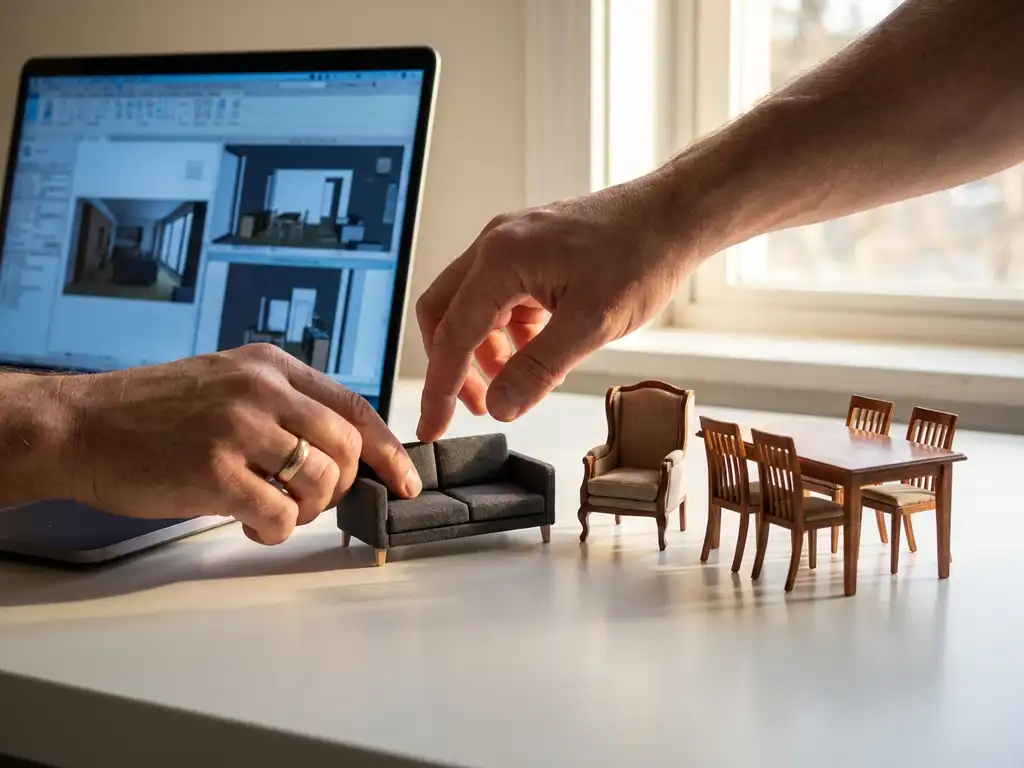
Choosing the right furniture visualizer requires evaluating visual quality, integration capabilities, scalability, and industry-specific features. The best solution combines photorealistic 3D rendering with seamless system integration, supports your entire product catalog, and delivers measurable ROI through improved conversion rates and reduced returns.
What is a furniture visualizer and why do businesses need one?
A furniture visualizer is a 3D software platform that allows customers to view, customize, and interact with furniture products in realistic digital environments. It enables real-time product configuration, generates photorealistic images, and often includes room planning capabilities to show how furniture fits in actual spaces.
Businesses need furniture visualizers because traditional product photography cannot scale across all product variations. A single sofa might have dozens of fabric options, multiple sizes, and various configurations, requiring hundreds of individual photos. Visualizers generate these images automatically while providing interactive experiences that increase customer confidence and reduce returns.
Modern furniture visualizers also address the showroom limitation problem. Physical spaces can only display a fraction of available products and configurations. Digital visualization removes these constraints, allowing customers to explore your entire catalog in unlimited combinations. This capability becomes particularly valuable for businesses selling customizable or made-to-order furniture, where showing every possible variation physically would be impossible.
What features should you look for in furniture visualization software?
Essential features include photorealistic 3D rendering, real-time product configuration, automated image generation, and room planning software integration. The platform should handle complex product rules, pricing calculations, and generate high-quality visuals without manual intervention for each product variant.
Configuration capabilities are crucial for furniture businesses. Your visualizer should manage complex product relationships, such as how different sofa sections connect or which fabric options are available for specific frame styles. The software should enforce business rules automatically while calculating accurate pricing based on customer selections.
Integration features determine how well the visualizer fits into your existing workflow. Look for APIs that connect with your product information management system, ERP software, and e-commerce platform. The best solutions pull product data automatically and push configured products directly into shopping carts or quote systems.
Advanced features to consider include augmented reality capabilities, automated packshot generation for marketing materials, and analytics that track which configurations customers prefer. These features provide additional value beyond basic visualization and can inform product development decisions.
How much does furniture visualization software cost?
Furniture visualization software typically costs between $10,000 and $100,000+ annually, depending on product complexity, catalog size, and feature requirements. Pricing models vary from per-product licensing to usage-based fees, with enterprise solutions often requiring custom pricing based on specific needs.
Several factors influence pricing significantly. The number of products in your catalog affects licensing costs, as does the complexity of your configurations. A simple chair with fabric options costs less to implement than a modular kitchen system with hundreds of components and complex assembly rules.
Consider total cost of ownership beyond software licensing. Implementation services, 3D model creation, ongoing support, and system integration add substantial costs. However, calculate potential savings from reduced photography needs, fewer returns, and increased conversion rates when evaluating ROI.
Many providers offer tiered pricing structures. Basic packages might include standard visualization features, while premium tiers add room planning, AR capabilities, and advanced analytics. Evaluate which features directly impact your business goals rather than paying for unnecessary functionality.
What’s the difference between cloud-based and on-premise furniture visualizers?
Cloud-based furniture visualizers run on remote servers and are accessed through web browsers, offering easier deployment and automatic updates. On-premise solutions are installed on your own servers, providing greater control over data and customization but requiring more IT resources to maintain.
Cloud-based solutions offer faster implementation and lower upfront costs. You can typically launch within weeks rather than months, and the vendor handles all technical maintenance, security updates, and infrastructure scaling. This approach works well for businesses wanting to minimize IT overhead while accessing advanced visualization capabilities.
On-premise solutions provide maximum control over your data and system customization. Large enterprises with strict security requirements or complex integration needs often prefer this approach. However, you bear responsibility for server maintenance, security patches, and scaling infrastructure as your business grows.
Hybrid approaches are becoming more common, where core processing happens in the cloud while sensitive data remains on your servers. This model balances convenience with security requirements and often provides the best performance for complex furniture configurations.
How do you implement furniture visualization software successfully?
Successful implementation requires careful planning of your product data structure, a phased rollout starting with key product lines, and close collaboration between your technical team and the software vendor. Begin with a pilot program covering 10-20% of your catalog before expanding to full implementation.
Start by auditing your existing product data quality. Furniture visualizers require detailed specifications, accurate measurements, and high-quality reference images for each product variant. Clean, standardized data prevents implementation delays and ensures accurate visualizations from day one.
Plan your rollout strategy carefully. Begin with your best-selling or most profitable product lines rather than trying to implement everything simultaneously. This approach allows you to resolve issues on a smaller scale while demonstrating ROI to stakeholders through improved performance on key products.
Training your team is crucial for long-term success. Sales staff need to understand how to use the visualizer effectively with customers, while technical teams must know how to maintain product data and troubleshoot issues. Allocate sufficient time for comprehensive training during the implementation phase.
How do you measure the success of your furniture visualizer investment?
Measure success through conversion rate improvements, reduced return rates, increased average order values, and decreased time-to-purchase. Track these metrics before and after implementation, focusing on products where the visualizer is actively used versus those without visualization capabilities.
Conversion rate tracking provides the clearest ROI indicator. Compare products with visualization capabilities against similar products without them. Successful implementations typically see 20-40% higher conversion rates for visualized products, though results vary based on product type and customer behavior.
Return rate reduction offers another strong success metric. When customers can accurately visualize products before purchase, they make more informed decisions and experience fewer surprises upon delivery. Monitor return reasons to identify whether visualization is addressing common issues like color mismatches or size concerns.
Operational efficiency metrics matter too. Track time savings in photography, reduced customer service inquiries about product details, and faster sales cycles. These improvements often provide substantial cost savings that contribute significantly to overall ROI, even if they’re less visible than direct sales metrics.
How does iONE360 help with furniture visualization?
We provide a comprehensive furniture visualization platform that combines photorealistic 3D rendering, real-time configuration, and integrated room planning capabilities. Built on over 45 years of furniture industry expertise, our solution handles complex customizable products with millions of possible variations while maintaining seamless integration with your existing systems.
Our platform offers several key advantages:
- Photorealistic 3D visualization that accurately represents materials, textures, and lighting
- Real-time product configuration with complex business rules and pricing calculations
- Automated high-quality image generation for marketing and sales materials
- Integrated room planning tools that increase buying intent by up to 64%
- Seamless API integration with PIM, ERP, and e-commerce systems
Ready to transform your furniture sales process with advanced visualization technology? Explore our showcases to see the platform in action, or contact us to discuss how we can help scale your business with cost-effective, pragmatic visualization solutions.
Frequently Asked Questions
How long does it typically take to create 3D models for an entire furniture catalog?
The timeline depends on catalog size and product complexity, but typically ranges from 2-6 months for a full implementation. Simple products like chairs or tables can be modeled in 1-2 weeks each, while complex modular systems may take 4-6 weeks. Many businesses start with their top 20% of products to see results faster, then gradually expand their 3D catalog over time.
Can customers save and share their furniture configurations with others?
Yes, most modern furniture visualizers allow customers to save configurations and generate shareable links or images. This feature is particularly valuable for B2B sales where multiple stakeholders need to review selections, or for consumers who want to get approval from family members before making large purchases.
What happens if my product specifications change after the 3D models are created?
Quality furniture visualization platforms are built to handle product updates efficiently. When connected to your PIM system, changes to dimensions, materials, or configurations can be automatically reflected in the 3D models. However, significant design changes may require model updates, which is why choosing a platform with flexible updating capabilities is crucial.
How accurate are the colors and materials shown in furniture visualizers compared to real products?
Modern visualizers achieve 95%+ color accuracy when properly calibrated with physical material samples. The key is working with a provider who uses advanced color management systems and regularly validates their digital materials against actual fabric and finish samples. However, customer monitor calibration can still affect perception, so it’s important to set proper expectations.
Can furniture visualizers handle products with complex assembly requirements or modular components?
Yes, advanced platforms excel at managing complex product relationships and assembly rules. They can enforce which components work together, calculate accurate pricing for multi-part configurations, and even generate assembly instructions. This capability is essential for businesses selling modular furniture, kitchen systems, or custom built-ins.
What technical requirements do customers need to use furniture visualizers?
Most modern furniture visualizers run in standard web browsers without requiring special software downloads. Customers typically need a device with WebGL support (available in all modern browsers) and a stable internet connection. Mobile compatibility is standard, though complex configurations work best on tablets or desktops with larger screens.
How do you prevent the visualizer from slowing down your website or affecting SEO?
Choose a platform that uses optimized 3D models and progressive loading techniques to maintain fast page speeds. The visualizer should load asynchronously and provide fallback images for search engines. Quality providers offer CDN distribution and image optimization to ensure the visualization enhances rather than hinders your site’s performance and SEO ranking.
Related Articles
- What is the best app for planning furniture layout?
- What is the difference between a room planner and room visualizer?
- Is a product configurator worth the investment for e-commerce?
- What industries benefit most from product configurators?
- Can a 3D product configurator be used by sales representatives in a store?