

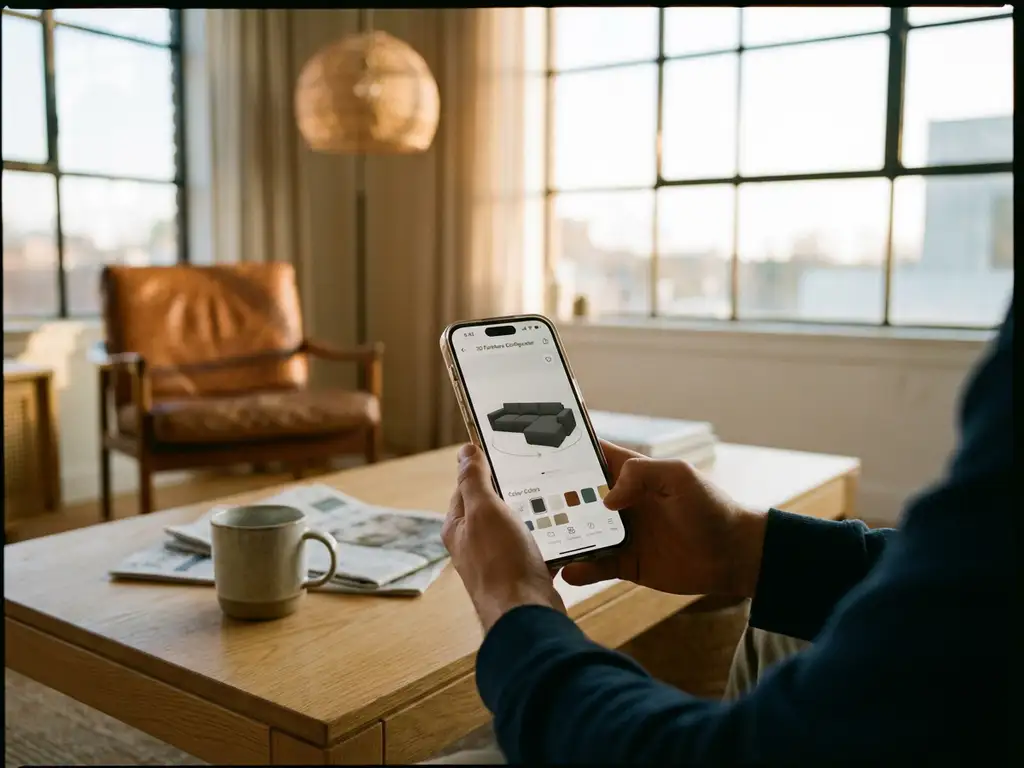
Yes, customers can use 3D configurators on mobile devices. Modern smartphones and tablets support 3D product configurator technology through web browsers without requiring app downloads. These mobile-optimised platforms enable customers to customise products, view real-time 3D visualisations, and even experience augmented reality features directly on their mobile screens.
What makes 3D configurators work on mobile devices?
3D configurators work on mobile devices through WebGL technology and responsive web design that adapts to smaller screens. Modern smartphones have sufficient processing power and graphics capabilities to render 3D models smoothly. The technology works through standard web browsers like Chrome, Safari, and Firefox without requiring additional software installations.
The key technical requirements include adequate RAM (typically 3 GB or more), a decent graphics processor, and a stable internet connection for loading 3D assets. Most configurators use cloud-based rendering to reduce the processing burden on mobile devices, streaming optimised 3D content that loads quickly even on slower connections.
Touch-friendly interfaces replace traditional mouse controls with intuitive gestures like pinch-to-zoom, swipe to rotate, and tap to select options. These interfaces are specifically designed for mobile interaction patterns, making product customisation feel natural and responsive on touchscreens.
How do mobile 3D configurators compare to desktop versions?
Mobile 3D configurators offer comparable functionality to desktop versions, though with some interface adaptations for smaller screens. The core customisation features remain identical, including material selection, colour changes, and configuration options. However, mobile versions typically present options in simplified menus and streamlined workflows.
Performance differences are minimal on modern devices. High-end smartphones often match desktop performance for 3D rendering, while mid-range devices may experience slightly longer loading times for complex models. Visual quality remains consistent across platforms, maintaining the same level of detail and realism.
Desktop versions excel in multitasking scenarios and detailed comparison views, while mobile versions shine in convenience and portability. Mobile configurators often include exclusive features like camera integration for AR viewing and location-based contextualisation that desktop versions cannot provide.
What are the benefits of using 3D configurators on mobile devices?
Mobile 3D configurators provide unprecedented convenience and accessibility for product customisation. Customers can configure products anywhere, anytime, without being tied to a desktop computer. This flexibility significantly increases engagement rates and allows for impulse customisation decisions during commutes, lunch breaks, or while relaxing at home.
Integration with augmented reality features represents a major advantage. Mobile devices can overlay configured products into real environments using the camera, helping customers visualise how customised furniture or décor items will look in their actual spaces. This capability reduces purchase uncertainty and increases confidence in customisation choices.
Social sharing becomes effortless on mobile platforms. Customers can instantly share their customised designs with family, friends, or colleagues through messaging apps, social media, or email. This social element often leads to collaborative decision-making and can generate organic marketing through shared configurations.
Are there any limitations when using 3D configurators on smartphones?
Screen size represents the primary limitation for mobile 3D configurators. Smaller displays can make it challenging to appreciate fine details in complex products or view multiple configuration options simultaneously. Users may need to zoom in frequently or switch between different views to fully examine their customisations.
Battery consumption can be significant during extended configuration sessions, particularly when using AR features or rendering complex 3D models. Older devices may experience performance slowdowns or heating issues during intensive 3D rendering tasks, though this is becoming less common with newer smartphones.
Internet connectivity requirements can pose challenges in areas with poor mobile coverage. While many configurators cache basic functionality offline, full 3D model loading and real-time updates typically require a stable internet connection. Data usage can also be a consideration for users with limited mobile data plans.
How can businesses optimise 3D configurators for mobile users?
Businesses should prioritise progressive loading techniques that display basic 3D models quickly while loading higher-resolution details in the background. This approach keeps users engaged while preventing frustrating wait times. Implementing efficient compression algorithms and optimised 3D assets specifically for mobile delivery ensures smooth performance across various device capabilities.
Interface design must embrace mobile-first principles with larger touch targets, simplified navigation menus, and gesture-based controls. Important configuration options should be easily accessible within thumb reach, and the interface should adapt dynamically to different screen sizes and orientations.
Offering offline capabilities for basic configuration functions helps users continue working even with poor connectivity. Businesses should also implement smart caching strategies that preload popular configuration options and provide clear feedback about loading progress to maintain user engagement during data-intensive operations.
Hoe iONE360 helpt met mobiele 3D-configuratie
iONE360 biedt een volledig geoptimaliseerde mobiele ervaring die naadloos werkt op alle smartphones en tablets. Ons platform combineert geavanceerde 3D-visualisatie met intuïtieve mobiele bediening, waardoor klanten overal en altijd hun producten kunnen configureren.
Belangrijke mobiele mogelijkheden van iONE360:
- Responsief ontwerp dat zich automatisch aanpast aan elke schermgrootte
- Geïntegreerde AR-functionaliteit voor realistische productvisualisatie in echte ruimtes
- Touch-geoptimaliseerde interface met intuïtieve veeg- en tikbewegingen
- Snelle laadtijden door geoptimaliseerde 3D-assets en cloud-rendering
- Offline basisfunctionaliteit voor een ononderbroken configuratie-ervaring
Ontdek hoe iONE360 uw mobiele productconfiguratie kan transformeren. Bekijk onze showcases of neem contact op voor een gepersonaliseerde demo van onze mobiele 3D-configuratieoplossingen.
Related Articles
- How do furniture retailers use 3D configurators to stand out online?
- What’s the difference between 2D and 3D room planning software?
- How are home décor companies successfully using 3D product configurators?
- Can a 3D product configurator generate a shareable link of a configured product?
- Can 3D product configurators handle thousands of product variations?
